







































If you’ve ever managed a large website with thousands of pages, you’ll know how difficult it is to stay on top of everything.
You’ve got tons of keywords to track, pages to optimise and every time you find a technical SEO issue…
You join the queue of a very long development line to get it fixed!
With enterprise SEO, you are playing a very different game!
seoClarity isn’t just another technical SEO tool.
It’s a comprehensive AI-powered platform that diagnoses SEO issues in real time and fixes them with the click of a button.
This powerful tool solves one of the biggest issues in enterprise SEO:
The gap between finding a problem and actually fixing it!
In my seoClarity review, I will show you all the features that this platform offers and how it saves you hundreds of hours in manual work.

What Will I Learn?
What Is seoClarity?
seoClarity is an AI-powered enterprise SEO platform designed specifically for large websites or SEO agencies managing complex SEO campaigns.
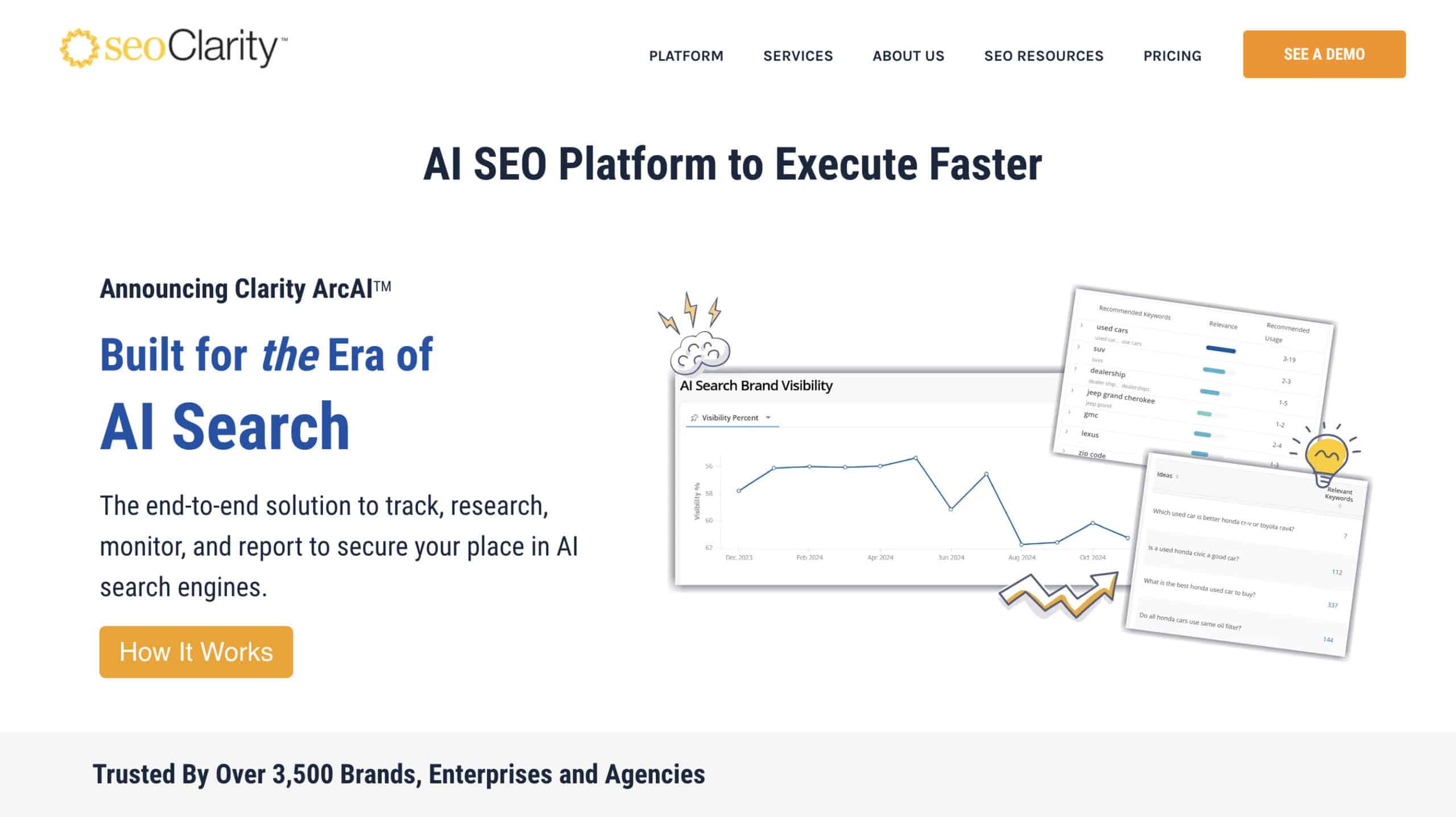
The platform was founded back in 2008 and has continued to evolve as the SEO industry has changed.
What makes it unique?
It offers three major capabilities:
- Powerful Analysis Tools – Technical SEO, on-page SEO, content optimisation and rank tracking.
- One-Click Implementation – Deploy fixes to your site automatically.
- Unlimited Tracking – There are no limits on features like keyword or competitor tracking.
Here’s the big difference:
Most all-in-one SEO platforms are designed to find and diagnose issues.
seoClarity actually helps you fix those issues with features like ClarityAutomate, schema deployment and Content Fusion.
More on those later!
If you’re managing a large site (or lots of sites), you don’t have time to take care of all the small issues.
And if you want to make changes, you most likely have to wait for your development team to implement them.
That’s where seoClarity comes in.
It takes care of the important technical and on-page elements automatically, so you can focus on growing your traffic.
seoClarity is built for enterprise SEO teams who want to move quickly and maximise results, without getting bogged down in the weeds.

seoClarity Pros & Cons
seoClarity is a powerful tool, but it’s not for everyone.
Here are the pros and cons I found when using seoClarity to help you decide if it’s right for your business.
| PROS | CONS |
|---|---|
| ✅ Unlimited data tracking, no hidden caps | ❌ Steep learning curve |
| ✅ Pixel perfect keyword rank tracking | ❌ Quote-based pricing |
| ✅ One-click SEO fixes with no developer implementation | ❌ Key features like ClarityAutomate are paid add-ons |
| ✅ Enterprise-scale crawler and audits | ❌ May pay for features you don’t need |
| ✅ Real-time analytics with integrations | ❌ Automated fixes may disappear after removing the JS tag |
| ✅ Every tool you need for scalable SEO | ❌ Potential extra charges for training and support |
| ✅ Complete workflows for global teams | |
| ✅ Intuitive interface and dashboards | |
| ✅ Powerful AI Content Fusion |
📋 seoClarity Pros: What I Found Most Valuable
- Unlimited Data Tracking – seoClarity offers true unlimited data tracking for keywords, competitors, and countries with daily or hourly updates. Most tools claim to be unlimited, but they often have hidden caps and ultimately charge you more.
- Pixel Ranking Tracking – See the real visibility of your website with seoClariy’s pixel depth tracking. Instead of just telling you what position your site ranks, seoClarity shows you where you appear. It then gives you a visibility percentage that tells you what percentage of people will actually see your site based on its rank.
- Eliminate Developer Bottlenecks – Instead of waiting for developers to fix SEO issues, ClarityAutomate allows you to deploy thousands of fixes in seconds. It works for updating things like title tags, schema markup, canonical URLs and way more.
- Enterprise Level Crawler – The Claritfy 360 crawler can crawl sites with millions of pages at a speed of 100 pages per second. That’s quick! Run in-depth SEO audits faster and catch eleven the smallest issues.
- Real-Time Analytics – See the impact of your SEO changes as they happen, not weeks or even months later. Set up custom dashboards to track metrics that are important to you and see changes as Google’s algorithm updates – even with massive datasets.
- AI Content Fusion Powered By Your Data – Content Fusion is integrated into your seoClarity account. That means it can use your current rankings, keyword data and competitor research to give you more personalised recommendations. Improve your entire site based on what’s already working.
- Add Unlimited Users – Add your team members, clients and stakeholders to your seoClarity account without any extra fees. seoClarity is one of the few tools on the market that won’t charge you per user.
📋 seoClarity Cons: The Limitations I Found
- Long Onboarding Process – seoClarity is not one of those tools where you start a free trial and are up and running in a couple of hours. The entire onboarding process takes at least 2 weeks. The team will teach you to use the platform, integrate your site correctly, add competitors and configure everything.
- Quote-Based Pricing – For accurate pricing, you will need to reach out to seoClarity to tell them about your site, goals, campaign and needed features. From there, they will give you a custom quote. The good news is that seoClarity provides general pricing ranges for each plan tier, so you can get an idea of how much it will cost before you contact them.
- Pay For Features You Don’t Need – If you run a smaller site or have a lower budget, seoClarity might be overkill. In some cases, you could end up paying for powerful features you just don’t need. The seoClarity team can customise your plan, but make sure you understand your needs before signing up.
- Automated Fixes May Not Be Permanent – ClarityAutomate works by adding a line of JavaScript to your site so it can deploy changes as an overlay. When a search engine or human visits your site, it rewrites the HTML and delivers the page with the changes. The downside is that if you cancel seoClarity later, it might remove some automated changes.
- Key Features Are Paid Add-Ons – One of seoClarity’s top features is ClarityAutomate. Unfortunately, ClarityAutomate is a paid add-on, not included in any base plans. Not ideal.

What Makes seoClarity Different From Other Platforms?
I’ve tested a lot of SEO tools over the years…
Here are the three big things that stand out for seoClarity compared to other enterprise SEO software.
#1: Unlimited Tracking With Complete Data
Unlimited data is a massive benefit for seoClarity.
What does it mean?
Let’s say you ran a massive website with 15,000 keywords across 3 international countries. That’s a ton of data.
A lot of SEO enterprise tools will limit the amount of data you can process – even if they claim to be unlimited.
Not seoClarity!
They offer true unlimited tracking and data.
That means no hidden limits on keywords, competitors or data freshness.
They also offer daily automatic rank tracking updates to ensure you always have the latest SEO information.

Cool, right?
But that’s just the beginning…
You can track ranking in 180+ countries worldwide, and seoClarity provides pixel-depth tracking.
The pixel-depth tracking feature is powerful.
Instead of just showing your organic keyword rankings, seoClarity shows your:
- Exact position in the SERPs
- Accounting for ads
- Featured snippets
- AI Overviews
…and other SERP features!
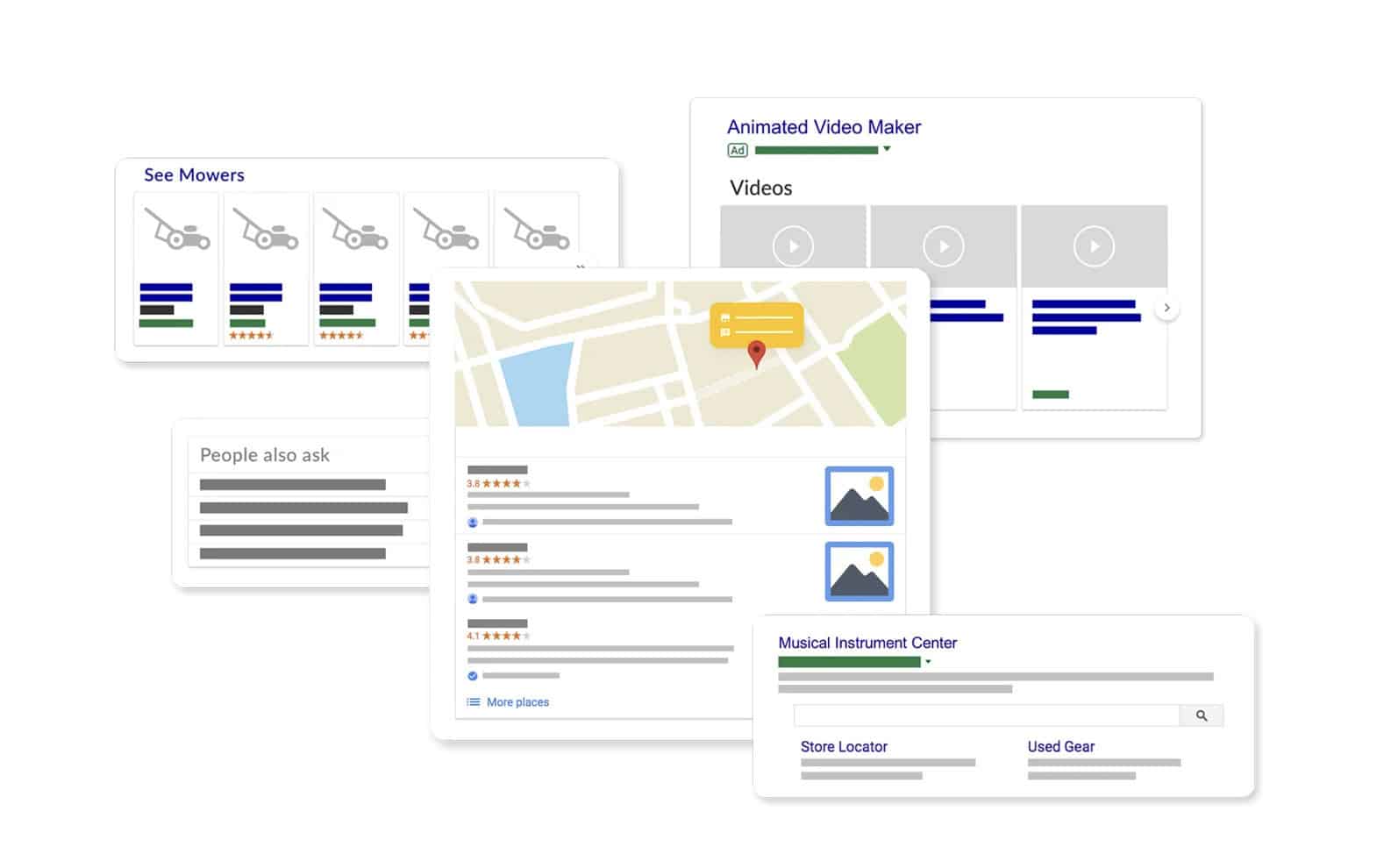
You see the actual percentage of people who see your site based on your real rank.
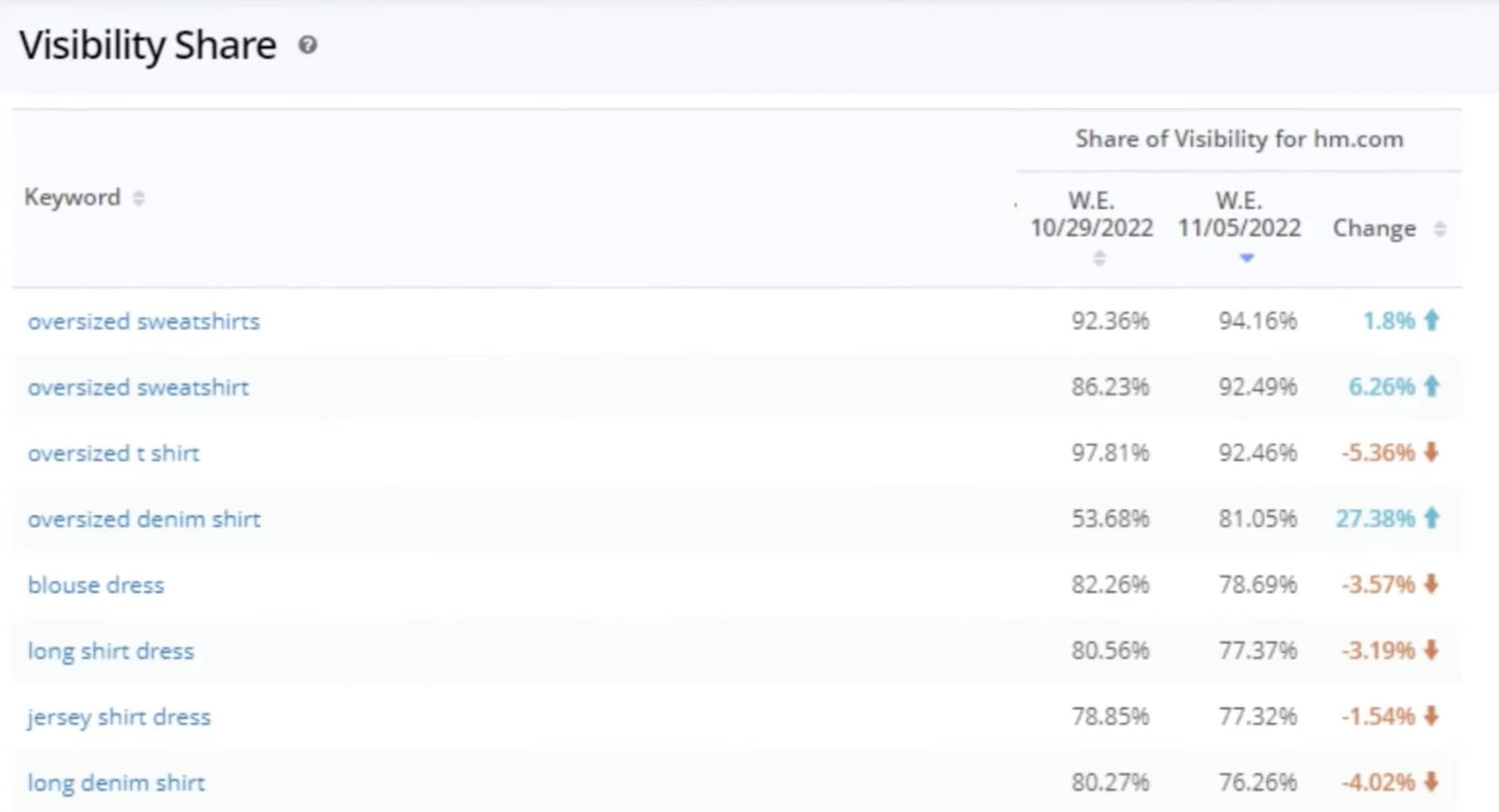
And it’s for every tracked keyword! No caps.
The truth is that seoClarity is one of the few SEO platforms that offers true unlimited tracking with no hard caps on data usage.
#2: Implementation Without Developers
Nothing kills an SEO campaign faster than waiting for developers.
Finding issues is easy; getting them fixed isn’t.
I’ve seen SEO teams identify critical SEO issues, only to wait months for a developer to actually fix them.
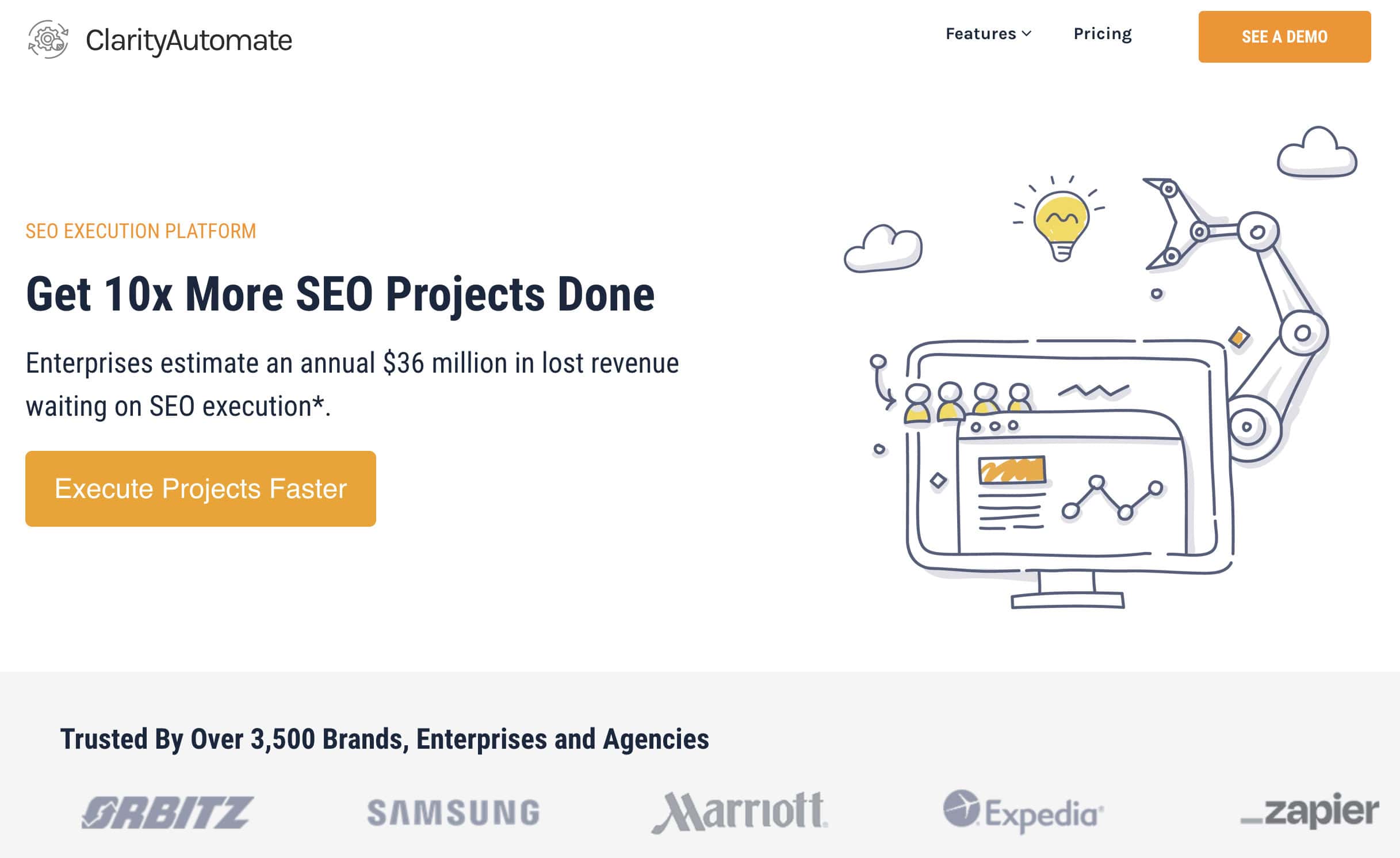
seoClarity’s CalrityAutomate feature solves this bottleneck problem by implementing changes directly on the site – often with a click of the button.
How does it work?
To start with, you simply add a JavaScript tag to your site.
This allows ClarityAutomate to implement fixes automatically.
seoClarity’s system then analyses-
- Page content
- Keyword rankings
- Semantic clusters
- Website performance
And more! We aren’t just talking about one or two pages either – seoClarity can analyse your entire site in a matter of minutes.
This is where the real magic happens…
seoClarity automatically identifies issues that need to be fixed and gives you a complete report.
When you want to fix the issues, it’s often as easy as one click to deploy all fixes.
These include:
- Page Optimisation – Update titles, delete duplicated tags, address hrefland issues and even manage robot directives.
- Link Optimisation – Auto-discover internal link gaps, fix broken links and insert new contextually relevant links.
- Add Schema – Generate and deploy new schema/JSON-LD based on the page and content.
- Meta-Data & Tags – Update title tags, meta descriptions and other technical tags.
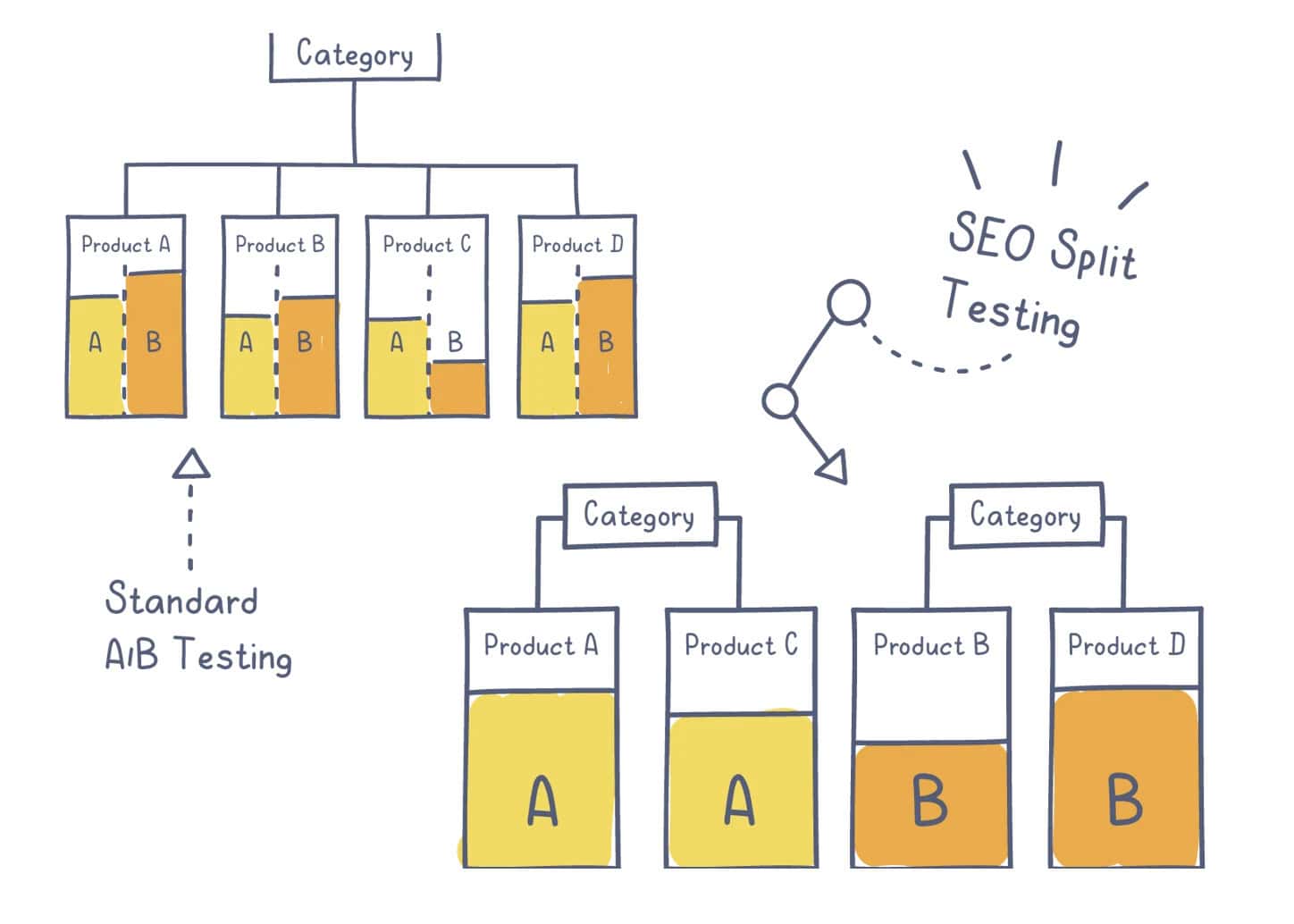
- Run Split Test – A/B test elements like titles, content changes, layouts and more.
On average:
It takes me about 8 minutes per page to manually make all of these changes.
SEO Clarity can update hundreds of pages in less than 30 seconds.
I’ll let you work out how much time is being saved!
The best part is that no developers are needed. The JavaScript code allows seoClarity to make the changes instantly in real time.
What’s happening behind the scenes is that ClarityAutomate is effectively an edge SEO layer.
That means that ClarityAutomate is essentially rewriting the HTML before it reaches the site visitor (or search engine bot).
The underlying changes are not being made to your original code base.
The only downside is that if you remove seoClarity from your site, it might remove some of the changes.
That’s something to keep in mind!
But the massive benefit is that you can make changes instantly, without affecting the original site code files.
Within minutes, you can make major technical SEO fixes to thousands of pages.
It’s automation SEO at its best!
#3: Integrated Analysis And Action
Most SEO tools operate in niche silos.
That means you typically have one tool for keyword research, another for backlink analysis and another for technical SEO.
Even if you use an all-in-one SEO tool like Ahrefs or Semrush, you will still need other tools to fill in the gaps that they miss.
The result is you spend half your time switching between tools and reports while trying to work out what actually needs to be done (and how to do it).
Frustrating, right?
This is another key area where seoClarity shines…
The platform offers an integrated workflow that focuses on action:
- SEO Audit: seoClarity identifies key technical SEO issues during its first audit and lists them based on priority.
- Optimisations: The platform provides one-click optimisations for each of the issues identified (you can do them one by one or in bulk).
- Updates & Reports: Changes are immediately deployed to the site, and you get a report of all changes that have been made.
All you have to do is sit back and monitor the results!
You’re not just buying software, you’re also buying a proven system.
seoClarity does the analysis, you approve the changes, and the platform implements them. Simple!

How To Get Started With seoClarity?
Let me be clear:
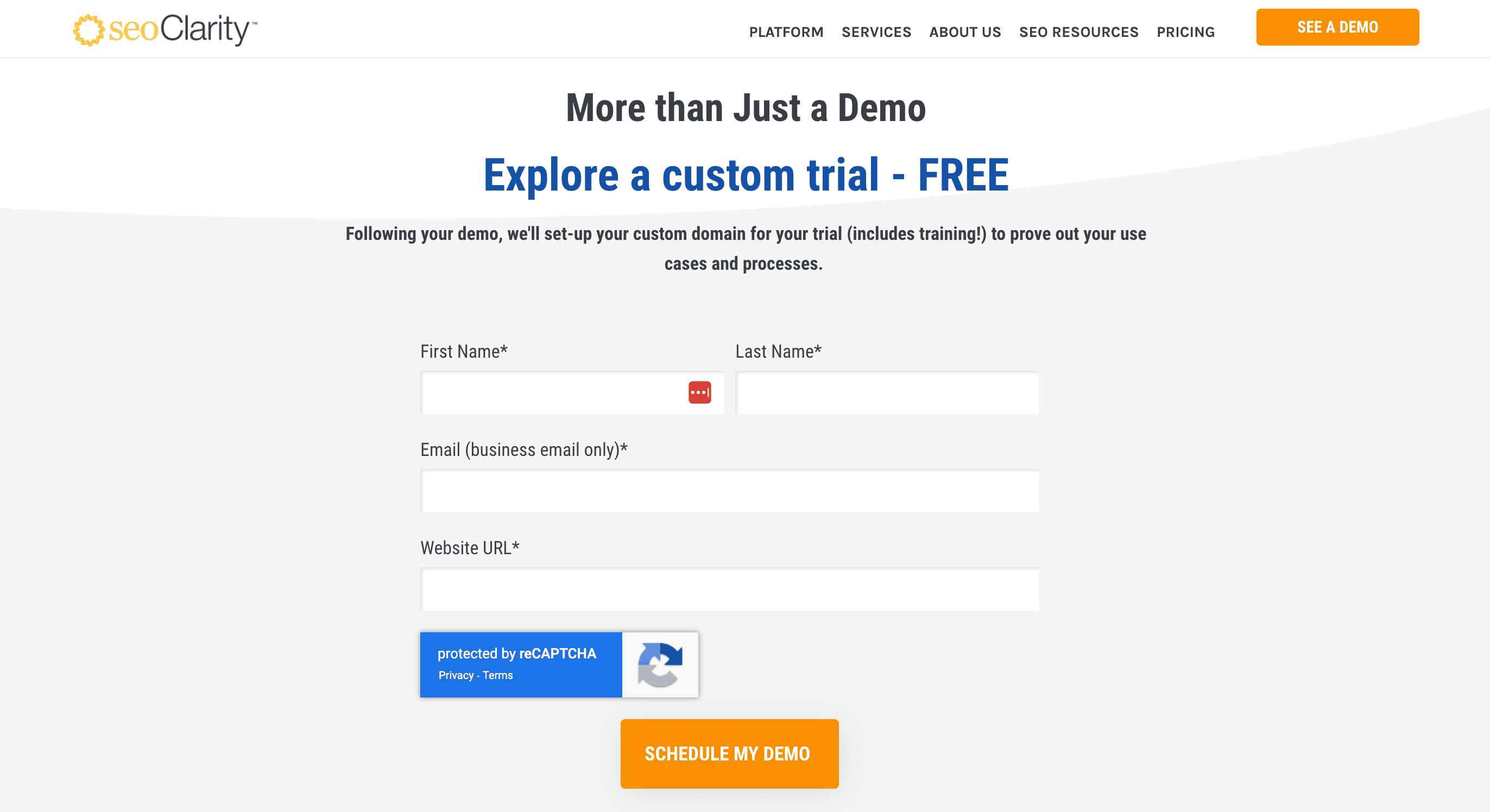
With seoClarity, you can’t just start a free trial today, log in and start using the platform. You have to book a demo and go through an entire setup process.
Most new users should plan to have basic features within 48 hours and a full enterprise setup within about 2 weeks.
It’s important to understand the timeline so you know what to expect:
Initial Setup & Onboarding (Days 1-3)
When you first sign up for seoClarity, you’ll schedule a onboarding call with an seoClarity team member.
This is an important step.
seoClarity is a massive platform with a ton of different features. You will spend hours going around in circles trying to figure everything out.
You will immediately get access to:
- Account login
- Competitive keyword research grid
- Topic explorer for content research
- Ability to run your first site audit
But the technical team needs to manually configure the platform for your site.
How does that work?
You simply fill out their Domain Provisioning Sheet, which includes details like:
- Your primary domain name
- Country/location for ranking data
- Domain protocol (HTTP or HTTPS)
- Search engine preferences (Google, Bing, etc.)
- Essential integrations
- Your main competitors
And more!
Once you’ve filled that out, it takes about 48 hours for the seoClarity team to configure the platform to your domain.
What are you waiting for?
Short answer – Historical data.
You can use some of the core features, like complete SEO audits, straight away. But it takes time for the historical data and proper keyword tracking to be implemented.
The reason I like this is that their team takes care of the technical nuts and bolts. They will ensure that it’s all configured correctly.
My advice is to fill out the Domain Provisioning Sheet immediately so you aren’t the bottleneck to getting your account completely set up.
Full Configuration Process (Days 3 to 15)
With the initial configuration and onboarding done, you will need to wait up to 2 weeks to complete the full configuration process.
This includes things like:
- Multiple domain configuration (if you own multiple sites)
- Automated weekly reporting
- Complete integrations with Google Analytics, Google Search Console and more
- Configuring competitor tracking (I recommend at least 5)
- Adding team member accounts and permission levels
- Keywords you want to track
- Tags for different keyword groups
- Custom dashboards
And way more!
This isn’t a tool that crawls your sites and gives you a bunch of cookie-cutter information. Everything is personalised to your brand, business and goals.
seoClarity will even configure keywords into types like branded and non-branded.

Or create custom filters to easily see the data that’s important to your business.
The truth is it’s a great approach.
As different elements are being set up, you’ll get access and training for them.
The process is pretty seamless, and it works well in terms of learning the platform efficiently. It’s also great if you have a large team because each team member learns as they go.
How to Use SeoClarity
Ready to take a look under the hood of seoClarity?
I will show you all of the key features of the platform’s features and explain how each of them works together to improve your SEO.
Understanding The Dashboard
Everything in seoClarity is about customisation.
The dashboard can be completely customised to show you the important metrics from the moment you log in.
It’s functional, easy to navigate and everything is laid out logically.
This is an impressive part of seoClarity.
Even with all the tools and features, they’ve managed to create a usable interface that doesn’t feel cluttered.
When you first log in, you’ll see a customised dashboard that has essential metrics front and centre.
This can be customised depending on what your team needs.
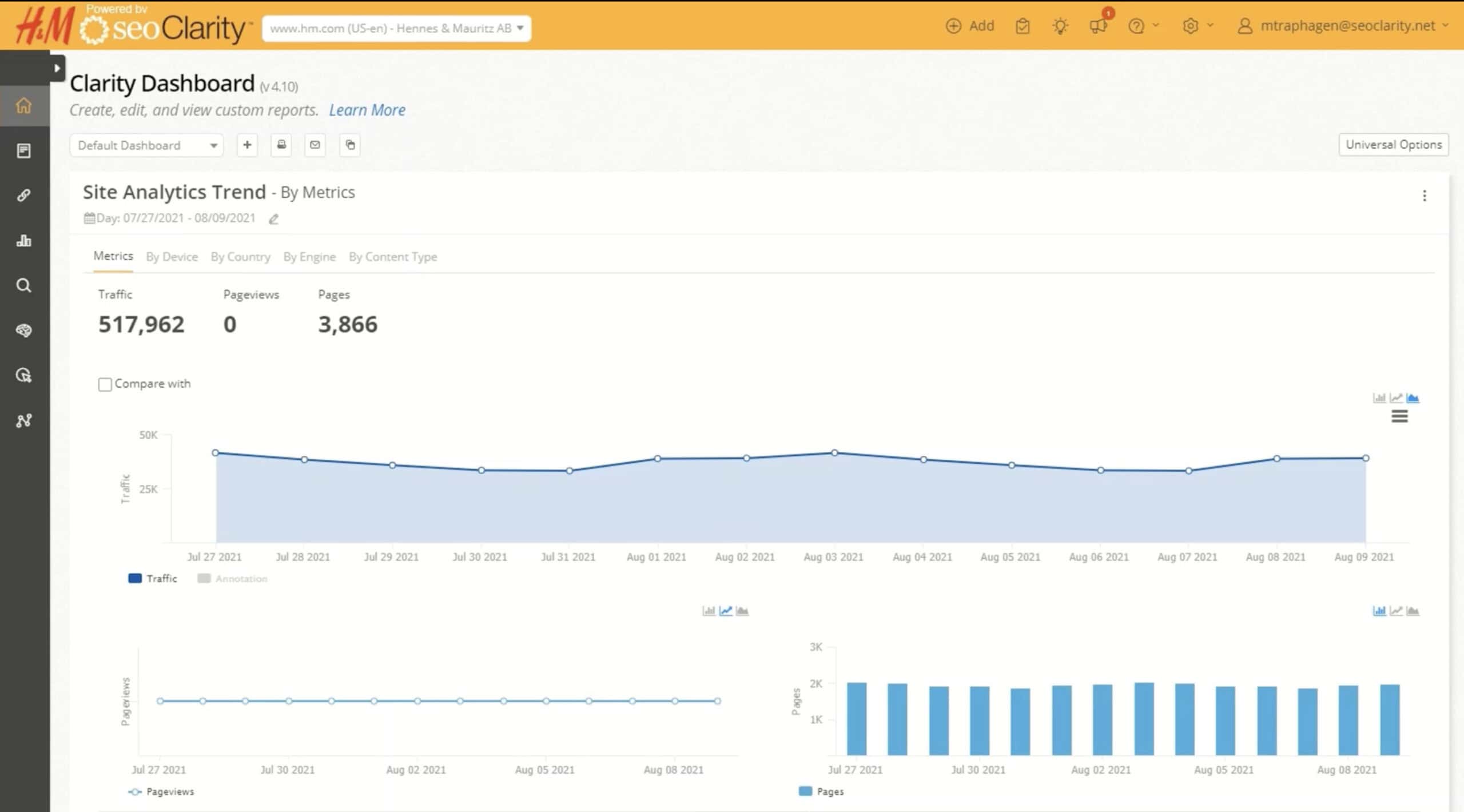
There is a navigation menu on the left with all of the tools.
It typically takes less than 2-3 clicks to navigate to any tool on the platform.
And it’s also very intuitive…
The platform is designed logically.
You don’t get bogged down while navigating around. Pages and reports load quickly, even when there are hundreds of lines of data being displayed.
The design does feel a little bit outdated, and it can sometimes feel a bit clunky.
But, it doesn’t affect the usability of the tool.
Rankings And SERP Analysis
seoClarity has one of the best rank tracking tools on the planet.
They go well beyond traditional rank tracking features and improve the way it’s done.

The top features include:
- Visual Rank Tracking – Use Pixel Depth to show the actual area on the page your website ranks, not just the position.
- Share of Visibility – Calculates your true percentage of people who see your site.
- Daily & Hourly Updates – Automatic daily updates and on-demand keyword updates.
- Unlimited Keyword Tracking – Track as many keywords, competitors and locations as your business needs.
- 190+ Countries (200+ Languages) – Real global rank tracking in almost any country and language you need.
- 27 Ranking Tracking Metrics – A ton of powerful metrics that actually help you track the performance of your content.
- SERP Feature Monitoring – See exactly what SERP features appear for each keyword, like AI overviews, featured snippets, local map pack and more.

What’s really unique to seoClarity is Pixel Depth tracking…
Most rank tracking tools give you a simple number and call it a day.
Position #3 sounds fine until you realise that there are-
- 4x ads
- An AI overview
- Local pack
- People Also Asked
Section above you, pushing your rank 3 to well below the fold.
seoClarity has a different approach to rank tracking.
They track what they call “Pixel Depth”.
Pixel Depth shows you where your page actually ranks in the SERPs – not just its numerical position.
For example, it might show you ranking at the 1200 pixel mark, which is actually considered the second fold.
What does “the fold” mean?
The fold is what users see on the screen without having to scroll down the page. Anything below the fold requires users to scroll to see it.
seoClarity takes your pixel depth and converts it into an actual visibility percentage.
The closer you are to 100%, the more visible your site is for that keyword.

Why does it matter?
Position tracking doesn’t matter if the user never sees your website in the search engine results pages.
Let’s say you rank 6th, but users only ever scroll to the 4th ranking result.
In this case…
You have 0% visibility because no one ever scrolls down to your result.
In other words – You would literally have the same visibility percentage as the website that ranks 20th.
What I really like about the visibility percentage tracking is that I know how many people are actually seeing my site in the SERPs.
Then, I can:
- Improve my content
- Optimise for AI overviews
- A/B test the title tag
- Build more quality backlinks
All to improve my visibility in the SERPS.
More visibility = more clicks.
The cool thing is seoClarity also calculates the visibility share of each of your competitors, so you can see how you stack up.
It doesn’t get much better than that!
Content Optimisation And AI Tools
Unlike basic content optimisation tools that just focus on NLP, seoClarity’s AI optimiser has a more holistic approach.
It doesn’t just add words. It improves your overall content.
The big standout feature is called Content Fusion.
It analyses the top-ranking search results and tells you exactly what you need to do to compete.
Content Fusions looks at:
- Topics
- Entities
- Semantic relationships
And more!
Then it gives a content brief showing:
- Most used topics and keywords
- Content and topic gaps
- Recommended content length
- Search intent analysis
- External link suggestions

You’re probably thinking – Isn’t there tons of other tools that do this?
The truth is that Content Fusion has a lot of similar features to tools like SurferSEO, ScaleNut and Frase
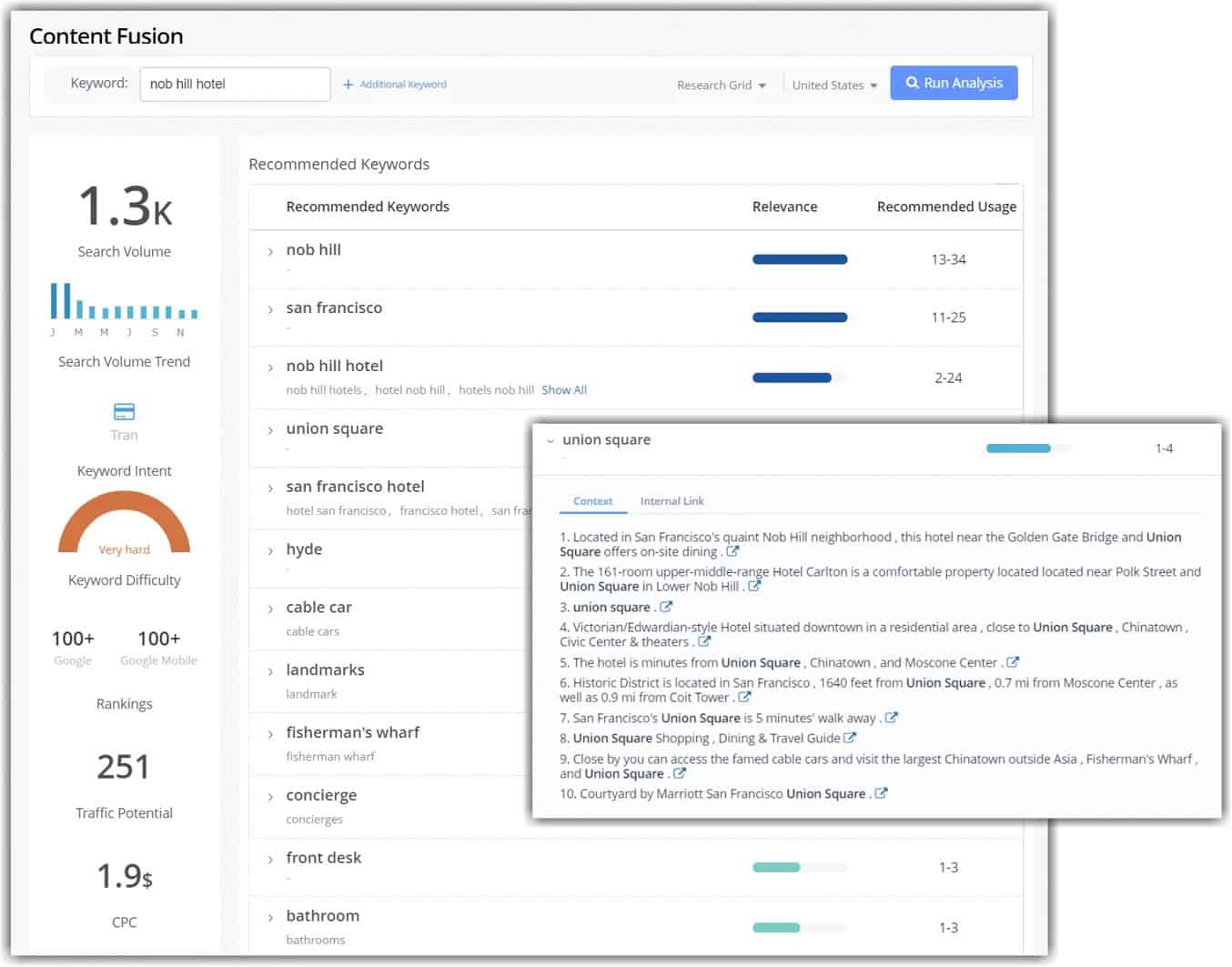
But it goes one BIG step further…
What makes Content Fusion completely unique is that it’s integrated with all of your SEO data through the seoClarity platform.
That means your optimisation is driven based on your current rankings, keyword research, technical audits and external data like top 20 search results.
The optimisations are personalised and far more in-depth.
And it creates a natural workflow all in one platform:
- Identify underperforming content
- AI analyses changes needed
- Brief writers on specific improvements
- Add changes to content
- Track performance
This workflow makes it so much easier and faster to improve your content!
The best part?
With ClarityAutomate, you can have AI implement most of the optimisation improvements in one click.
More on that later!
Technical SEO Auditing At Scale
When you are dealing with hundreds of thousands (or even millions) of pages, the average site audit tool just isn’t going to cut it.
seoClarity’s crawler (ClarityBot) is built for large enterprise scale.
And when I say scale, I mean real scale.
They’ve tested ClarityBot on sites with up to 48 million pages, and it handled the crawling and auditing without any issues.
seoClarity has a powerful, robust suite of technical site auditing tools.
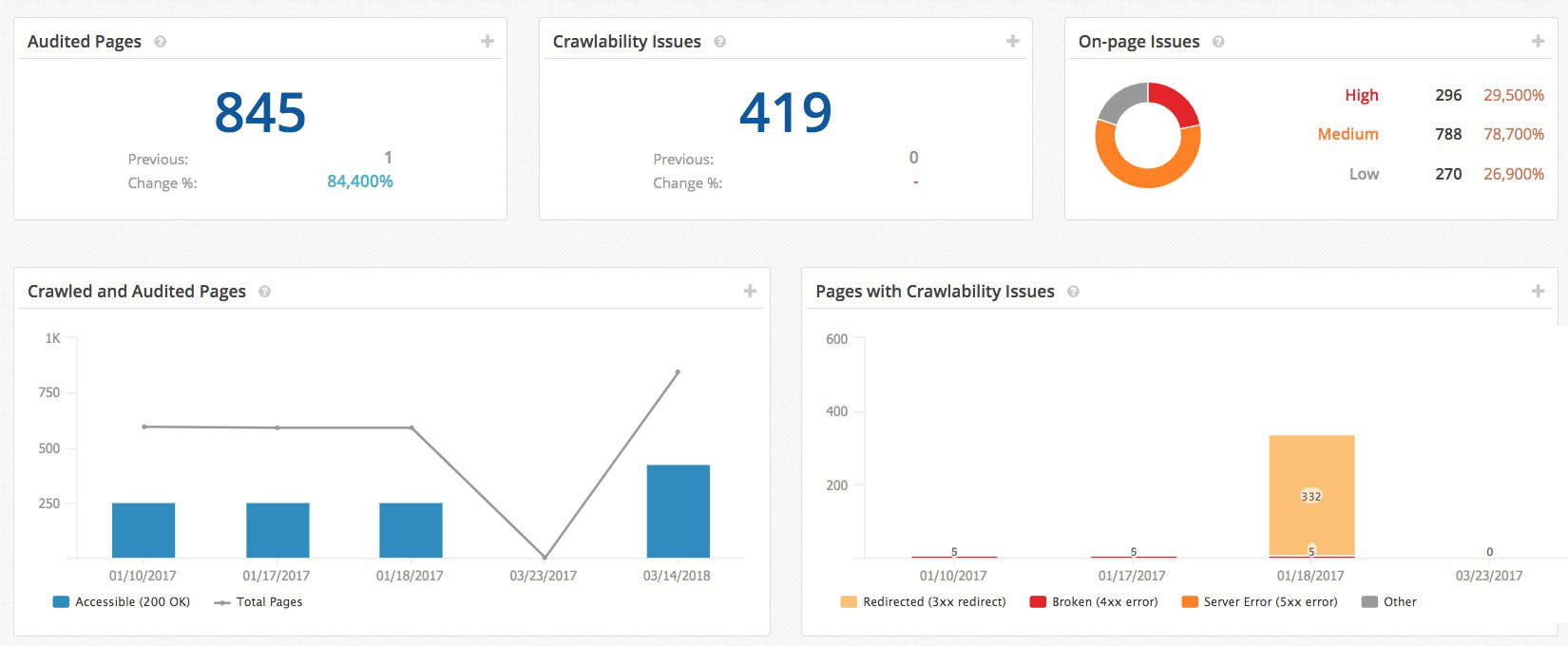
To start with, they have unlimited everything:
- No artificial limits on crawls, crawl speed and crawl depth
- Up to 100 pages crawled per second
- Dedicated crawl for each client – no resource sharing
That means that seoClarity can crawl and audit a site with 15,000 pages in less than 3 minutes!
Let that sink in for a minute.
The cool part is that you can actually choose the the crawl speed anywhere from 1 to 100 pages per second.
That means it won’t drain all your website server bandwidth because you set the speed. And speed doesn’t affect performance.
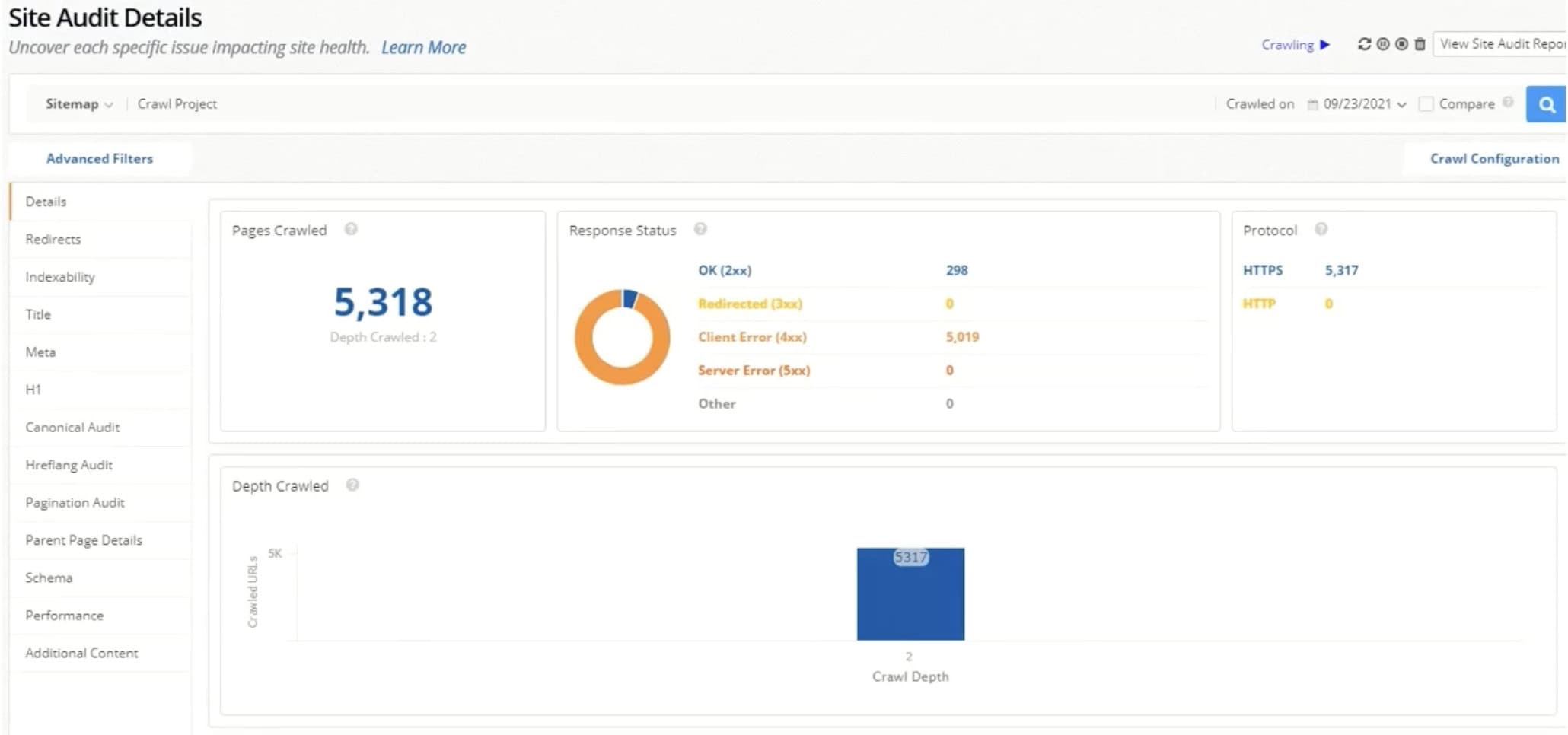
ClarityBot catches over 100+ technical SEO issues:
- Indexation issues
- Redirects
- 404 errors
- Mobile friendliness
- Canonical URLs
- Pagination problems
- Structured data markup
- Duplicate content issues
- HREFLang audit and verification
- Page load speed
And more!
It’s extremely thorough and comprehensive.
You can even take this a step further and extract your own data for content audits.
ClarityBot also offers full JavaScript rendering.
It essentially renders pages in a real browser exactly like Google does, perfect for Angular, React, and other JS frameworks.
Audits are one thing…
But actually fixing the issues is the most important thing.
Clarity 360 connects to all of your ranking data through the “Clarity 360 system”. This essentially maps your audit to individual pages and keywords.
It then shows you what technical issues could be affecting that page’s rankability!
Crazy, right?
seoClariy will also score your internal links using a “PageRank” type metric.
This shows you how adding specific internal links could increase a page’s ability to rank.
And to top all of this off, ClariyAudit has powerful reporting capabilities.
It prioritises the fixes based on what’s affecting your site most and what changes will give you the biggest ROI.
It’s hard to fault seoClarity for technical SEO.
It provides you with a comprehensive SEO audit tool that helps you actually improve your SEO at scale, not just point out problems.
SEO Automation With ClarityAutomate
Here’s the brutal truth about enterprise SEO:
Finding issues is easy, fixing them isn’t.
Most SEOs wait weeks (sometimes months) for developers to implement the changes they want.
That’s where ClarityAutomate comes in.
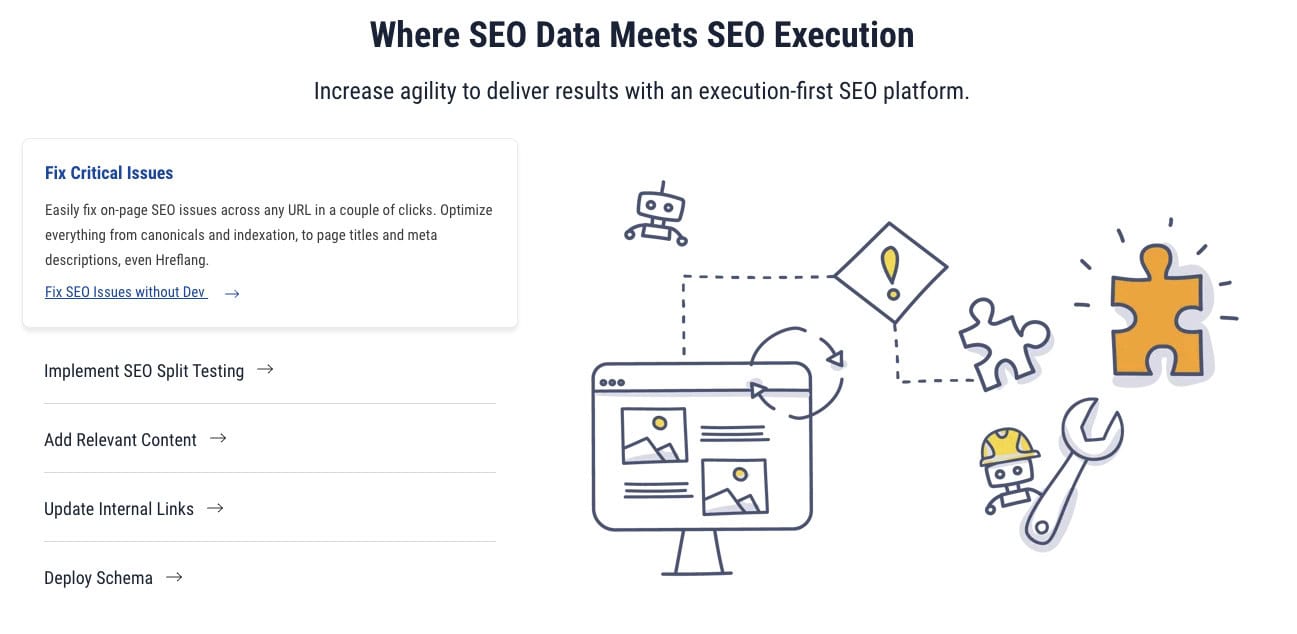
You simply add one line of code to your site header, and ClarityAutomate can start deploying thousands of technical fixes in seconds.
All without touching a line of actual website code.
Sounds like magic?
Let me explain what’s happening behind the scenes…
- On the backend: ClarityAutomate uses a secure hosting infrastructure that intercepts your pages before they reach your users or are crawled by search engine bots. In real time, it applies the changes and then delivers the changed variation to the user (or search engine).
- On the frontend: Users and Google see your optimised pages, but your original website files remain unchanged.
Think of it like seoClarity is applying a layer of SEO fixes over the front end of your site. That layer is exactly what search engines and users see.
Cool, right?
That’s why ClarityAutomate works with any type of website, hosting and CMS. It’s just adding a layer over the top, not actually changing your original site files.
And because no changes are actually being made to the backend of your site, you won’t run into any bugs or break anything.
What kind of fixes can ClarityAutomate implement?
Fixes included-
- Title tags and meta descriptions
- Schema markup deployment
- Canonical tag fixes
- Hreflang implementation
- Internal linking updates
- Indexation controls
All those annoying but essential technical SEO elements that need to be fixed.
But there is one cool feature that I absolutely love: A/B Testing.
Yes, ClarityAutomate can make changes and test whether those changes actually improve your results.
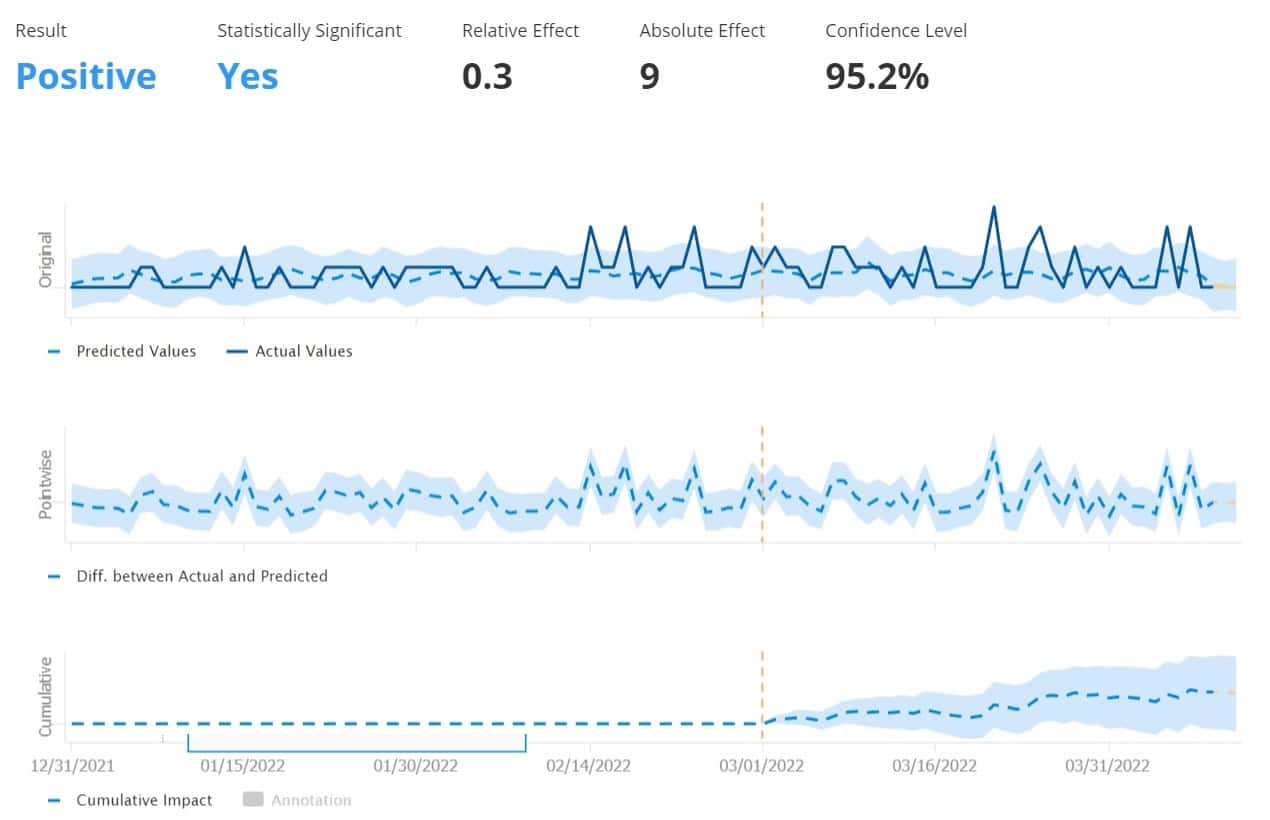
For example:
Let’s say you run an ecommerce store and want to see if adding the number of product reviews and score to your title tag improves rankings and CTRs.
ClarityAutomate would create a set of pages to change (test pages) while it keeps another set of pages unchanged (control group).
Then it updates the title tags.
It might look like:
- Control Group: Men’s Nike Air Max 90 – Running Shoes
- Test Group: Men’s Nike Air Max 90 – Running Shoes (247 Reviews)
Over the next 90 days ClarityAutomate tracks key metrics for each group:
- Click-through rates
- Ranking positions
- Organic traffic
At the end of the test, it will tell you exactly which group performed better and whether there was a meaningful difference in results.
Crazy, right?
All of this happens automatically.
You just need to set up the test, and ClarityAutomate handles the rest.
I am a huge fan of anything that can be tested and improved – especially when the tool does all the heavy lifting.
There’s only one potential downside to ClarityAutomate…
If you remove seoClarity later from your site, there is a chance you will remove some of the changes as well.
That means after running tests, you will need to actually make these changes manually in your real site.
So, it’s not 100% automated. It’s closer to 80% once you factor in permanent changes. Still a huge step up from manually doing all the work!
Analytics And Reporting
seoClarity’s reporting and analytics go way beyond your average rank tracking report.
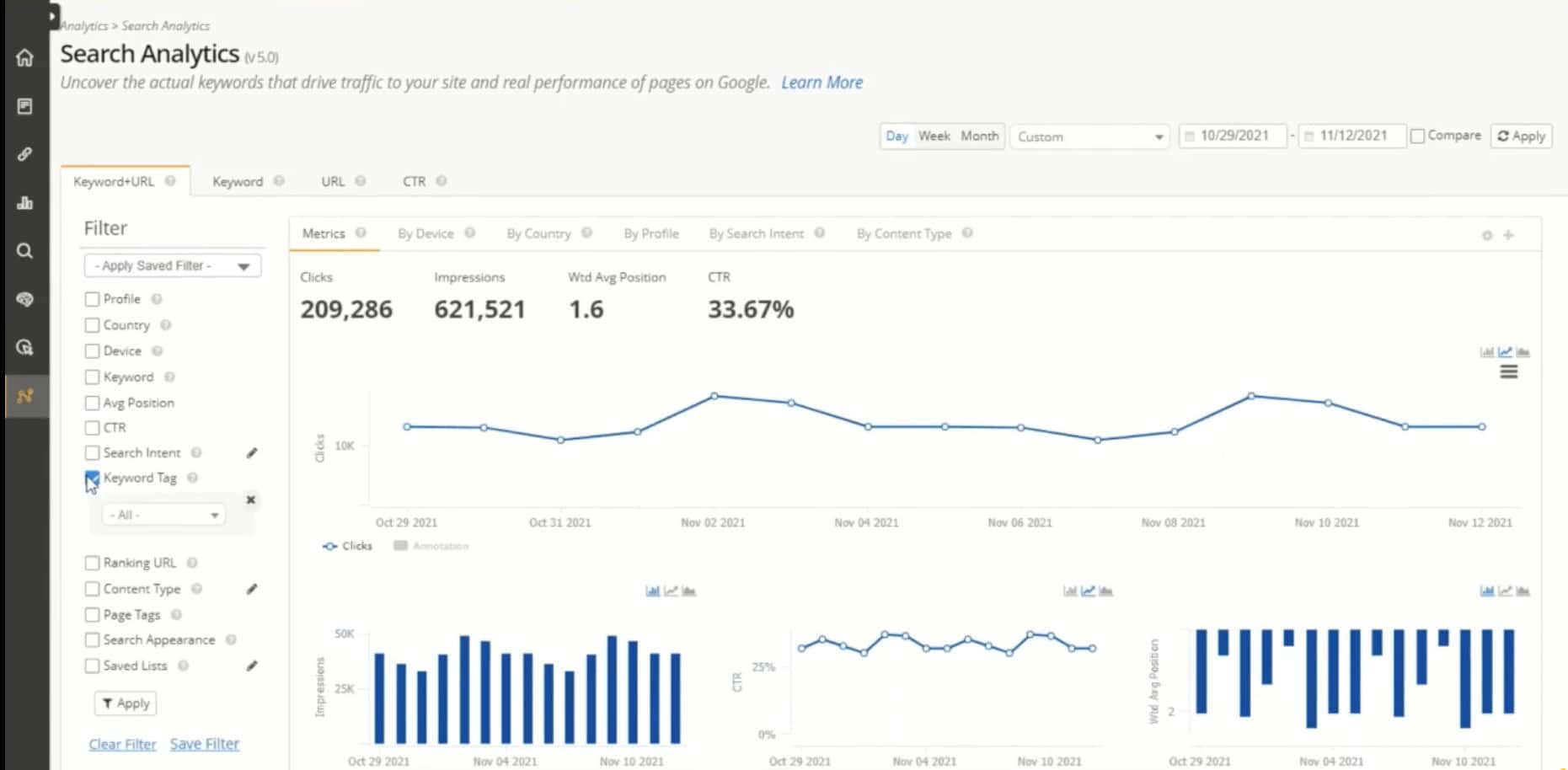
Their real-time SEO analytics platform connects all your data in one place, including integrating other tools like:
- Ahrefs – for backlinks
- Adobe Analytics – for deeper insights
This isn’t your basic report builder…
You can turn seoClarity into your ultimate SEO business intelligence platform.
Let’s talk about the big reporting feature in the room:
Real-time data processing.
Unlike a lot of tools that provide daily or weekly reporting updates, seoClarity processes data in real time using advanced machine learning.
That means you can start to see the impact of your SEO changes as they happen.
Let’s say you apply bulk updates to a bunch of different pages.
Because of the real-time data process, you’ll start getting alerts showing the performance as Google indexes them.
This even applies to minor and major Google updates as well.
The bottom line is that you can see what’s happening to your SEO in real-time. No waiting for days or weeks to see how changes are impacting your site.
What about reporting specifically?
There are hundreds of reports inside of seoClarity. You can even create your own dashboards to display the metrics important to you or your team.
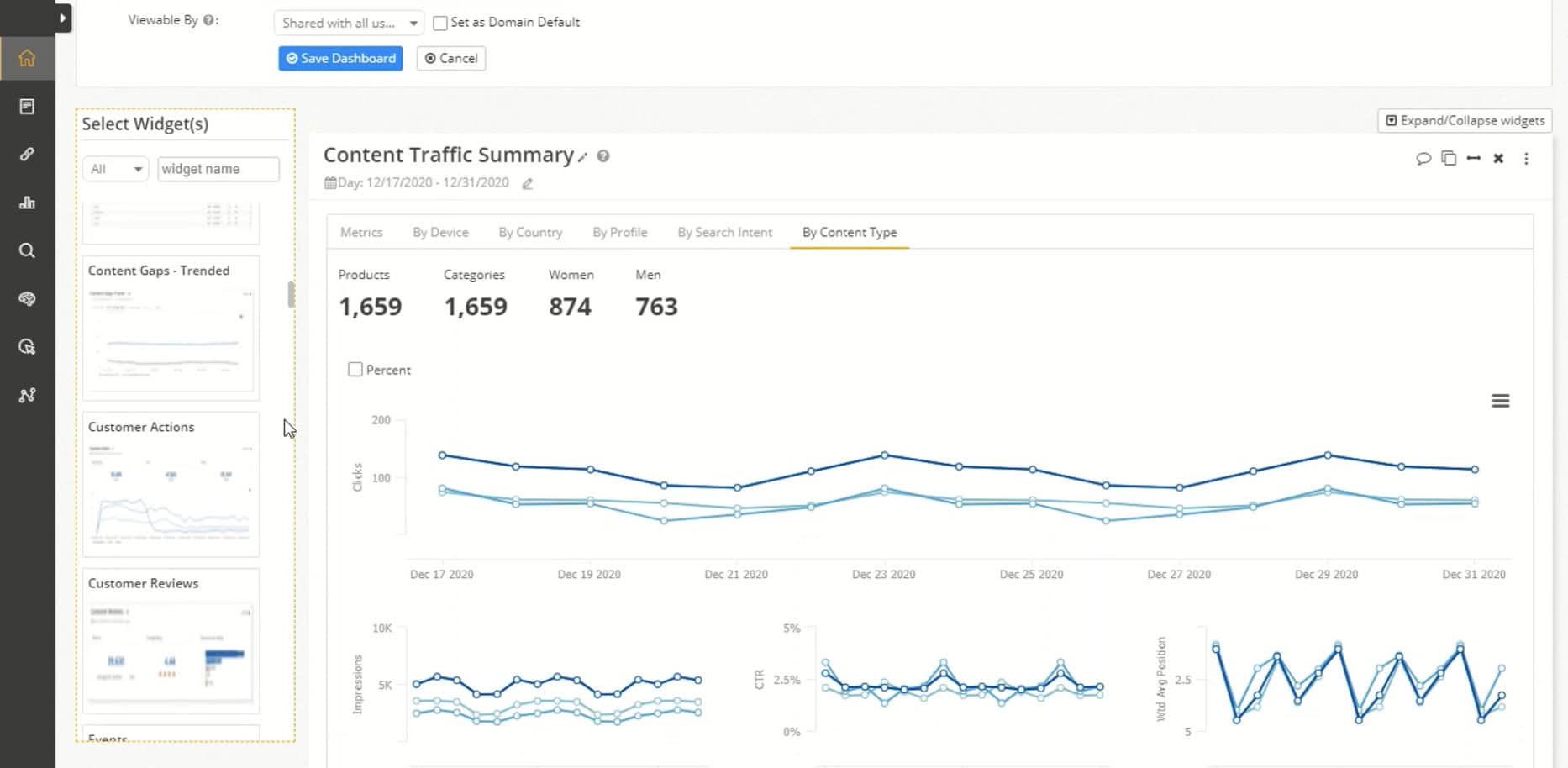
For example, you can have reports for:
- Traffic Attribution: See how organic, paid and direct visitors interact on your site.
- SEO Forecasting: Build reports that predict the future based on your rankings and current trends.
- Revenue Attribution: See what pages convert and even what organic keyword likely generated the sale.
- Automated Report: Have reports automatically sent to your clients or managers each month so they can see your hard work in action.
I’m really just scraping the surface with what’s possible with seoClarity’s reporting and analytics features.
The sky is the limit.
If there is a piece of SEO data you want to see, it’s more than likely that seoClarity can report it to you!
Pricing
How much does seoClarity cost?
The starting price for seoClarity can be as low as $750 per month if you just need the “Rankings” plan.
But it depends on your website size, the number of sites you need and the features you want.
Here’s an overview of their plans and starting prices:
| Rankings | Research & Content | Technical SEO | Enterprise | |
|---|---|---|---|---|
| Starting Price (USD) | $750/month | $2,500/month | $3,200/month | $4,500/month |
| Plan Inclusions | Daily/Weekly ranking updates, pixel depth tracking, exports and unlimited users |
Everything in Rankings + research grid, topic explorer, AI content fusion, dedicated success & tech support |
Everything in Research & Content + unlimited site audits, Clarity 360, log-file analysis, page-speed & internal-link tools |
Everything on the platform + roadmap influence, highest support SLAs, API & custom integrations |
| Best For | Teams that only need reliable ranking data. |
Teams with one website needing keyword research and AI content optimisation. |
Global teams with one or multiple domains that need enterprise-grade crawling. |
Large global organisations (10k+ keywords) needing full-stack, enterprise SEO software. |
Now…
As you can see from the table seoClarity’s pricing isn’t exactly straightforward.
That’s because you will need to have a call with them to get a specific price for your needs.
Think of the starting prices as the minimum for that tier.
What tier should you choose?
There are two things to consider:
- The features that you need
- Monthly budget for SEO software
The best value for money is the “Technical SEO” plan.
Unless you need full enterprise crawling, the “Technical SEO” plan has all the features you need to execute every aspect of a scaled SEO campaign.
There are some potential hidden fees that might come later.
These can include:
- Platform training fees
- Account and campaign setup support
The truth is that seoClarity is very transparent when it comes to pricing and fees.
But just keep this in mind and make sure you ask them if you feel like you’ll need something like platform training for your team.
Optional Add-Ons
seoClarity has some optional add-ons that you can add to your base plan.
The optional add-ons include:
- SEO Automation Platform – This is essentially ClarityAutomate, which is a massive benefit for those who need advanced enterprise automation.
- On-Page SEO Monitoring – Monitor critical changes on your competitors’ sites with daily or hourly updates.
- Content Marketing Services – Hire content marketing experts from seoClarity’s team to scale your content marketing.
- More SEO Services – Get SEO experts from seoClarity’s team to help improve your website’s SEO.
The big downside here is that a lot of companies are going to be interested in ClarityAutomate because of the automation power that it provides.
And because it’s not included in any of the base plans, you’ll need to add it on.
Definitely not a deal breaker, but something to keep in mind.
Alternatives To seoClarity
seoClarity does have competitors and they won’t be the best solution for every business.
Here is a quick overview of how seoClarity stacks up against their competitors:
| Feature | seoClarity | BrightEdge | Semrush | Conductor |
|---|---|---|---|---|
| Pricing (USD) | ✅ $750 – $4.5 K +/mo | ⚠️ Quote only | ✅ $499 +/mo | ⚠️ Quote only |
| User Seats | ✅ Unlimited | ❌ License‑based | ⚠️ 1 + $45–$100 per extra | ✅ Unlimited |
| Keyword Scale | ✅ Unlimited | ❌ Plan caps | ⚠️ 5 K/project | ❌ Plan caps |
| Rank Updates | ✅ Daily / hourly | ✅ Daily† | ✅ Daily | ⚠️ Weekly (default) |
| No‑Code SEO Fixes | ✅ ClarityAutomate (paid add‑on) | ⚠️ Autopilot | ❌ Manual | ✅ Live Editor |
| AI Content Assistant | ✅ | ✅ | ✅ | ✅ |
| Site Audit | ✅ Unlimited crawl | ✅ ContentIQ | ⚠️ Capped | ✅ |
| Internal Link Automation | ✅ | ⚠️ Suggest only | ❌ | ❌ |
| Schema Automation | ✅ | ⚠️ Suggest only | ❌ | ⚠️ Page‑level only |
| Real‑Time Monitoring | ⚠️ Add‑on | ⚠️ Anomaly alerts | ❌ | ✅ |
| SEO Split‑Testing | ✅ | ❌ | ❌ | ⚠️ Limited |
| Ease of Use | ⚠️ Med/High | ⚠️ High | ✅User Friendly | ✅User Friendly |
| Best For | Enterprise teams needing quality SEO automation | Brands wanting AI‑guided SEO | SMBs / agencies on a budget | Teams needing collaboration & monitoring |
✅= Native Feature ⚠️= Partial, Limited Feature ❌= Unavailable
With that in mind, let’s take a deeper look at each of them so I can highlight who each tool is better suited to.
seoClarity vs. BrightEdge
BrightEdge is an established enterprise SEO software known for its “self-driving SEO” features with comprehensive SEO data.
Most pros consider BrightEdge to be seoClarity’s biggest competitor.
The top features include:
- Autopilot – Self-driving SEO with automated research.
- Data Cube X – Advanced data research and competitive intelligence.
- Content IQ – Enterprise-level content auditing tool.
- Daily Pulse – Tracks algorithm updates and ranking volatility.
- Integrated Workflows – Powerful workflows and tools to help you create better content faster.
Where BrightEdge really excels is their SEO recommendations and complete content marketing workflows for large SEO teams.
They give you all the tools you need!
What’s the biggest difference then?
Short Answer – SEO philosophy.
seoClarity finds technical SEO issues on your site and automatically fixes them with ClarityAutomation.
BrightEdge’s Autopilot provides recommendations that still need to be manually implemented on your CMS.
seoClarity also provides unlimited caps on keyword tracking and crawling limits.
BrightEdge will give you a custom quote and limitations on crawling and data. Both are fine, they are just different!
Final Verdict:
seoClarity is better for more data-heavy sites and rapid SEO automation without developers required. BrightEdge is better if you have a larger focus on quality content production at scale and don’t mind manually making changes to the site.
seoClarity vs. Semrush
Semrush is one of the most well-known and popular all-in-one SEO tools in the world.
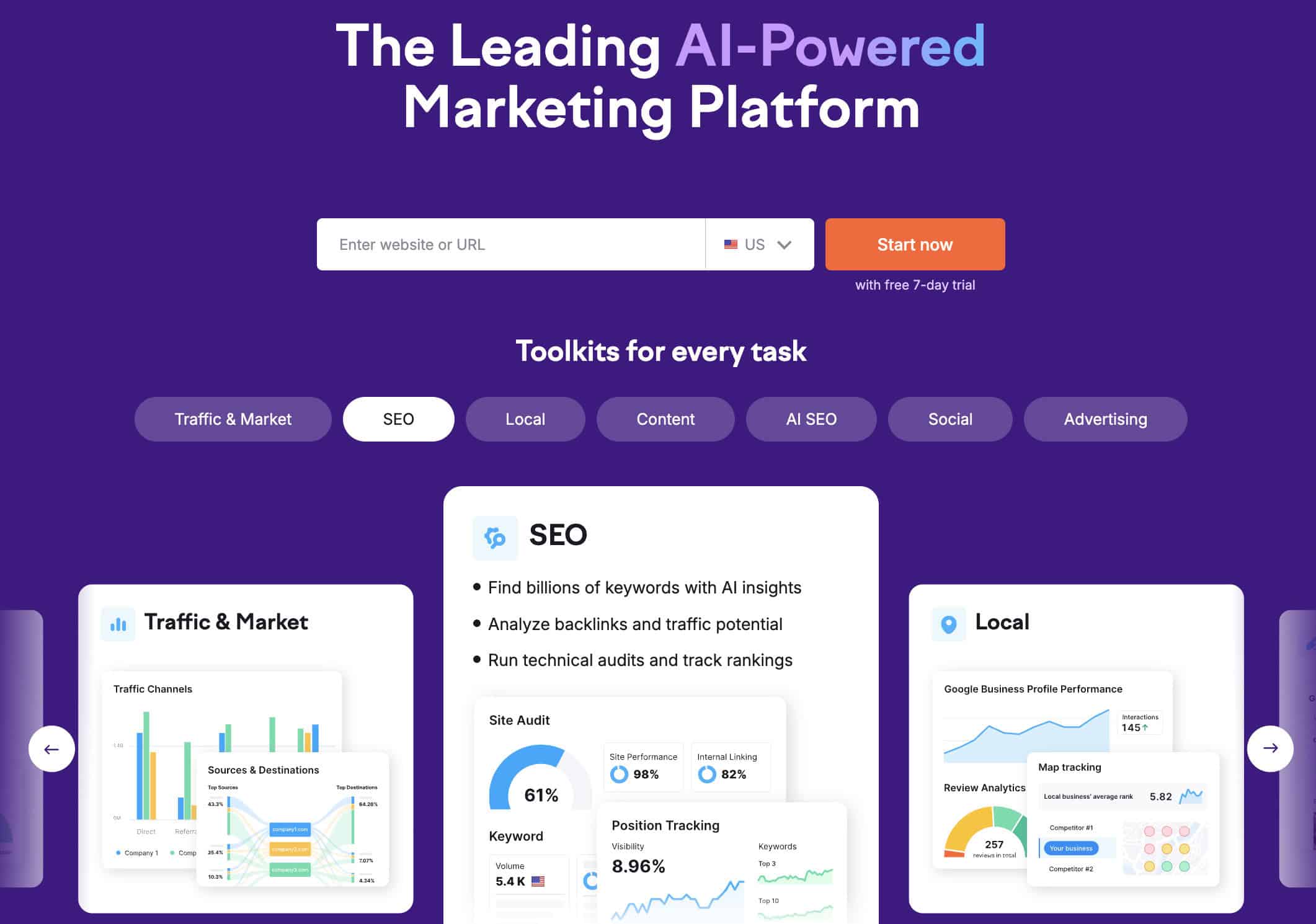
It’s known for its comprehensive marketing and SEO tool suite for an affordable price.
The truth is that most seasoned SEO and marketing professionals have used Semrush at some point in their careers.
Semrush’s top features are:
- Keyword Magic Tool – Powerful keyword research tool backed by a massive database of over 25+ million keywords.
- Site Audit – Solid technical and on-page SEO audit with actionable recommendations.
- Content Assistant – Semrush’s AI-powered content optimisation and writing tool.
- Backlink Analytics – Comprehensive backlink analysis tool with a database of over 43 trillion backlinks.
- Marketing Calendar – Solid integrated content planning calendar for better content marketing.
The reality is that Semrush is a powerful tool. But it doesn’t have the enterprise-level crawlability and data that seoClarity offers.
seoClarity is built for large websites with tens of thousands of pages (even millions) that need SEO automation to manage their website SEO effectively.
Semrush has strict limits on keyword tracking, reports, website crawls and more.
It’s worth noting that Semrush is not designed specifically for enterprise SEO, while seoClarity is.
seoClarity is also 3-10 times more expensive than Semrush (depending on plans).
While both Semrush and seoClarity have overlaps in features, the types of sites they’re designed for and the level scale are where they differentiate significantly.
Final Verdict:
seoClarity is better for larger enterprise sites that need unlimited keyword tracking, large amounts of crawling and automated implementation. Semrush is better for small to medium-sized sites that need an all-in-one marketing platform on a lower budget.
seoClarity vs. Conductor
Conductor is a comprehensive SEO and content marketing platform.
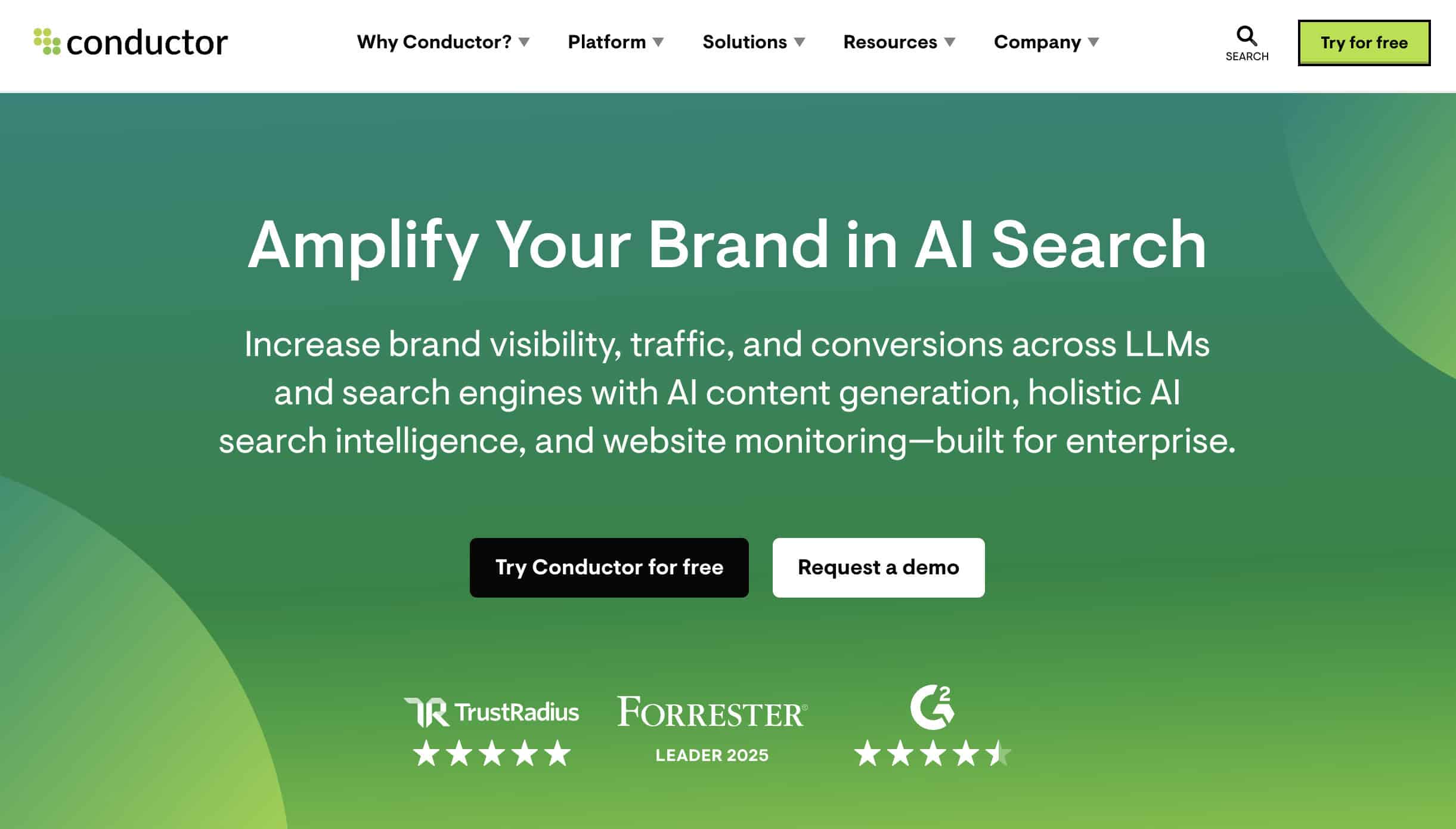
What it’s really known for is its sophisticated content marketing tool and campaign management features.
Conductor positions itself as more than just an SEO tool…
They are really a content marketing platform designed to help large companies create quality content at scale.
But the power of Conductor is in its ability to measure the effectiveness of your content in search engines.
This includes showing you how your site ranks in Google’s AI Overviews or AI search engines like ChatGPT and Perplexity.
Conductor’s top features are:
- Advanced Content Strategy – Powerful research and content planning tools based on real data from the platform.
- Searchlight – Tracks the performance and effectiveness of your content while also providing insights into your audience.
- Content Optimiser – Real-time content optimisation scoring with recommendations to improve your SEO.
- Workflow Management – Calendars and collaboration tools to boost your SEO and content workflows for large teams.
- Customer Support – Dedicated strategic support and consulting from the Conductor support team.
The big difference between the two is that Conductor is more of a content marketing platform.
Most of the tools within the platform help you create better content and measure its effectiveness.
On the other hand, seoClarity delivers comprehensive technical SEO, automation and keyword tracking.
It has quality content marketing tools, but actively helps you improve your website SEO at scale.
Final Verdict:
seoClarity is better if you want to improve your site’s technical and on-page SEO at scale, track large amounts of keywords and need the powerful automation tools it delivers. Conductor is better for big content-focused teams that need strategic guidance and create tons of content at scale.

Wrapping it Up
That was a big one!
seoClarity is a powerful enterprise SEO platform that bridges the gap between finding issues and getting them fix quickly!
With unlimited tracking, AI-powered content research, comprehensive auditing and SEO automation – It has everything you need to execute a high-level SEO campaign at scale.
seoClarity is perfect for:
- Enterprise websites with 10,000+ pages
- Managing multiple large websites
- Global SEO and content teams operating in multiple languages
- Agencies handling large client sites
The big thing about seoClarity is SCALE!
It has a comprehensive suite of SEO tools that you can use to scale your SEO campaign and content optimisation – even across multiple domains and countries.
Couple those features with ClarityAutomate, and you have a powerhouse software that can completely transform your SEO and website traffic.
To get started, I recommend taking advantage of the free live demo with the seoClarity team.
They will show you what’s possible with your site and let you test drive it for yourself.

 seoClarity Review
 seoClarity Review
- Review Of: seoClarity
- Reviewed By: Matthew Woodward
- Rating:


- Updated On: Jun 30, 2026


Summary:
seoClarity isn’t just another technical SEO tool. It’s a comprehensive AI-powered platform that diagnoses SEO issues in real time and fixes them with the click of a button.
Visit seoClarityYou Might Also Like




What Are Your Thoughts?
 seoClarity Review
 seoClarity Review
- Review Of: seoClarity
- Reviewed By: Matthew Woodward
- Rating:
- Updated On: Jun 30, 2026
Summary:
seoClarity isn’t just another technical SEO tool. It’s a comprehensive AI-powered platform that diagnoses SEO issues in real time and fixes them with the click of a button.
Visit seoClarityWhat Will I Learn?

 Subscribe to my YouTube
 Join My Facebook Group
 Connect on Linkedin
 Free SEO Tutorials
 SEO Case Studies
 Links That Rank





