




















































It’s estimated that 57% of all online content is now AI-generated.
Crazy, right?
The truth is that the AI content generation space is packed with hundreds of tools. And new tools are popping up every day.
But here’s the problem…
Finding a quality AI writing tool that actually delivers quality SEO content you can use isn’t easy.
That’s where ScaleNut comes in:
ScaleNut combines a quality AI writing tool with a powerful suite of SEO features.
You can do everything from topic research to content optimisation and even monitor how the content performs on your site.
I’ve tested a lot of AI SEO tools.
The big difference with ScaleNut is that it doesn’t just replace a human completely…
…It combines AI + human expertise to ultimately give you the best results.
So, in this ScaleNut review, I am putting the entire platform under the microscope.
And more importantly…
Let’s find out!

What Will I Learn?
What Is ScaleNut?
ScaleNut is an all-in-one AI-powered SEO and content marketing platform.
It was launched in August 2020 by Gaurav Goyal, Mayank Jain, and Saurabh Wadhawan.
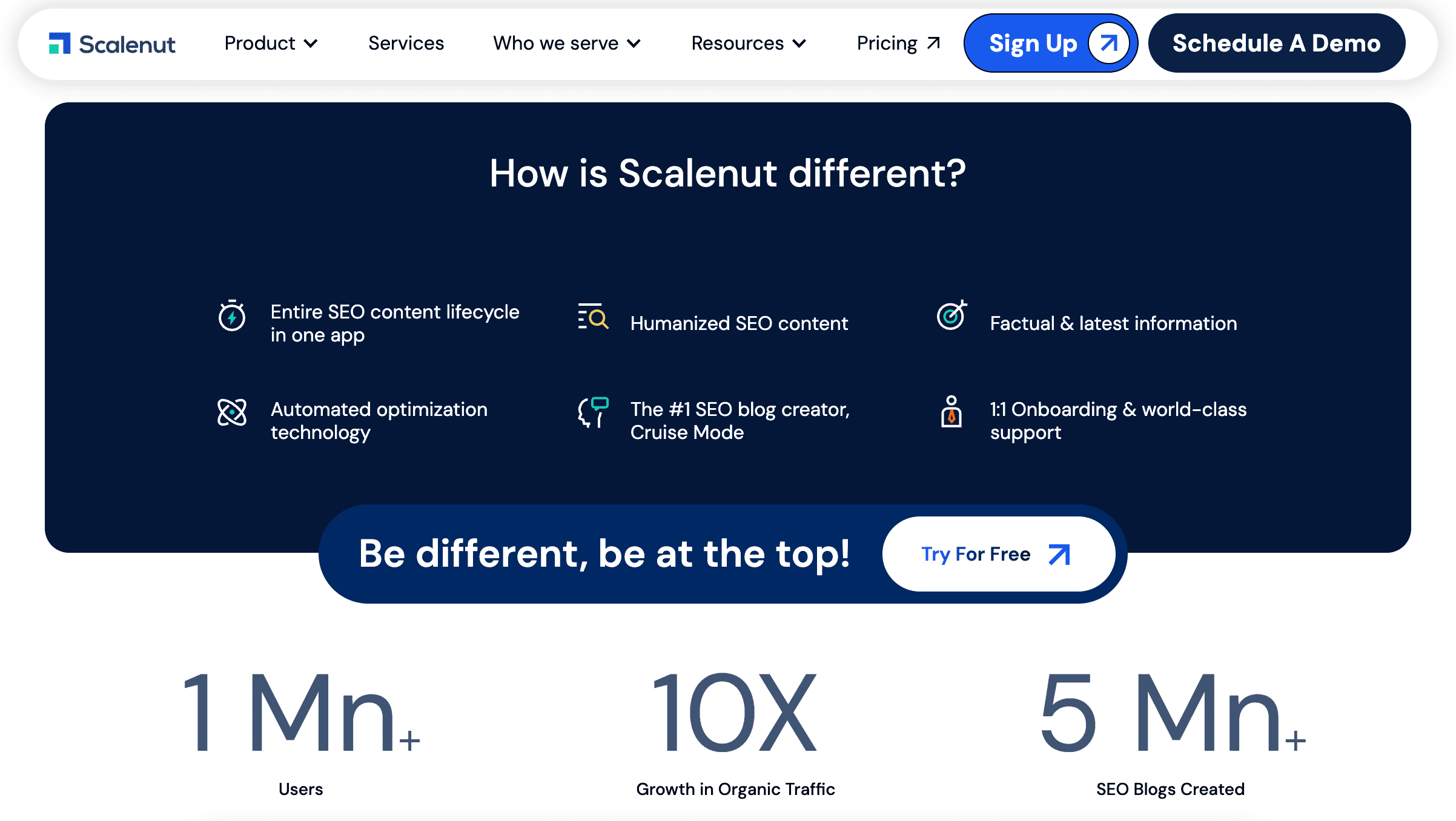
The Indian-based platform combines OpenAI’s GPT-4 model with ScaleNut’s own proprietary AI models to help you plan, research, and create content that ranks.
In 2022, ScaleNut raised $3.1 million in funding and now has over 1 million users worldwide in 2025.
Bottom line: It’s a big tool with a large user base.
ScaleNut has successfully created an all-in-one SEO content marketing platform that has everything you need to produce content at scale.
That’s one of the big reasons it has gained so much traction!

ScaleNut Pros & Cons
After testing ScaleNut extensively, here are some pros and cons to help you decide if it’s right for you:
| PROS | CONS |
|---|---|
| ✅ Generate 1500+ word SEO optimised articles quickly | ❌ Content detectable as AI |
| ✅ Complete SEO content production workflow | ❌ Drafts need significant human editing |
| ✅ Content optimiser with 200+ SEO factors | ❌ Essential plan is expensive for 5 articles |
| ✅ Robust keyword clustering | ❌ AI-generated images are often low-quality |
| ✅ Uncover topic gaps | ❌ Long-form content often lacks depth |
| ✅ 40+ AI writing templates | ❌ Some paid add-ons |
| ✅ Complete website content audits | |
| ✅ Native integrations with WordPress & Shopify |
📋 ScaleNut Pros: What I Think You’ll Like
- Complete SEO Workflow—ScaleNut’s platform is designed to produce long-form, optimised content at scale. The best part is that you get a complete workflow for consistently producing content, including research, drafting, optimising, and publishing.
- Articles In 5-Minutes – Cruise Mode is an impressive tool that allows you to generate 1,500+ word articles in about 5 minutes. ScaleNut gives you just enough settings to personalise the content the way you want it while still making the entire experience seamless.
- Advanced Content Optimisation – Analyse any page for over 200+ ranking factors, with optimisation features that actually help you produce higher-quality content for your audience.
- Competitor Gap Analysis – The Growth plan unlocks Gap Analysis. This powerful tool allows you to identify gaps in your content strategy where your competitors have covered them, but you haven’t. It also shows topical gap opportunities you and your competitors both haven’t written about.
- 40+ AI Marketing Templates – Get a complete AI copywriting tool suite built into the platform. The ScaleNut Chrome extension also allows you to take advantage of these templates anytime while working online.
- Quality Site-Wide Content – Audit all of your content at scale. The Google Search Console integration identifies pages with the biggest potential to increase rankings. Then, optimise the content in one click. It’s a powerful feature that will save you hours of time.
📋 ScaleNut Cons: What I Think You’ll Dislike
- AI Content Detection – Like every AI writing tool, ScaleNut’s AI-written content is flagged by detectors. Even when humanised, Originality identified it as AI content.
- Content Lacks Real Depth – I noticed when generating long-form content that some sections lacked depth. Even when using the connectors feature, you’ll need to manually add more context to thin content sections.
- Needs Human Editing – The truth is that an AI writer doesn’t deliver as good-quality content as a human writer. You have to remember that the AI is simply rewriting content that’s already out there online. Human editing and input are required to really make the content high-quality.
- Expensive Starting Price – ScaleNut starts at $49/month for just 5 articles. That’s a pretty expensive starting price. But you can always take the annual plan which brings the price down to $20 per month and doubles your article creation limit.
- Paid Add-ons – OnPage Pro, AI Detector & Humaniser, and Link Manager are all paid add-on tools. That means they aren’t included in the base plan. Because of ScaleNut’s starting monthly price, I feel they should be included in the monthly subscription.

What Makes It Different?
ScaleNut offers a bunch of unique features that make it stand out from the rest of the AI writing tools and platforms I’ve used in the past.
Here are four key ones I like the most and how they all work together.
Long Form Content With Cruise Mode
Cruise Mode is ScaleNut’s flagship feature.
It lets you generate 1500+ word optimised articles in less than 5 minutes.
Think of it as having a complete content marketing team in one tool – a researcher, SEO writer, and editor.
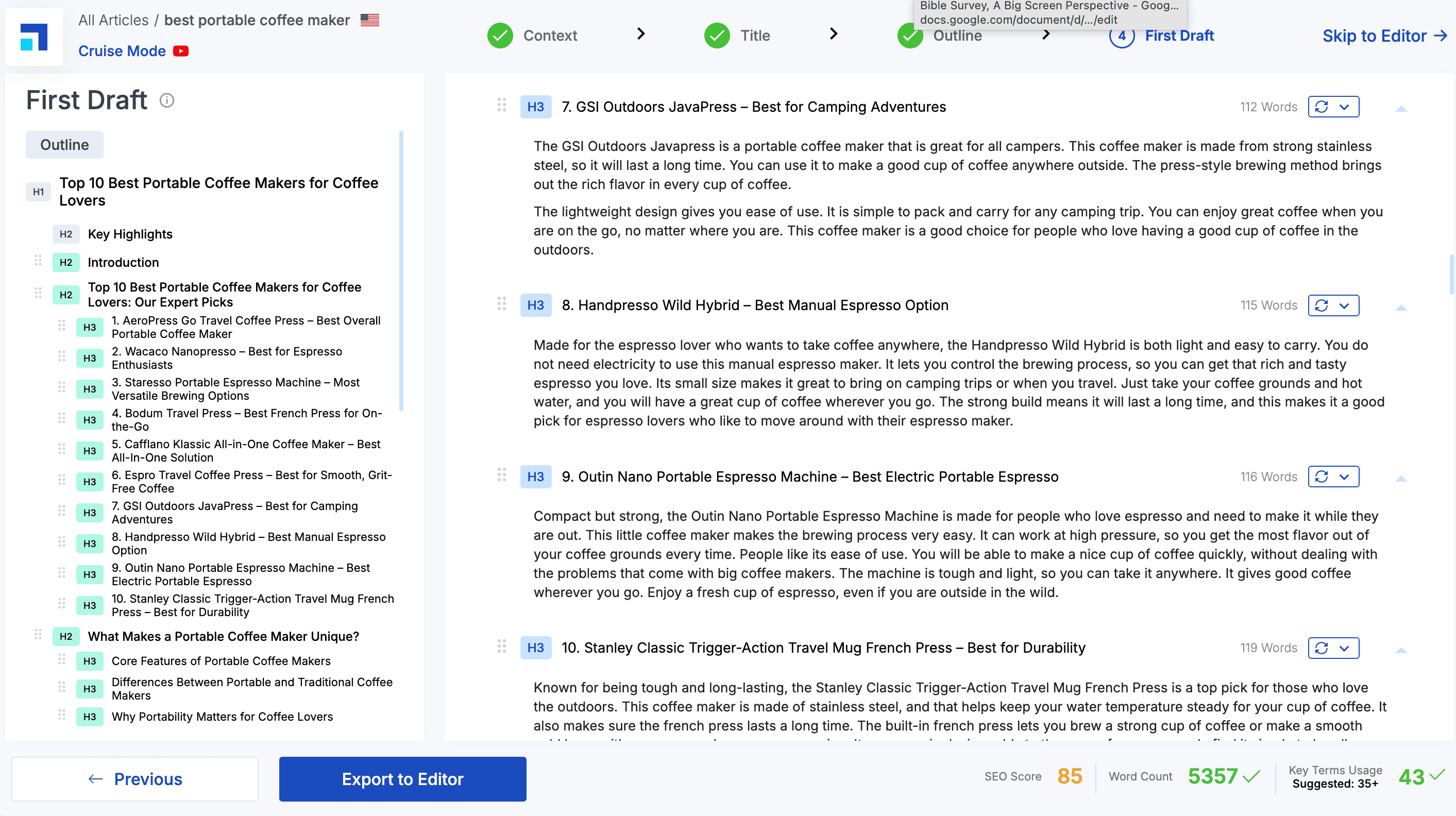
The big, unique feature here is the end-to-end process that Cruise Mode offers.
It’s 6 quick steps:
- Step #1: Enter your target keyword and location
- Step #2: Add context about the article
- Step #3: Set the tone of voice to write in
- Step #4: Review the AI-generated outline
- Step #5: Generate each section with one click
- Step #6: Make changes and publish
Straightforward, right?
You’ve got a fully generated, personalised and optimised article within a few minutes.
According to ScaleNut, over 5 million blog posts have been created using Cruise Mode alone. Users also rate it 4.8/5 stars for quality.
Research And AI Integration
Research is one of the most underrated parts of creating great content.
If you don’t get the research right, no matter how good your content and SEO are, you will not rank.
You start by using ScaleNut’s content planning and keyword research features:
- Research keyword clusters
- See top-ranking sites
- Get accurate keyword data
- See topic gaps to competitors
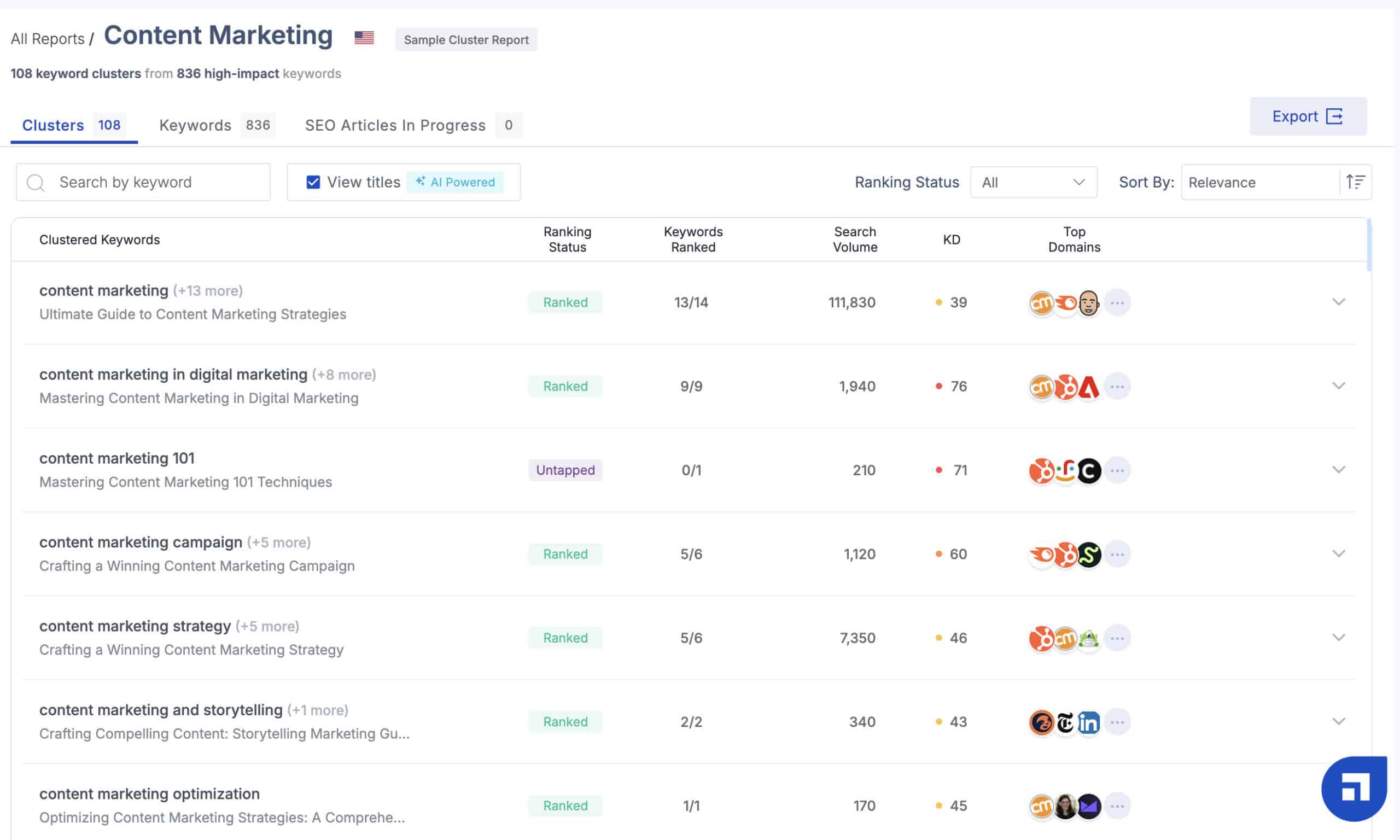
The features offered by ScaleNut reduced my topic and keyword research from 30 minutes to less than 10 minutes.
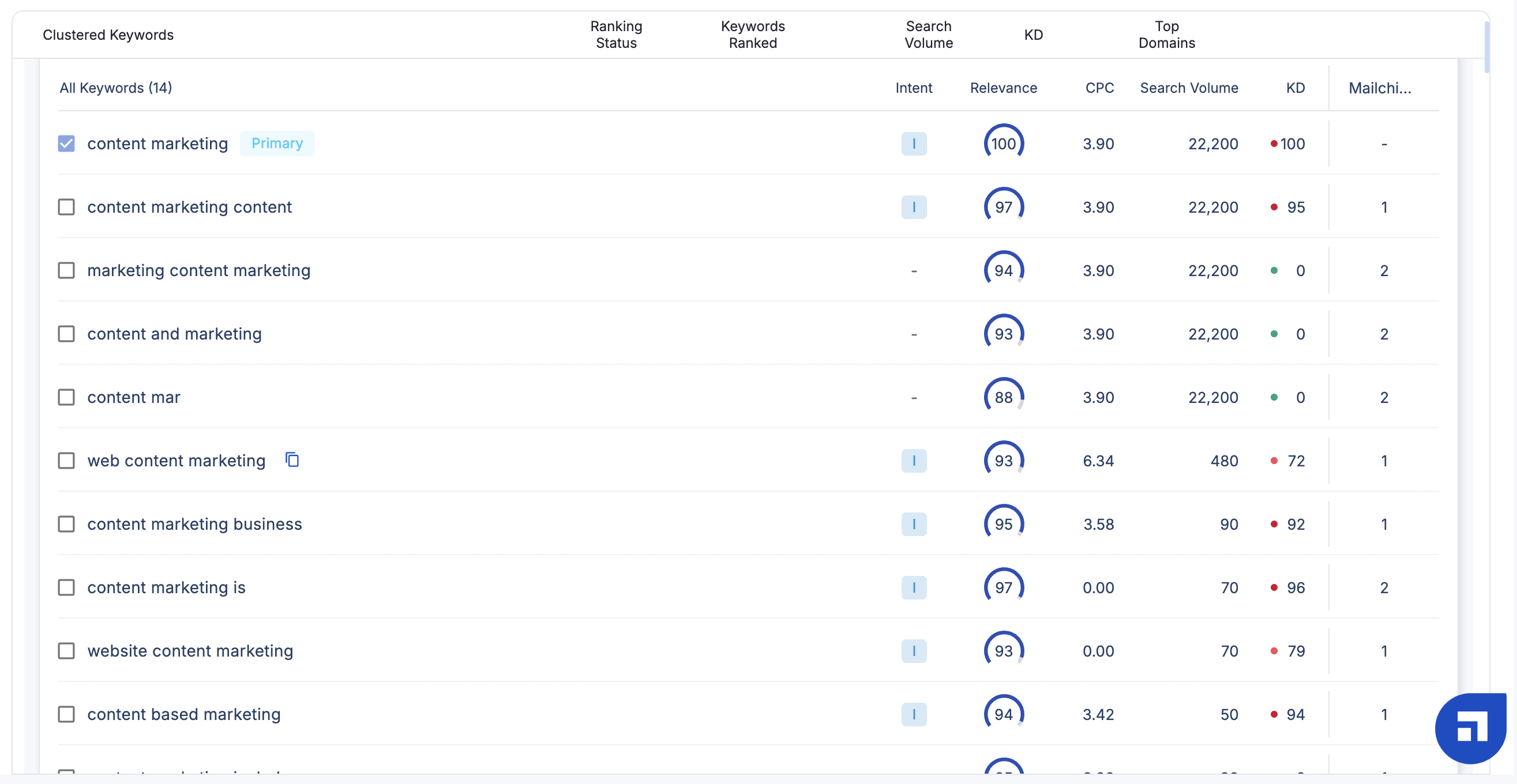
And generating AI content from the research is fast and seamless…
You go through a streamlined process of:
- Creating your outline
- Choosing key settings
- Add your brand voice
Within a few minutes, the AI will turn your research into a completely optimised article, including images, tables, and more.
The last part of the workflow process is using the robust content editor to make any changes and ensure your article is optimised.
Here’s why I like this:
ScaleNut hasn’t just created another AI writing tool – they’ve given you an AI-powered process for completing an article in minutes based on real, in-depth research.
All of the individual tools and features that ScaleNut offers are tightly integrated into one powerful process.
You can use them together or stand alone, depending on what you need.
The flexibility doesn’t get much better than that!
Advanced Content Optimisation
There are a lot of tools like Frase and SurferSEO that have real-time optimisation content features.
To begin with, ScaleNut analyses your content based on 200+ different ranking factors, not just NLP words and phrases.

But that’s just the tip of the iceberg…
ScaleNut shows you the exact gaps in your content. I am talking about entire missing sections that affect the content’s ability to rank.
I also like how the optimisation recommendations are broken down into actionable categories.
For example:
- Key terms
- Meta tags
- Headings
- Content depth
And more! It not only ensures your content is comprehensively optimised for search but also helps you improve your overall writing.
Cool, right?
ScaleNut also has a “Fix-It” button built into the optimisation editor.
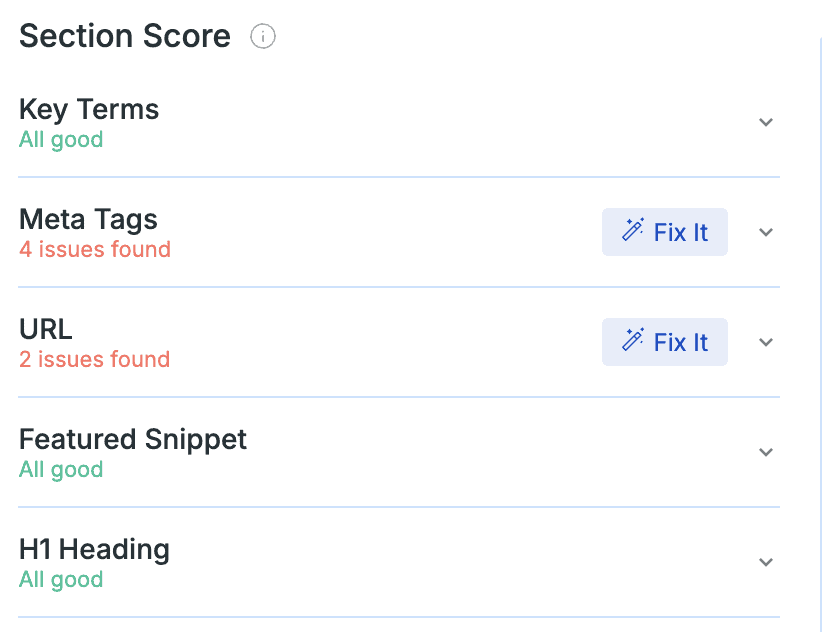
You simply click the button, and the AI will naturally add all of the missing NLP terms to the content.
This will save you hours of manually going through each article and optimising it.

How To Start With ScaleNut
Getting started with ScaleNut is straightforward and painless.
ScaleNut offers a free 7-day trial that allows you to test drive the platform before committing to a paid plan.
Sign up for a free trial by adding your email address, name and creating a password.

You’ll then be prompted to confirm your email.
ScaleNut asks you to select a couple of key SEO challenges you want to solve.

This doesn’t impact how your account is set up. It’s likely just information ScaleNut is collecting for internal use.
Lastly, you’ll then be prompted to add your credit card details.
You won’t be charged anything until after the 7-day free trial ends.
The payment is handled securely by Stripe.
The whole signup process is very straightforward and takes less than 2 minutes! ⏰
How To Use ScaleNut
Now, I am going to show you how you can use the ScaleNut features to improve and grow your SEO traffic.
Understanding The Dashboard
ScaleNut offers a great user experience.
There are a ton of features built into the platform, but they’ve done a good job of making each of them accessible without you feeling overwhelmed.
When you log in to the Dashboard, all of the main features are just 1-2 clicks away.
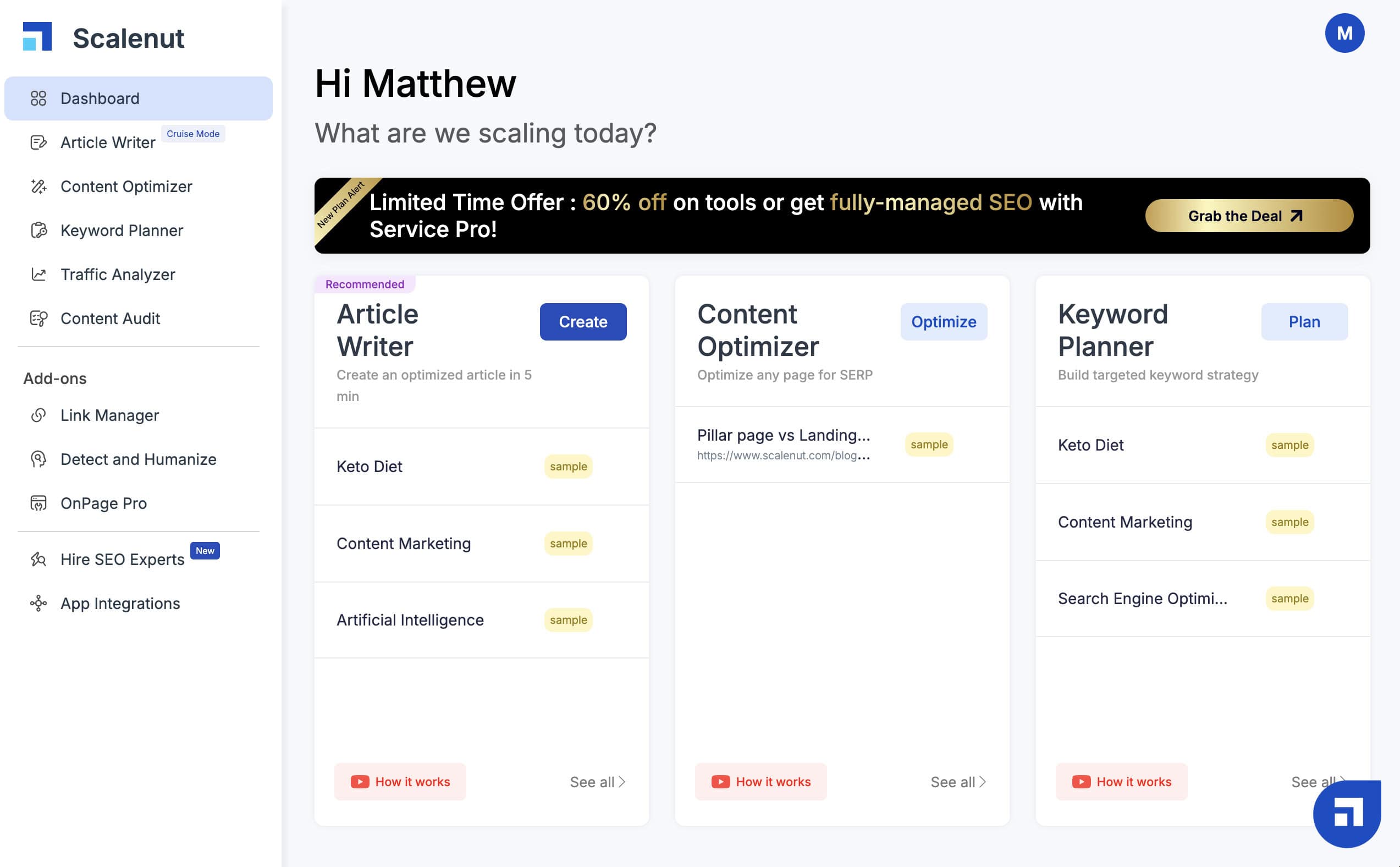
You will immediately see the top three tools in ScaleNut:
- Article Writer
- Content Optimiser
- Keyword Planner
I like that you can quickly click to previous articles you were working on to continue where you left off.
On the left is the main navigation.
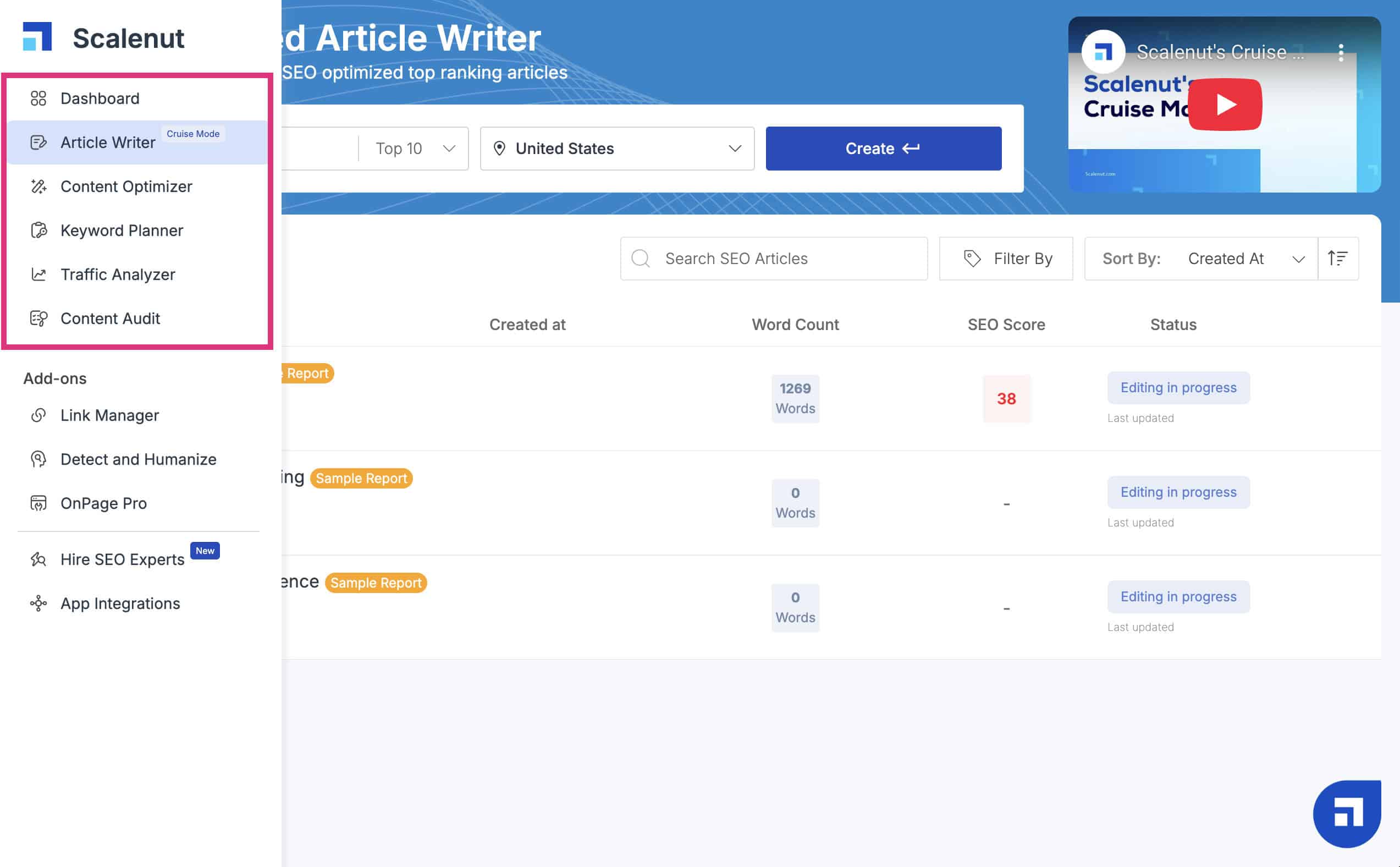
This has all of ScaleNut’s main tools, which you can access at any time from anywhere on the platform.
On the bottom right is the support widget.
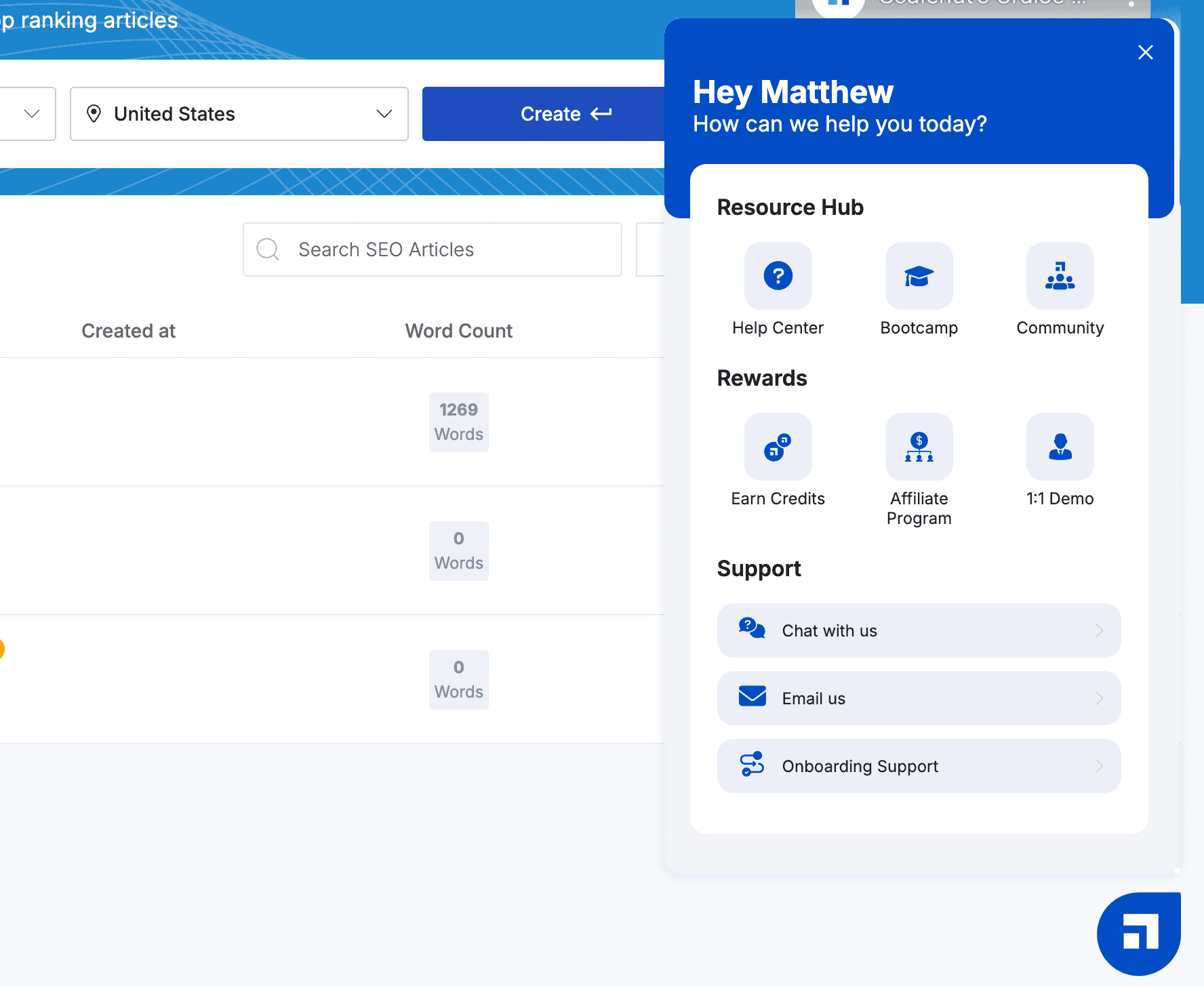
Here you can jump into a live chat with ScaleNut customer support or access their knowledge base to learn more about using different features.
Marketing Copywriter With AI Templates
ScaleNut isn’t just an AI content writer…
It’s also an AI-powered marketing copywriter.
Let me show you how it works:
Mouse over your icon in the top right and select “Marketing Copywriter” from the drop-down.

Here you will be greeted by 40+ AI templates for different types of copywriting.
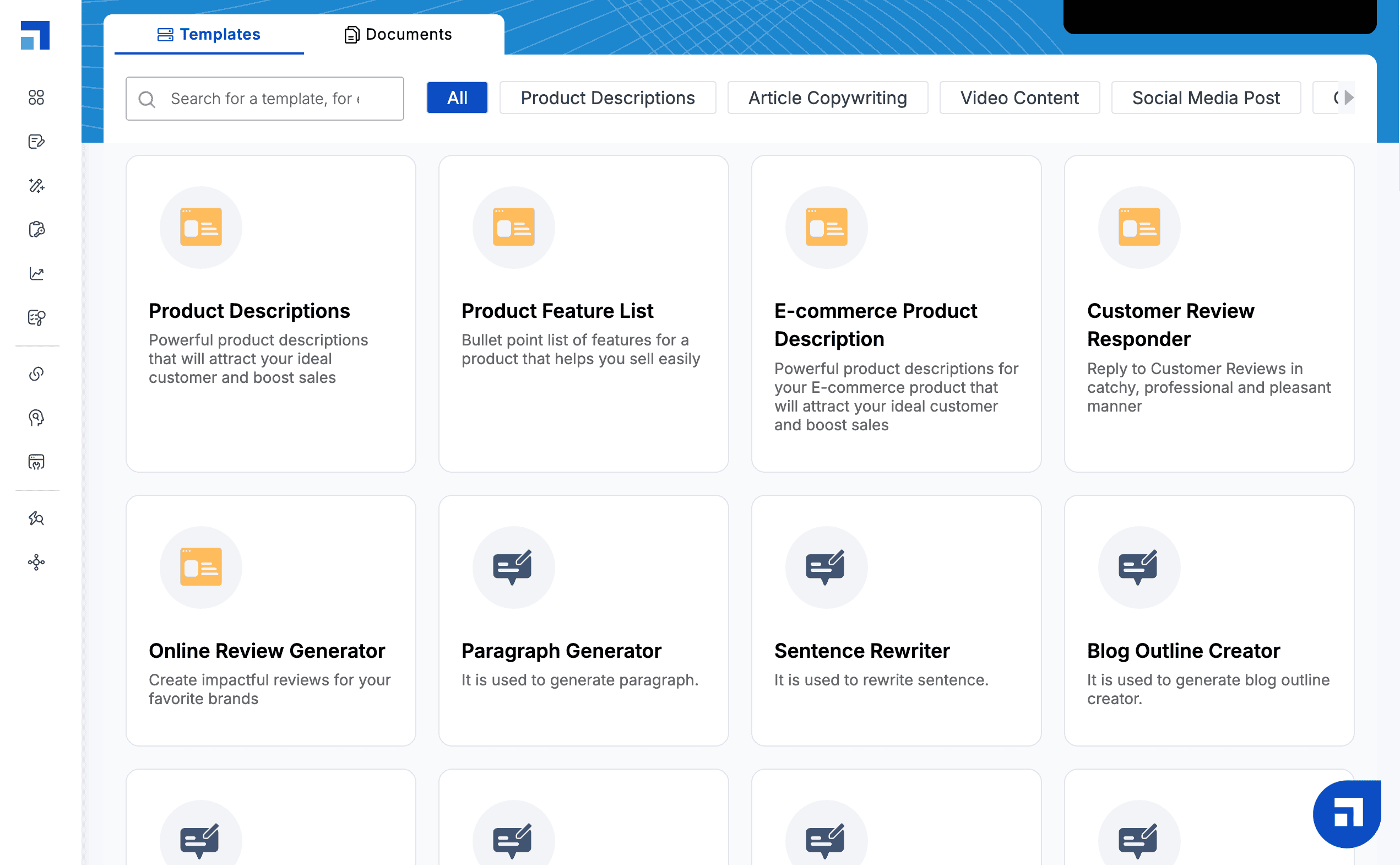
The templates include –
- Product Descriptions
- Social Media Posts
- Email Content
- Website Content
- Paid Ads
And more. You can essentially take the power of ScaleNut AI and turn it into your personal copywriting assistant.
Well, I tested it by getting ScaleNut to write a product description for the AeroPress Go.
I provided:
- Brand name/product name
- A brief description of what the product does
- Tone to be used
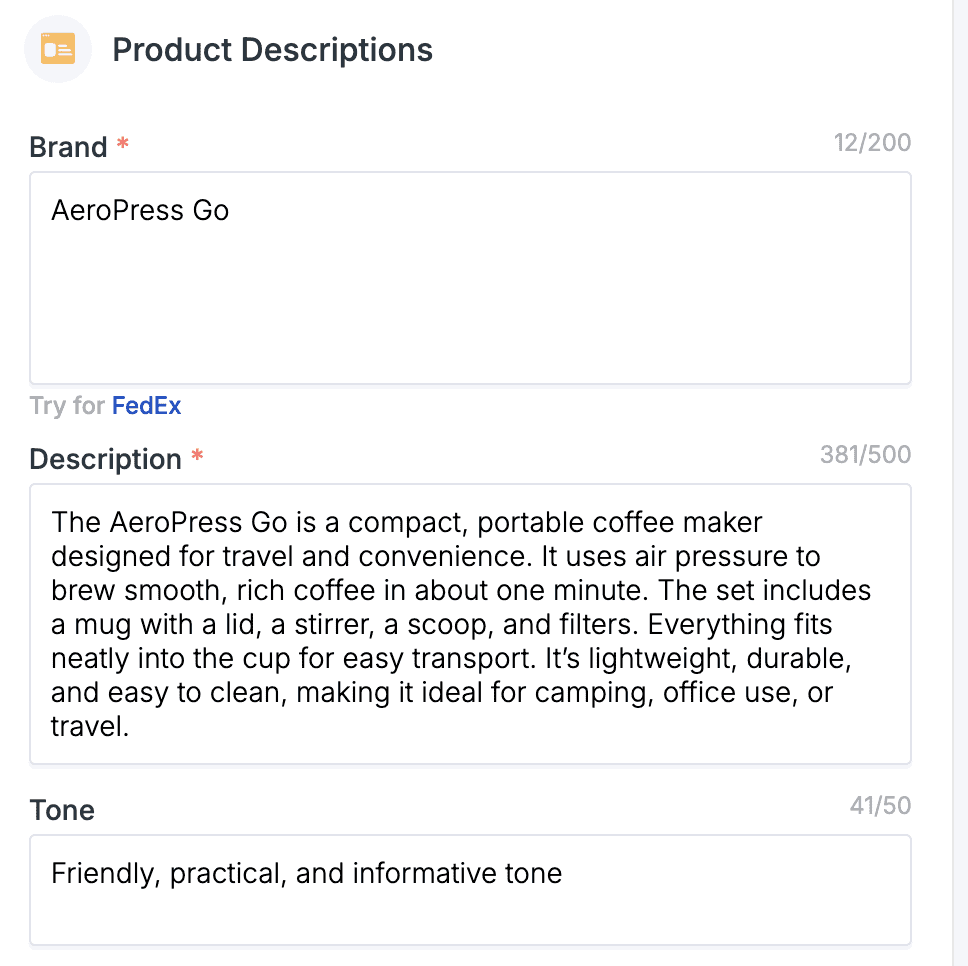
It took about 10 seconds to generate three different product descriptions.
Here’s an image of the copy it generated:
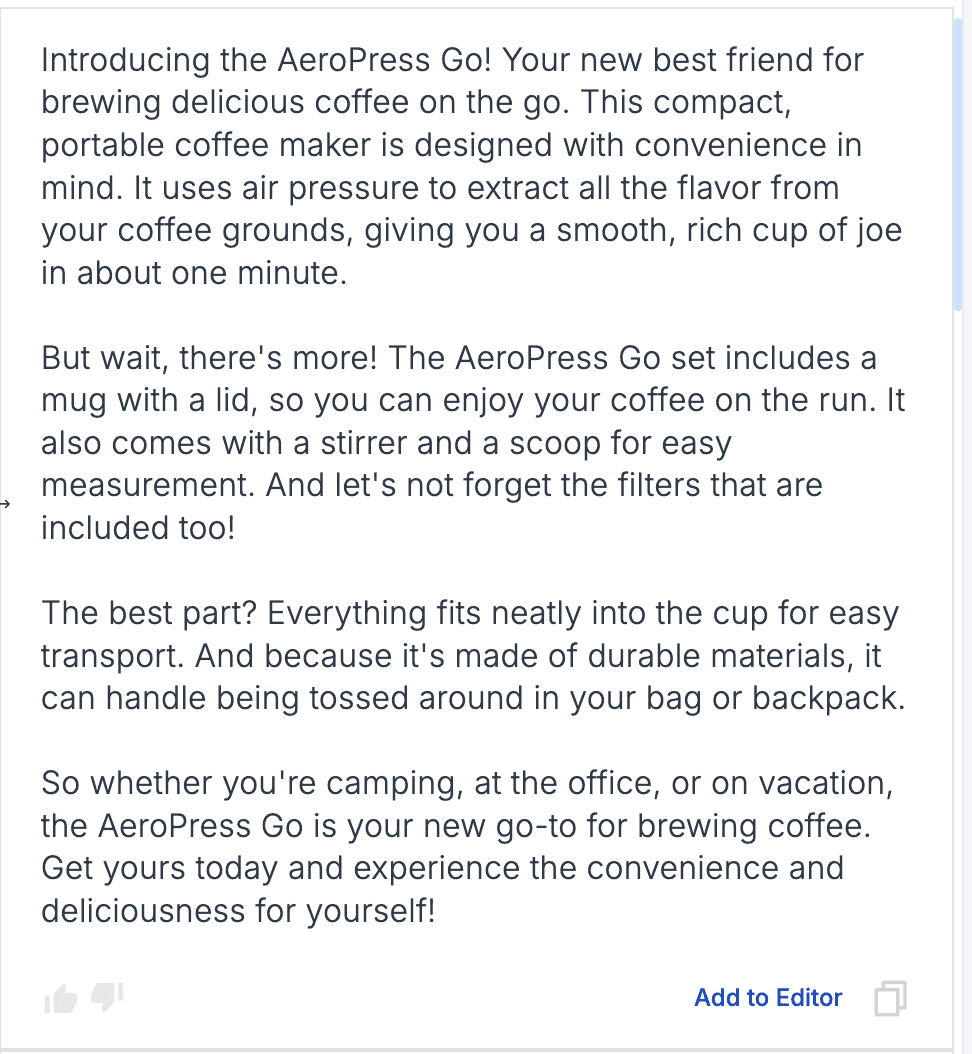
The quality of the copywriting was okay.
It creates a flow that you can then personalise more.
Playing around with the tone and context details would make a big difference.
But I really like that you can add the copy to the editor on the left side and immediately improve and make changes.
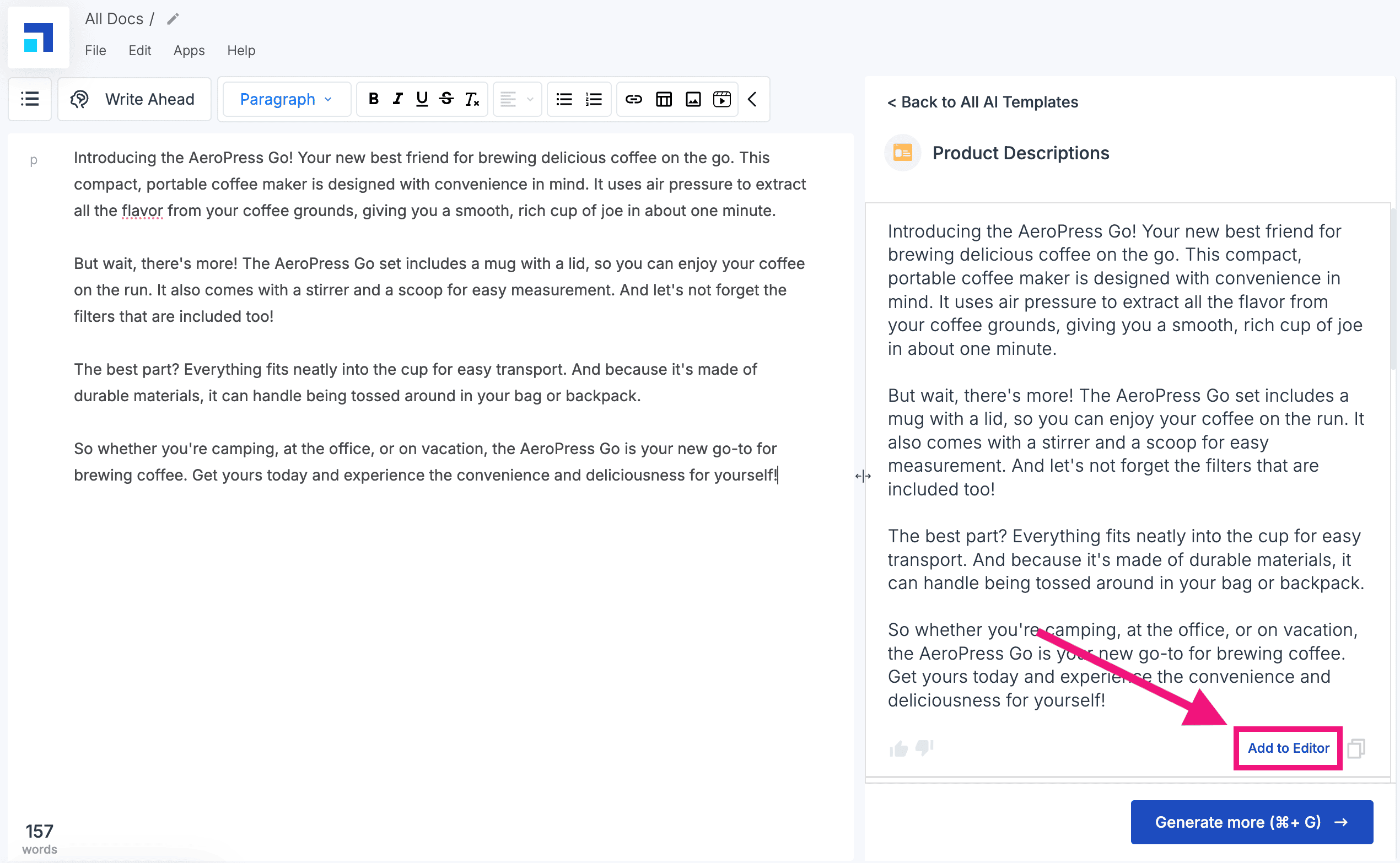
This is great because you can generate a draft for copy with AI quickly and then tweak it instantly until you’re happy with the result.
Long-Form Content Creation
Cruise mode is a one-click, long-form article generator.
But it has many more features than many of ScaleNut’s key competitors…
Click on “Article Writer”, add your primary target keyword (or keywords), the number of URLs you want the AI to analyse, and the target location.

It takes about 30 seconds for ScaleNut AI to do all of the required research:

Click on the keyword, then add your content settings to help the AI understand the type of article to create.
This includes:
- Article Context – what you want the article to cover
- Article Type – Listicle, general, beginner’s guide, affiliate etc
- Reference Articles – Select up to 3 reference articles that currently rank
- Features Image – Scalenut will add AI-generated images if you want
- Key Terms – Filter out specific NLP terms that aren’t relevant to your article
- Tone of Voice – Create your own brand voice for the AI writer to follow
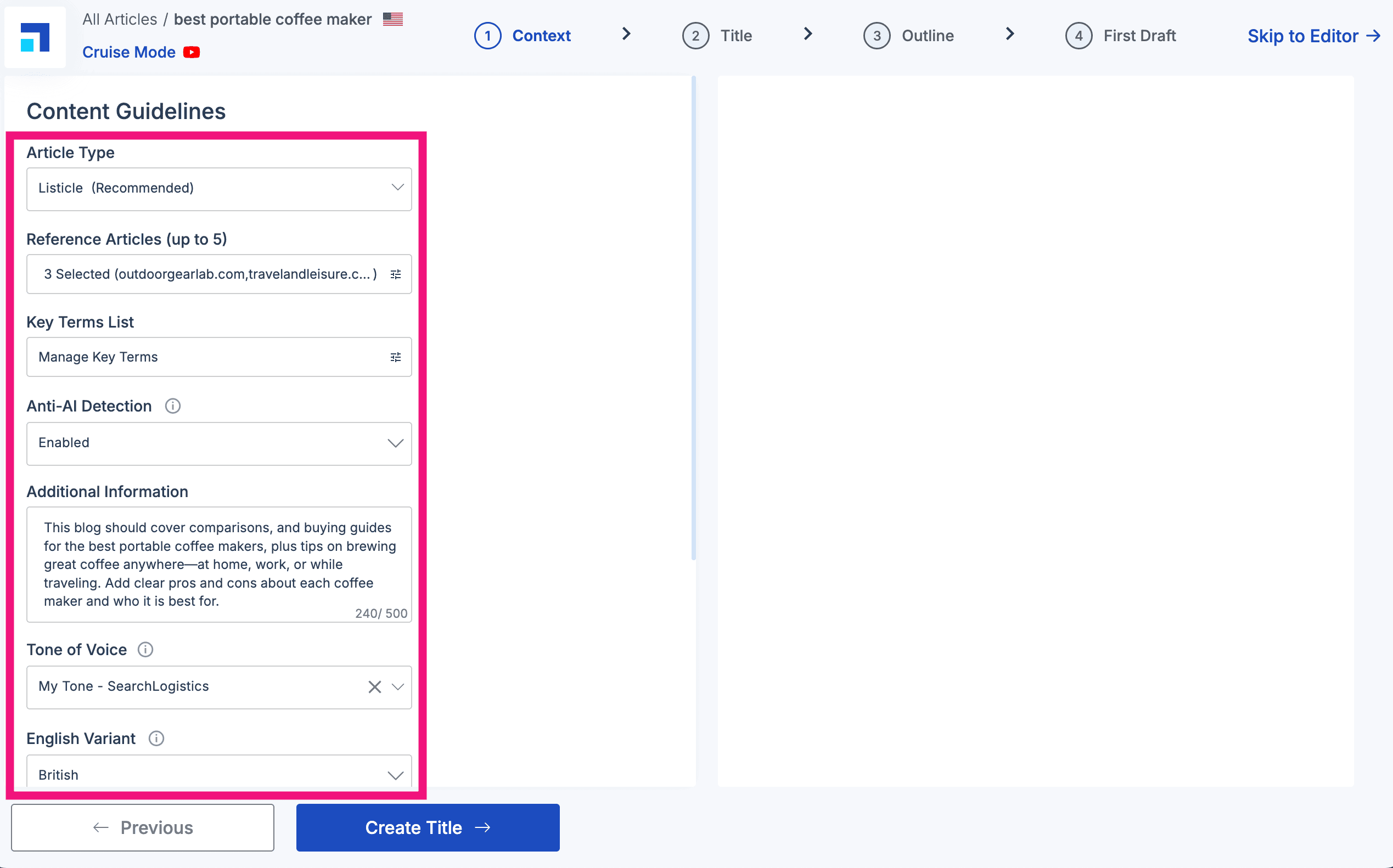
These settings are actually very comprehensive! It ultimately means you will get an output that sounds more like your brand.
Next, choose (or create) a title for your article.
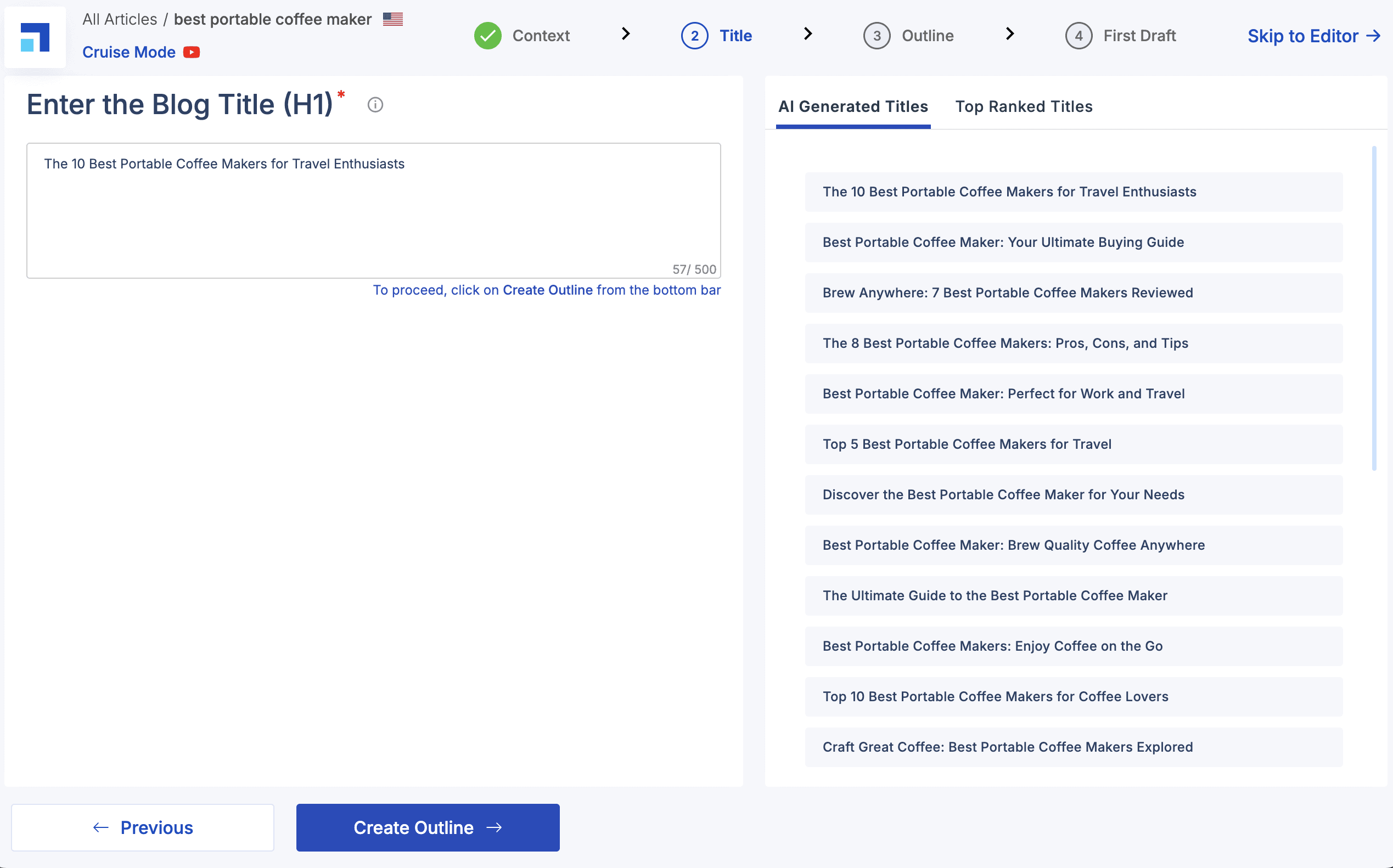
ScaleNut generates several titles based on your target keywords, current ranking articles, and what it predicts will have a solid click-through rate.
The final step is to build an outline for your article.
ScaleNut’s AI will automatically build an outline for you.
Then, you can modify it and your own sections as needed.
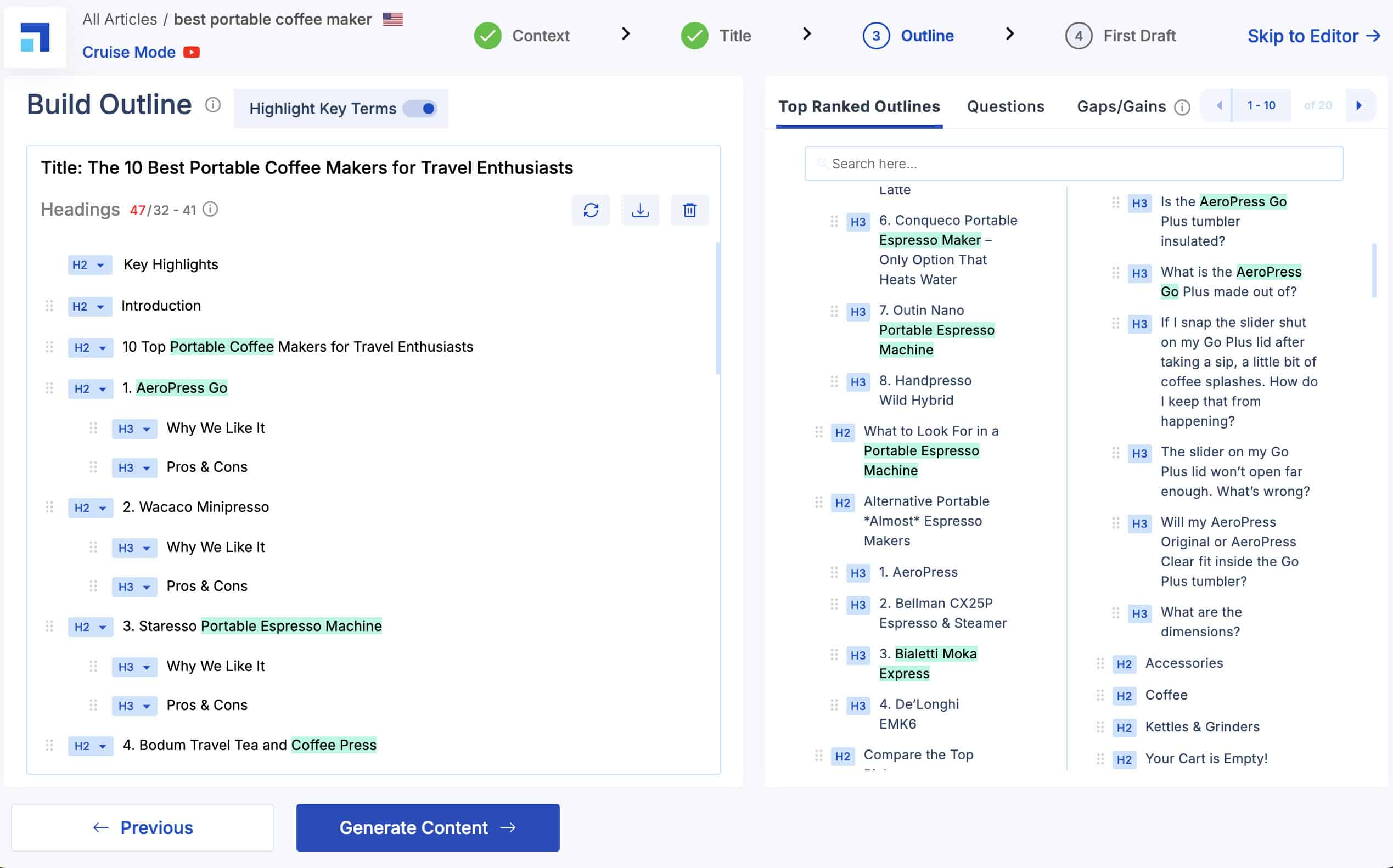
It’s easy to make changes to the outline after the AI has created it. The only thing I wish they had was an option to prompt each section.
This would give you more control over the content for individual sections. But otherwise the AI seems to deliver a solid outline structure.
When you’re happy, click “Generate Content”.
The AI writer will then generate the content section by section.
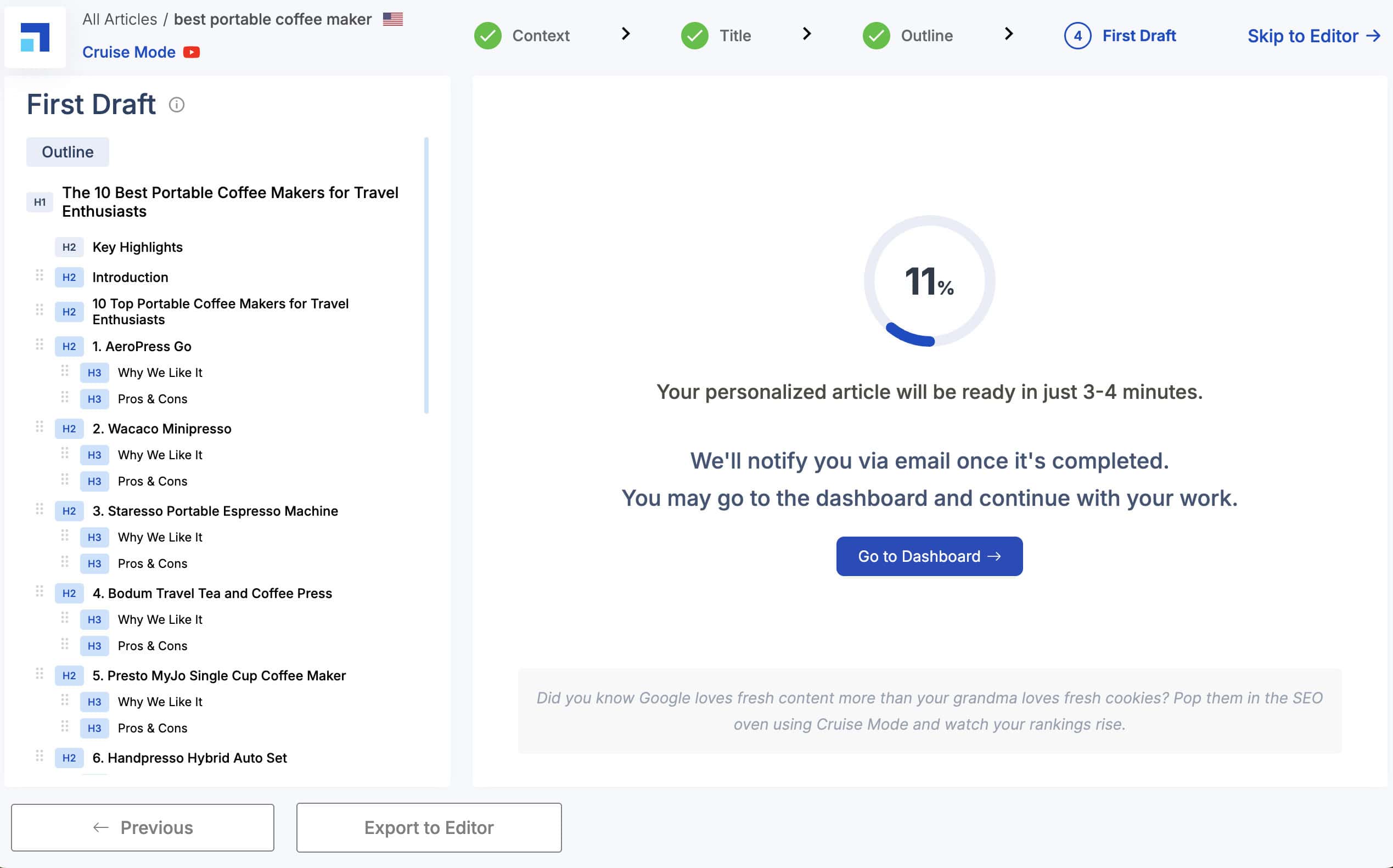
It typically takes about 3-4 minutes for the content to be generated. I like that they’ve built in an option to check the content before adding it to the editor.
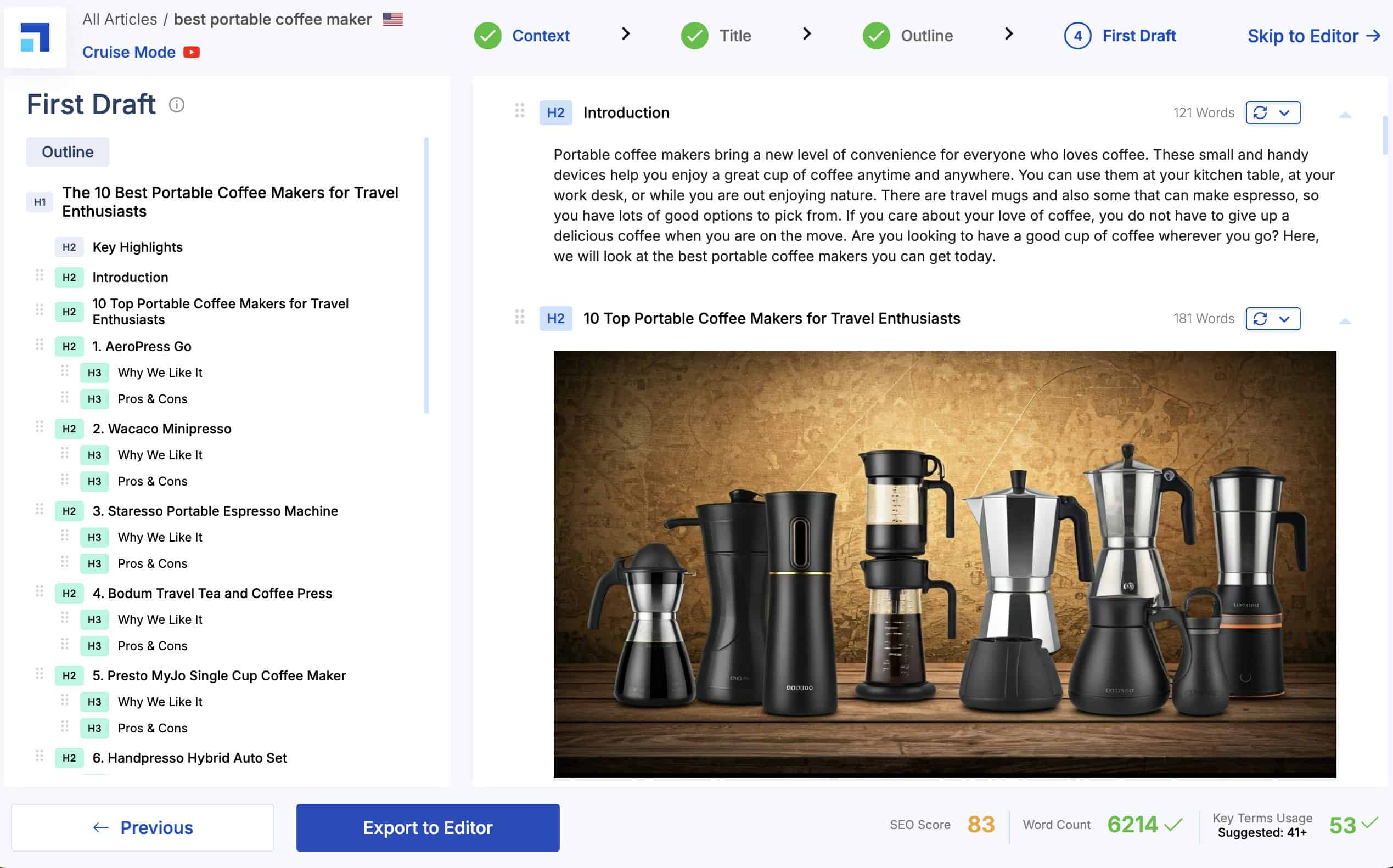
This way, you can regenerate specific sections to ensure the content aligns with your original plan.
But the big question is…
I used Cruise mode to write a 6,000-word article about “best portable coffee maker” to test it out.
This is the end result from the AI writer:
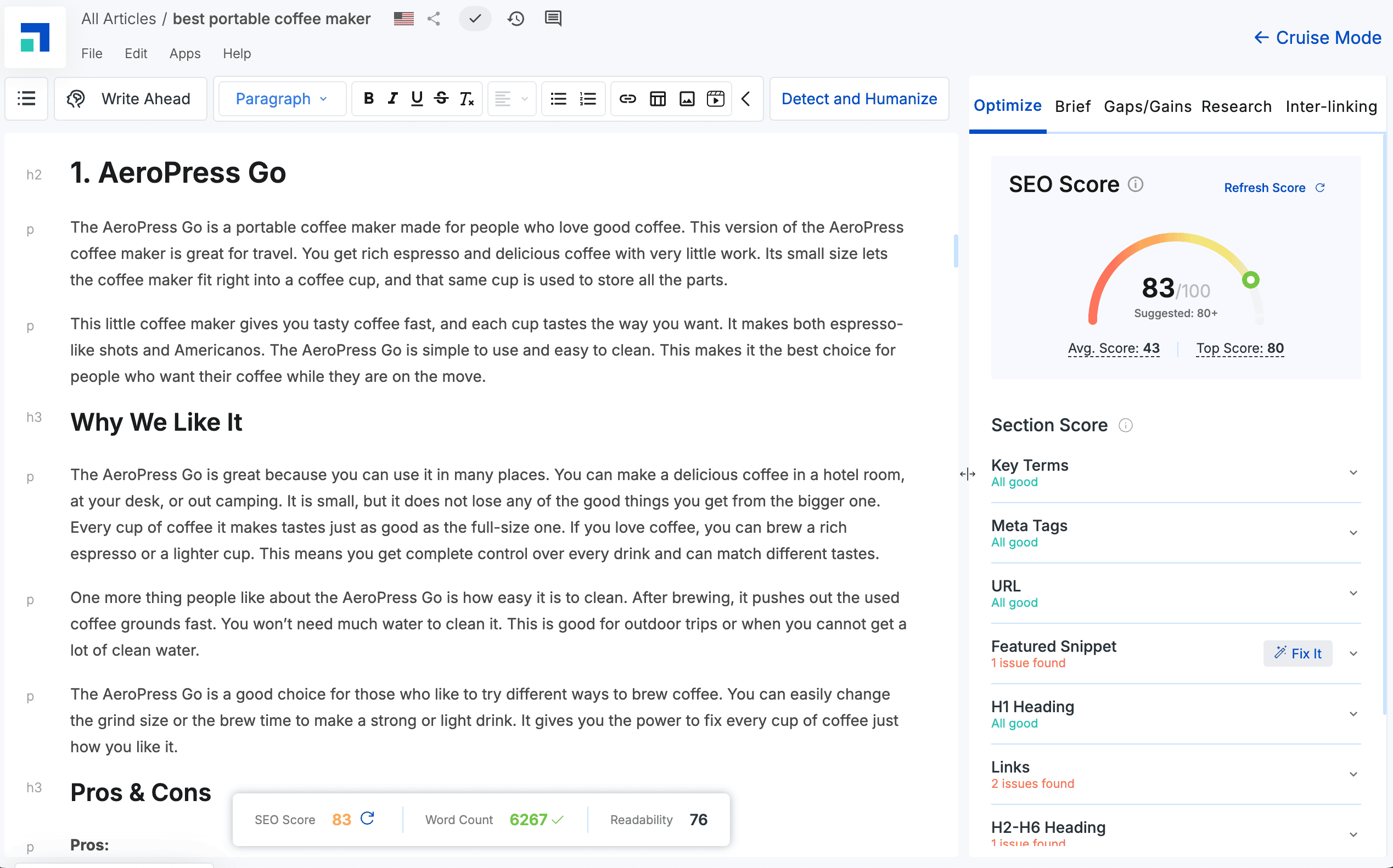
The entire process, from research to the finished draft, took about 5 minutes.
The user experience of generating the article was great!
There were just enough settings to give input into how the article was written without being overwhelmed.
I also really like the editor!
It’s robust and user-friendly when making changes.
The content reads pretty well, as you would expect.
However:
I did notice that some sections felt a bit thin, which means I needed to spend time manually adding my own content.
That’s a downside of AI content in general!
It was also automatically optimised with:
- NLP-friendly keywords
- Relevant headings

The quality of the images wasn’t usable.
Whether the image generation feature is useful really depends on the topic you’re writing about.
Overall, the quality of the content was very similar to that of other AI writing tools. It lacks real, unique value and depth.
It covers the core topics and could be used as a starting point for a draft.
You’ll definitely need to add your own expertise, experience, and stories to raise the quality level.
I wouldn’t just generate and publish this content on a site I cared about!
But I know a lot of people want to know…
Grammar Check
I used Grammarly to check the grammar of an AI-generated article from ScaleNut.
Overall, Grammarly provided a grammar score of 83, with just 34 suggestions for correctness but 130 for clarity.
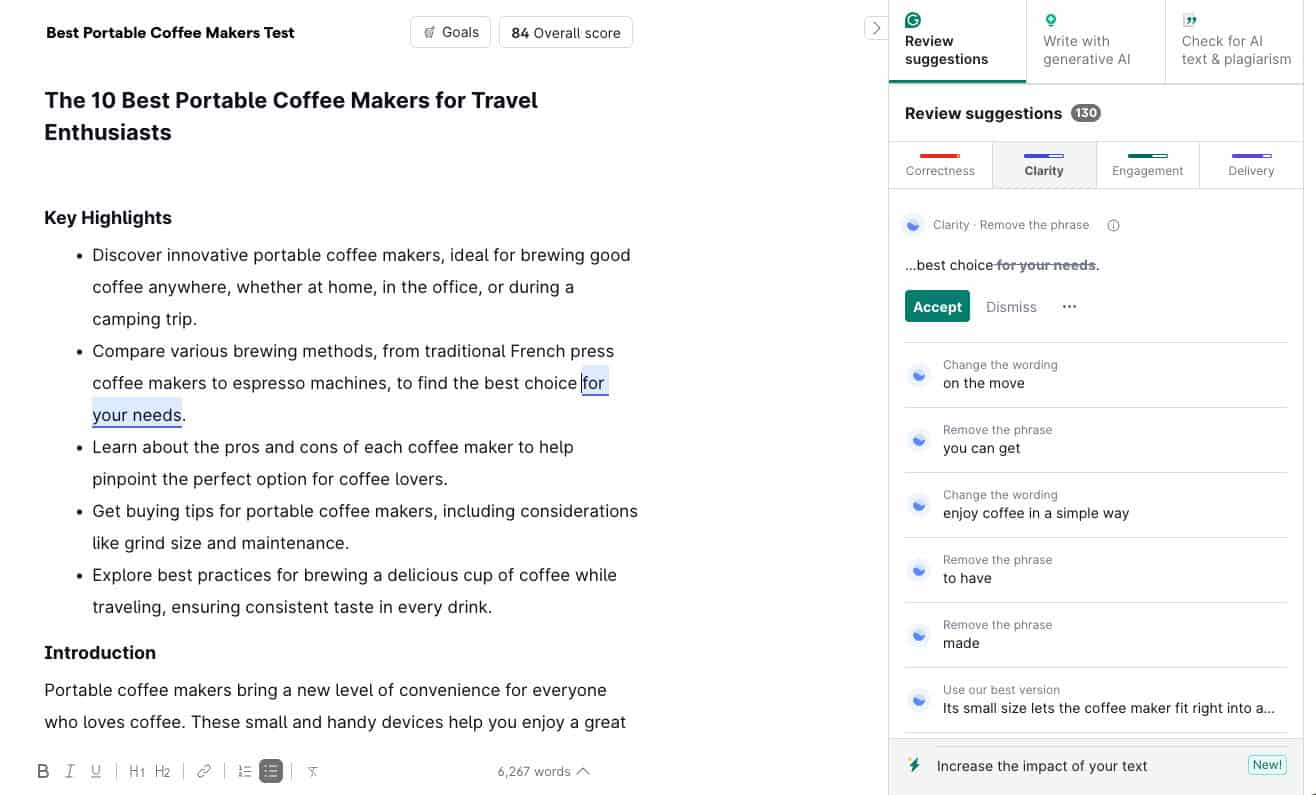
Note: My Grammarly score is usually around 70 for human-written content on a first draft.
I also found no major spelling or grammatical errors – most of the suggestions were minor improvements.
The big thing was that the “engagement score” was very low on Grammarly.
Essentially saying the content wasn’t interesting to read.
But it highlights the point that it’s worth running the content through Grammarly first before publishing.
Plagiarism Detection
Plagiarism has long been an issue for AI-generated content.
So, I checked ScaleNut’s AI-generated content with Grammarly’s plagiarism checker.
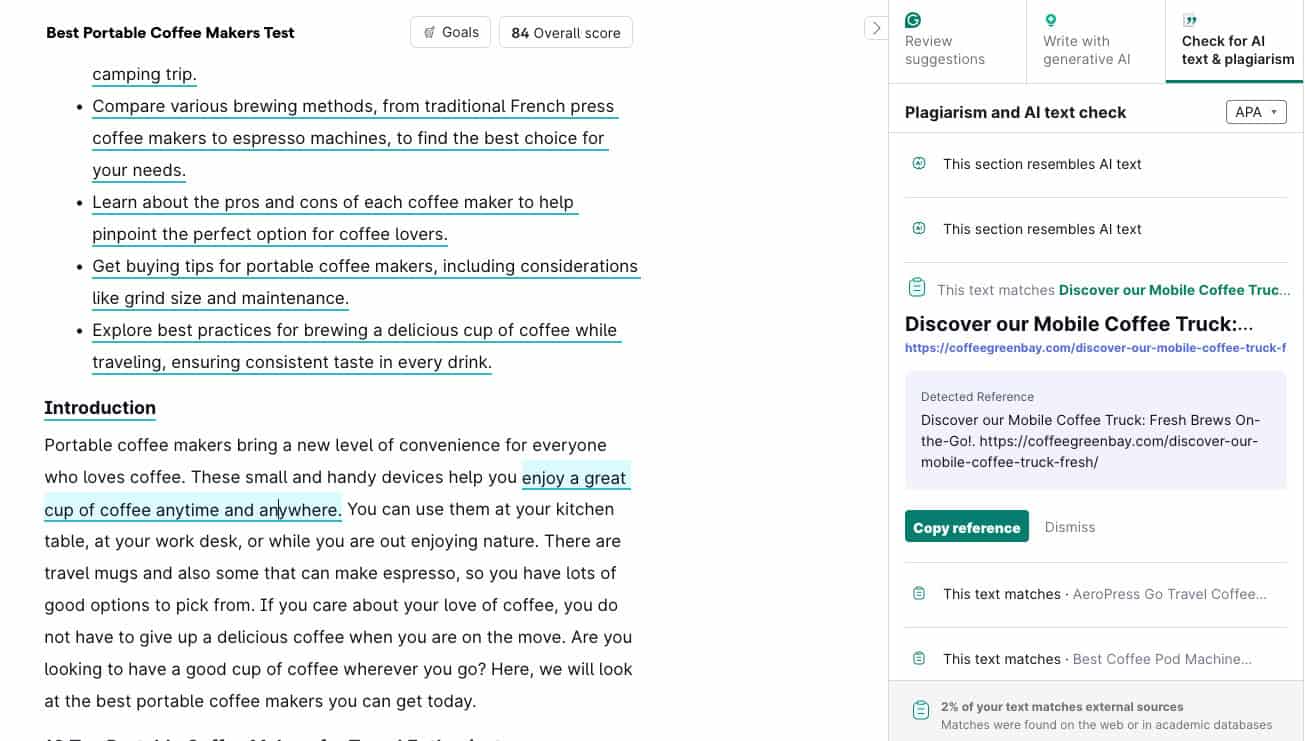
Grammarly flagged several plagiarism issues in ScaleNut’s AI-generated content for a total plagiarism score of 2%.
But after a deeper look, there were no exact matches for plagiarised content. It was more just common words and phrases used in a similar context.
But these issues are enough for me to recommend that you always check your content through a plagiarism checker like Grammarly before publishing.
AI Detection & Humanising
ScaleNut has a built-in AI detector and humanising tool right in the editor.
But how reliable is it?
First, I checked the raw AI content with ScaleNuts’ AI detection tool.
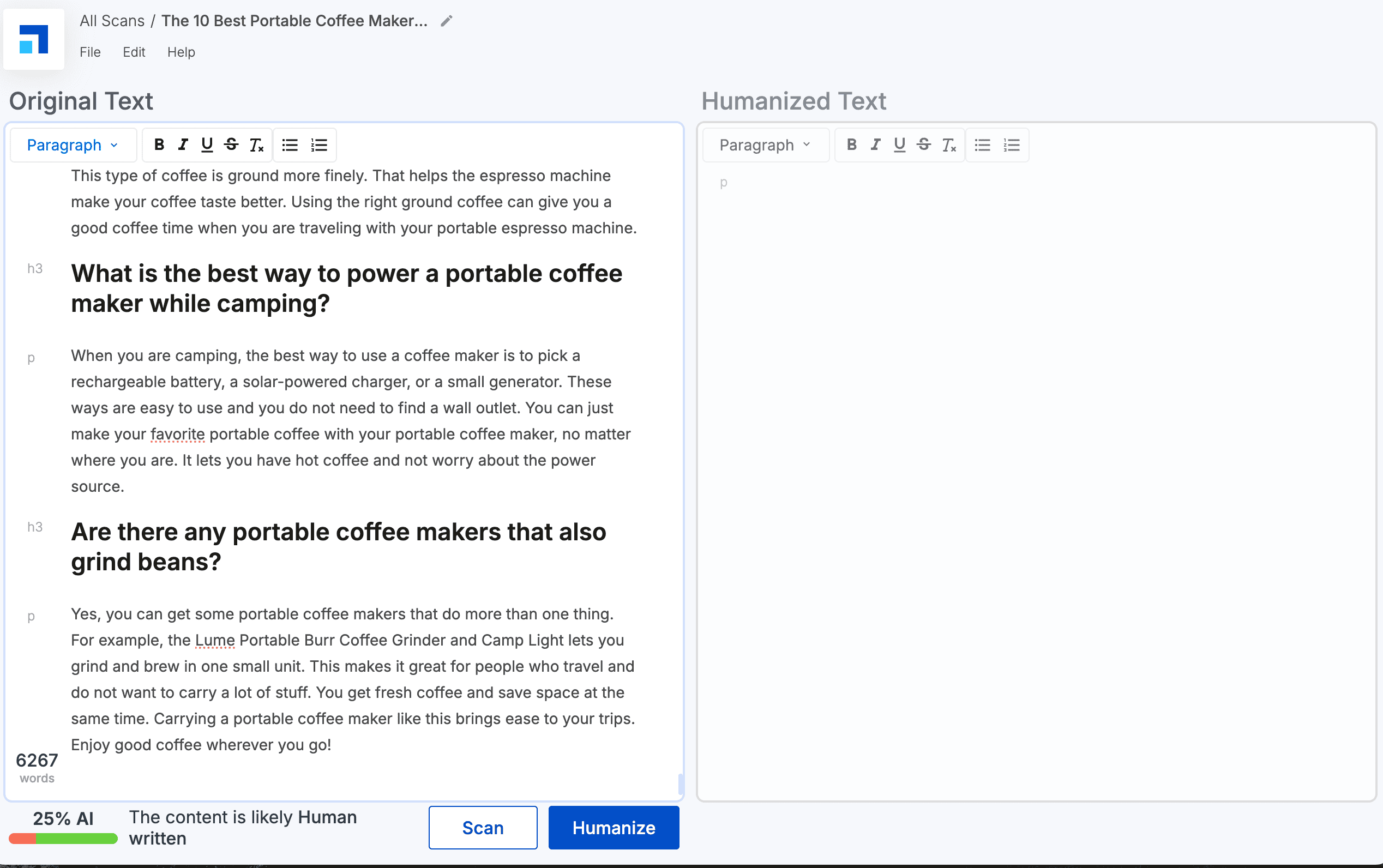
It flagged that 25% was AI-written content.
Our AI content detection test showed that the number one content detector right now is Originality.
So, I checked the AI content in Originality as well.
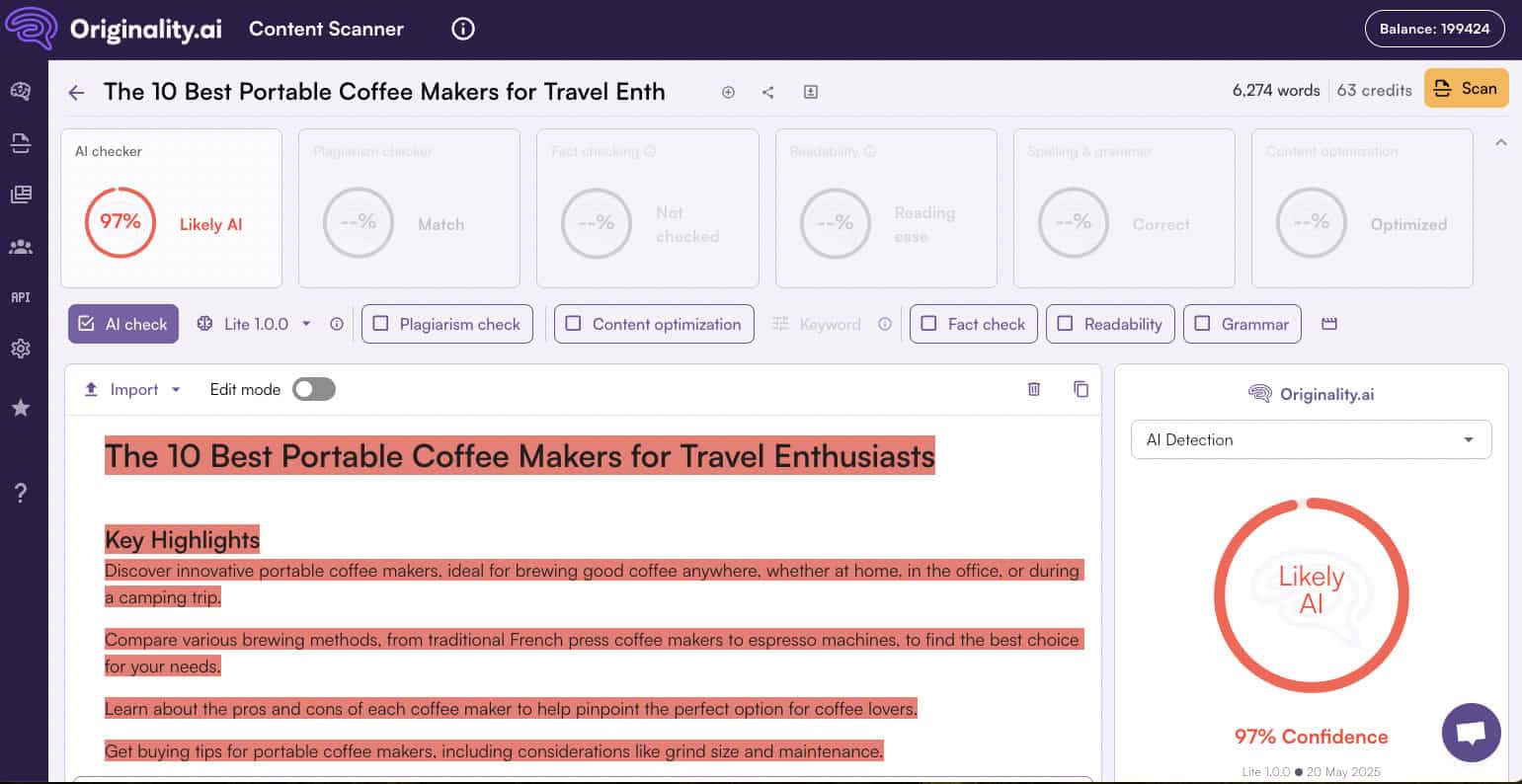
Originality flagged all the content as 97% AI written.
This result makes me question if ScaleNut’s AI detector is really that reliable.
Clearly, any content generated by ScaleNuts’ AI writer will be easily detected as AI content.
But that’s why ScaleNut built in a humaniser.
The humaniser tool is supposed to make the content seem like it was written by a human and ultimately beat AI detection.
With that in mind, I used ScaleNuts’ humaniser feature and reran the tests…
ScaleNut detected the content as 0% AI-written.
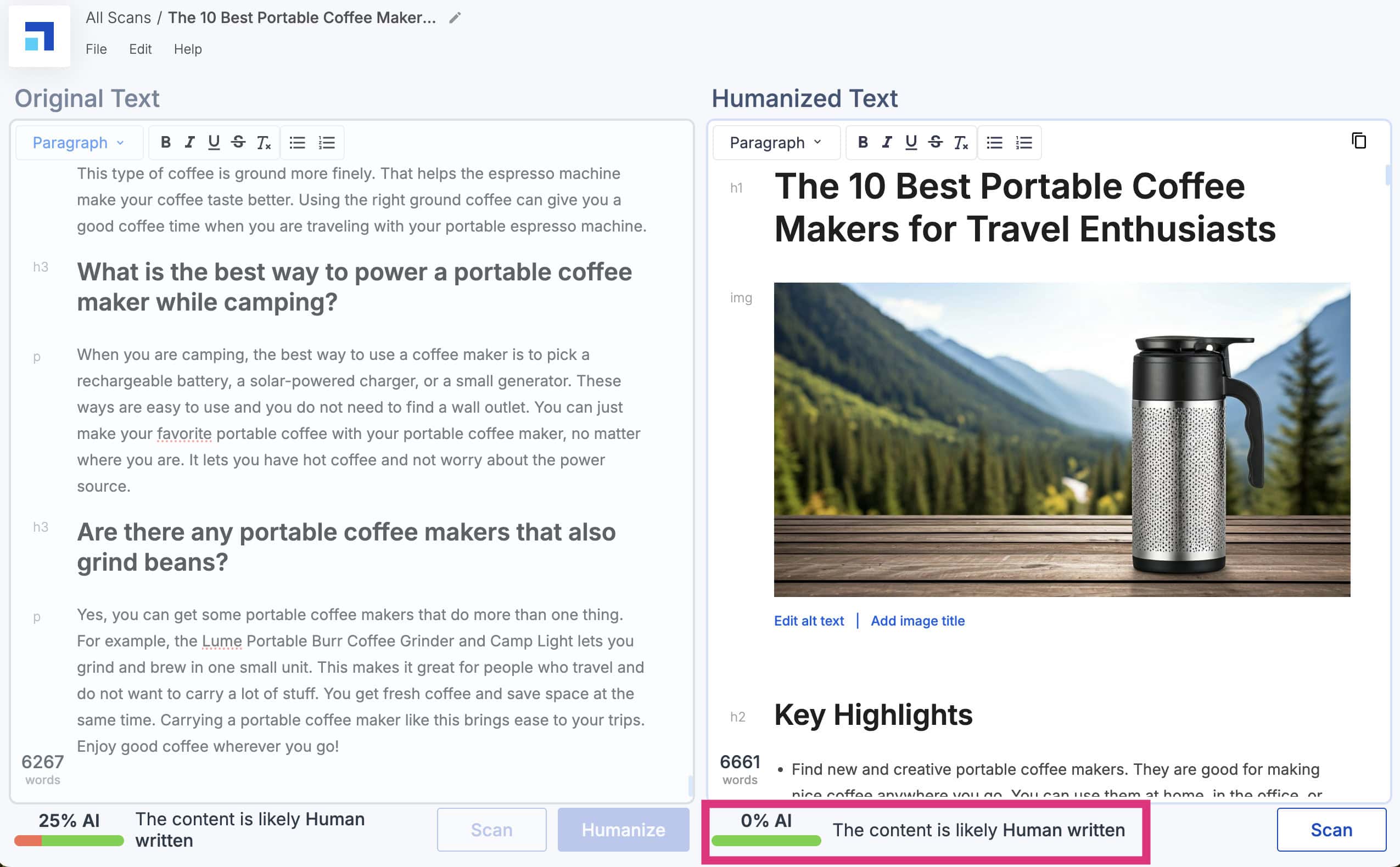
But as we’ve already discovered, that’s not necessarily a reliable result.
So, what about Originality?
Short answer – It increased!
Originality detected the humanised content as 100% AI written.
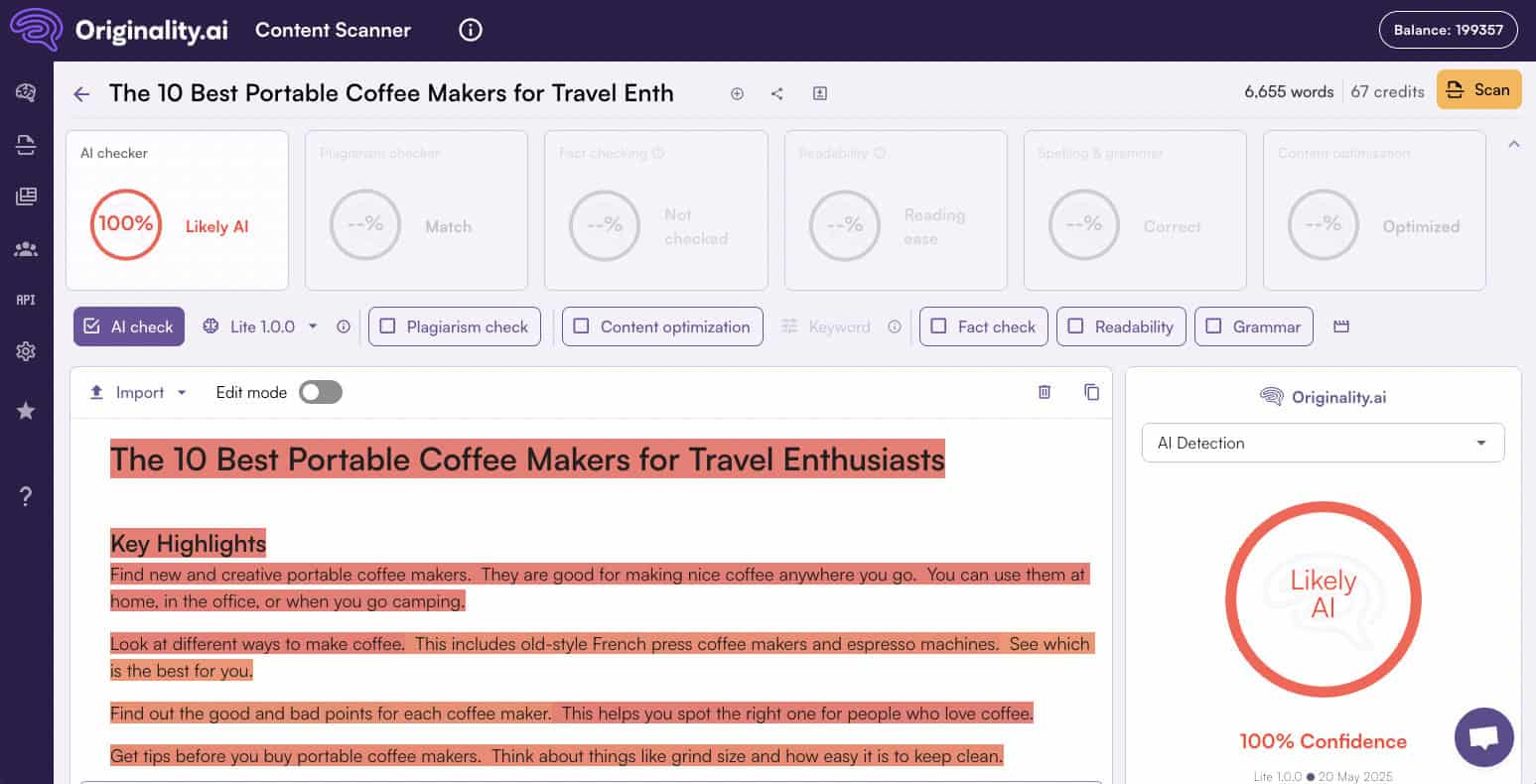
That’s the risk you are taking with AI writing tools.
As I always say:
“Content written by machines will always be detectable by machines.”
SEO Hub Tools
ScaleNut offers a range of SEO tools to ensure you are targeting the right keywords and producing optimised content.
Let’s have a look at them.
Topic & Keyword Research
ScaleNut’s research tools are designed to help you build topical authority.
Add a keyword to the “Keyword Planner” tool.

ScaleNut creates a comprehensive report based on the target keyword you added.
There is also an option to add your domain and competitors’ domains to get a topic gap analysis if you have the Pro ScaleNut plan or higher.
Here’s what the report looks like:
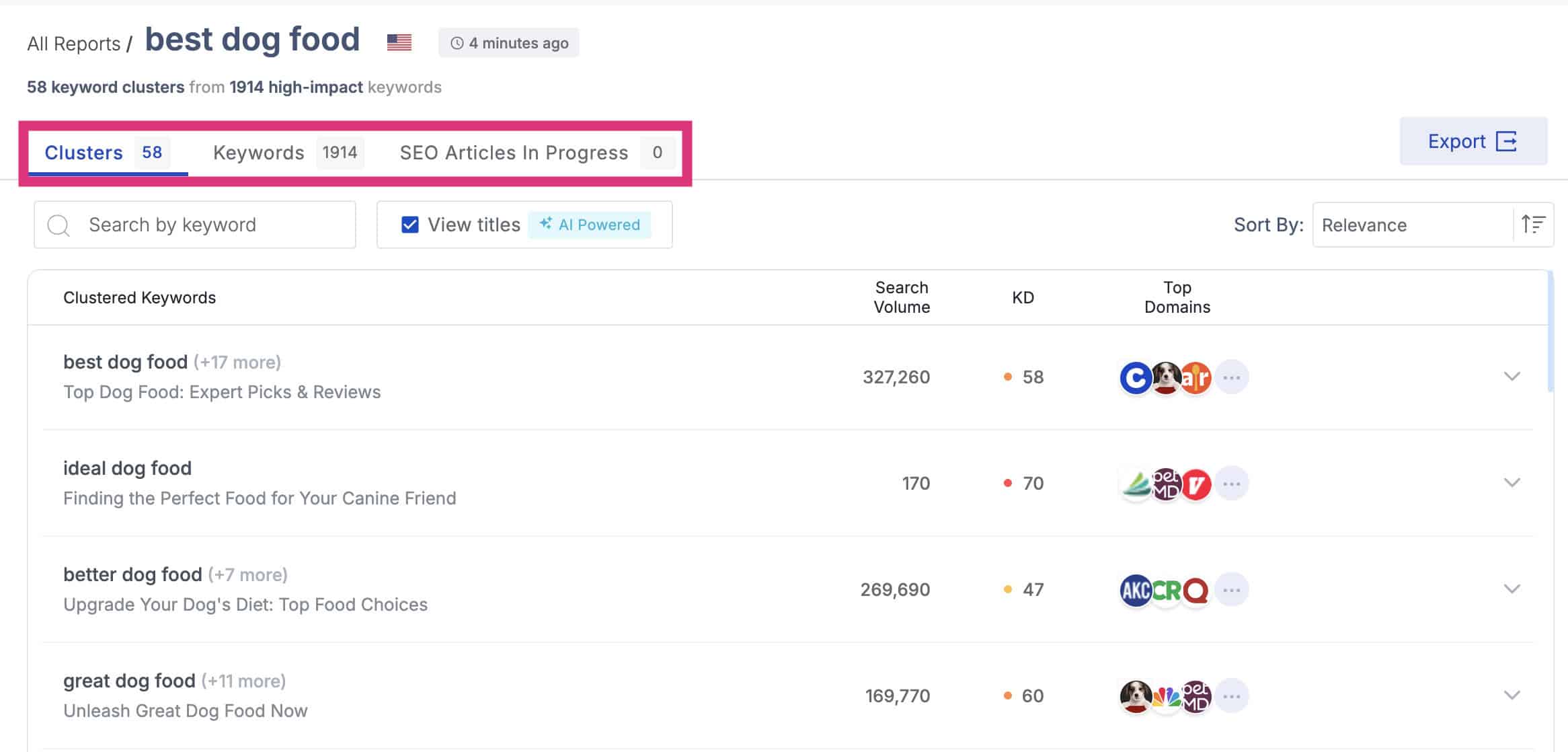
It’s broken down into three tabs:
- Clusters – Complete analysis of all of the topic clusters with key metrics.
- Keywords – Individual keywords with search volume, relevance and CPC.
- SEO Articles In Process – Content generated in cruise mode.
Clusters are the most powerful feature here…
You can click on any keyword cluster and see all the keywords in that cluster, including the essential keyword metrics and top-ranking domains.
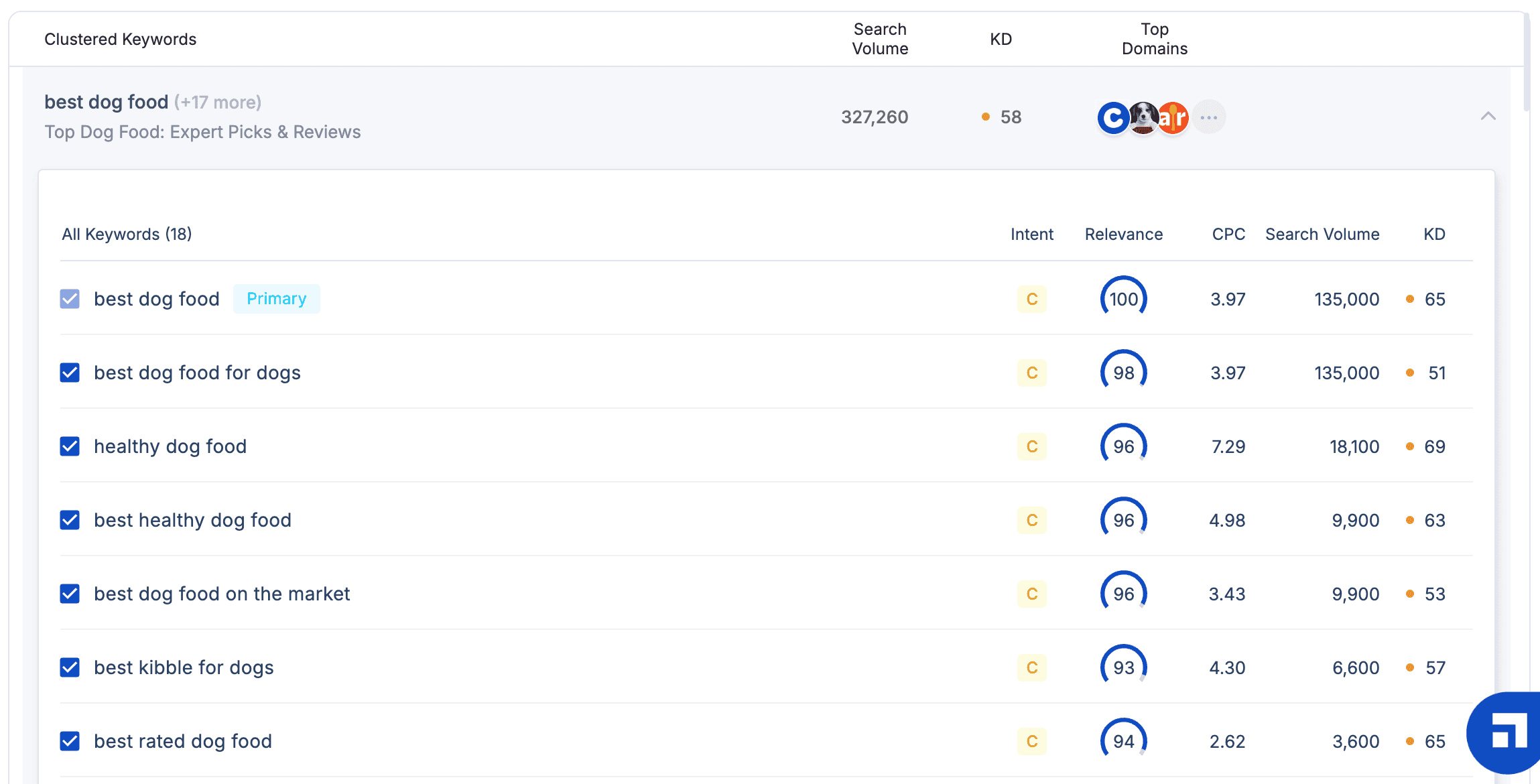
If you added your domain and competitors’ domains, ScaleNut gives you statuses to view each cluster by.
These include:
- Shared – You and your competitors both rank for the keyword
- Unique – Only you rank for the target keyword
- Missing – Your competitors rank for the target keywords, but you don’t
- Untapped – Neither of you ranks for the target keyword
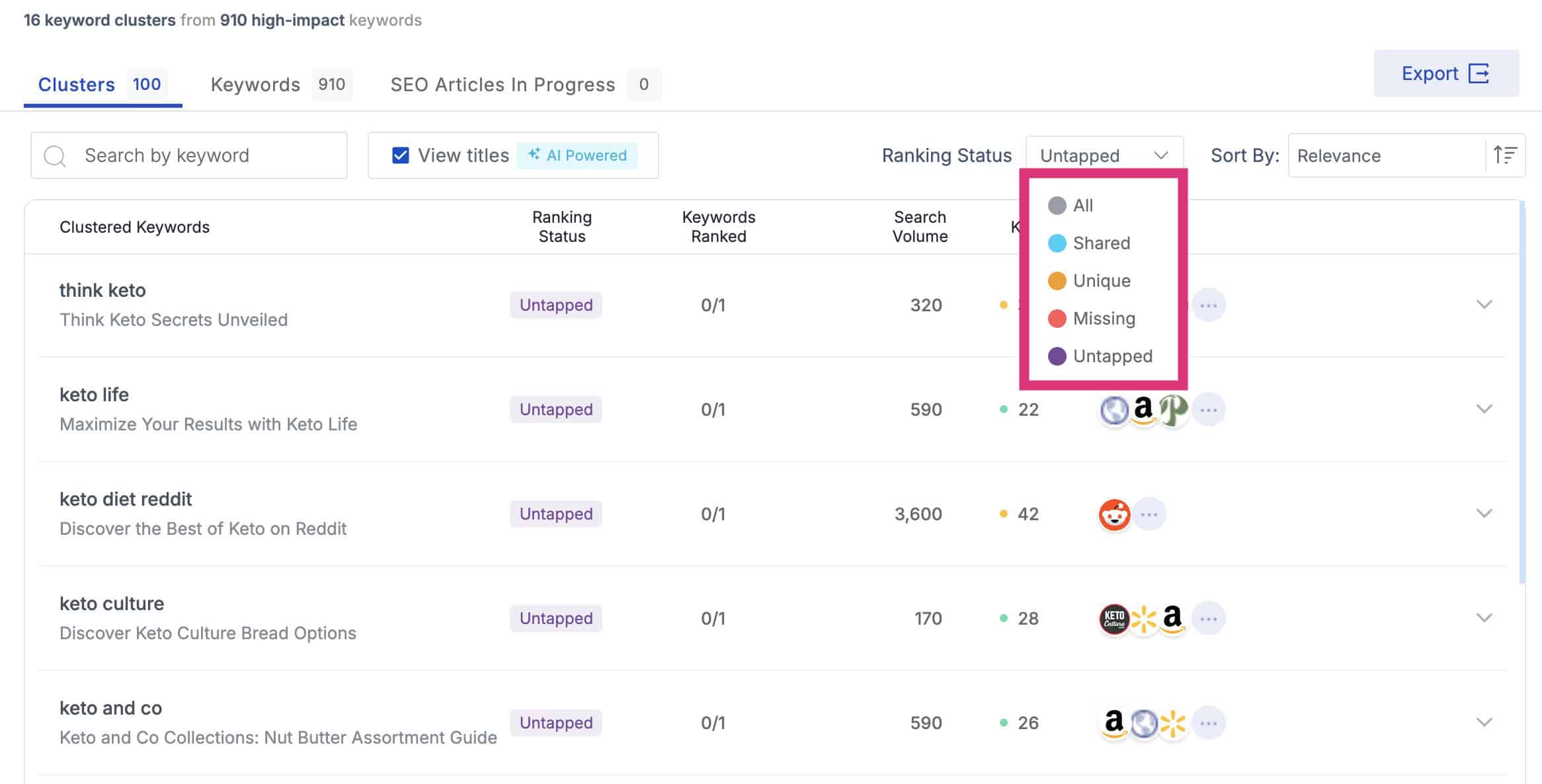
This is a great feature…
ScaleNut shows you topics none of your competitors have covered, which offers a huge opportunity to take them.
The “Missing” status also shows you topics your competitors have covered, but you haven’t.
This allows you to bridge the gap and gain even more topical authority!
Found a keyword cluster you need to create content about?

Click “Create Article”, which immediately puts you into cruise mode and has the AI start writing a fully optimised article for your site.
Content Briefs
Need a content brief for your clients or writers?
ScaleNuts’ content brief tool streamlines the research process by analysing the top-ranked search results and extracting the most valuable information.
Think of content briefs as an overview of what the article must contain to rank.
It takes less than a minute to generate one.
Click on “Article Writer”, and enter your target keyword and location.
ScaleNute then scans the top-ranking results and provides an in-depth overview of everything you need to know.

This includes:
- Complete content strategy
- Competitor outlines
- Relevant questions your audience asks
- Statistics to support key points
- Citations used by the top-ranking pages
- Key NLP terms to use
There is a lot of data and information here.
It’s very similar to how Frase creates a content brief, but better.
Just share the content brief with your writer and clients via a link.
I like what ScaleNut offers with content briefs. They’re in-depth and comprehensive.
The only issue is information overload.
But it’s more just a case of getting used to the brief feature. I would rather have more data than not enough.
Content Optimisation
I expected ScaleNuts’ content optimiser tool to be just like most of the other competing tools out there.
But that couldn’t be further from the truth…
ScaleNut doesn’t just help you optimise your content, it helps you improve the quality of the content.
That’s a big difference.
Here’s how it works:
Add your target keyword, location and choose the number of URLs you want ScaleNut to analyse.
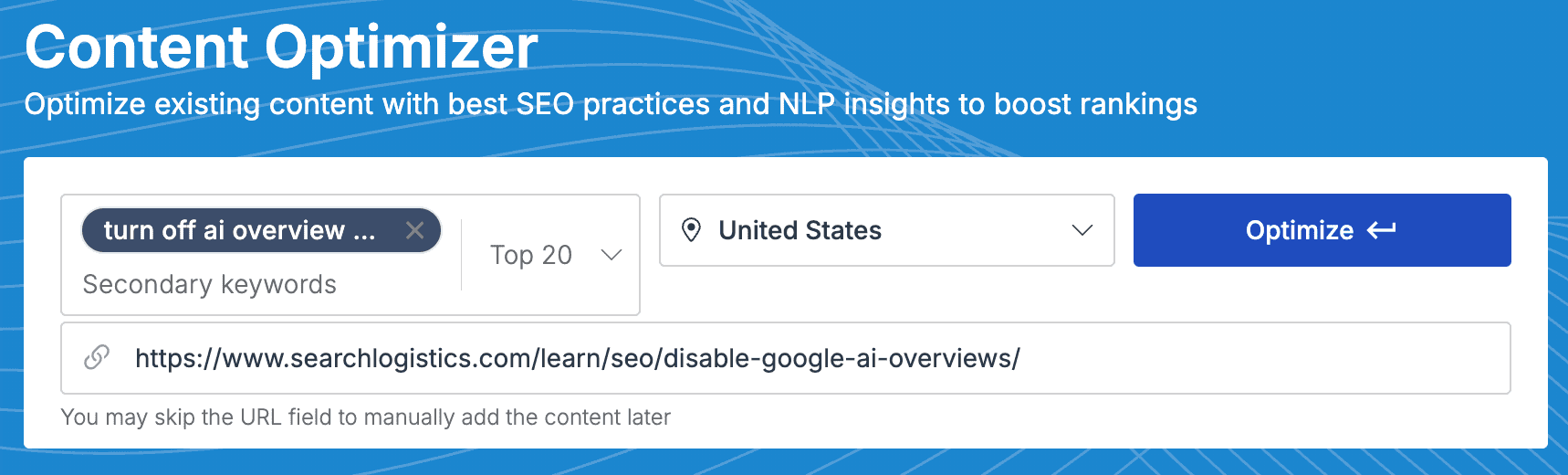
I found that 20 URLs gave me the most consistent results.
Insert your page URL, and ScaleNut will extract the content directly from your site to optimise.
When you’re ready, click “Optimise”.
ScaleNut will compare your content to the top-ranking search results and give you an SEO score of how it compares.

Click on the “Open Editor” button to start optimising.
On the right side, you will see your SEO score.
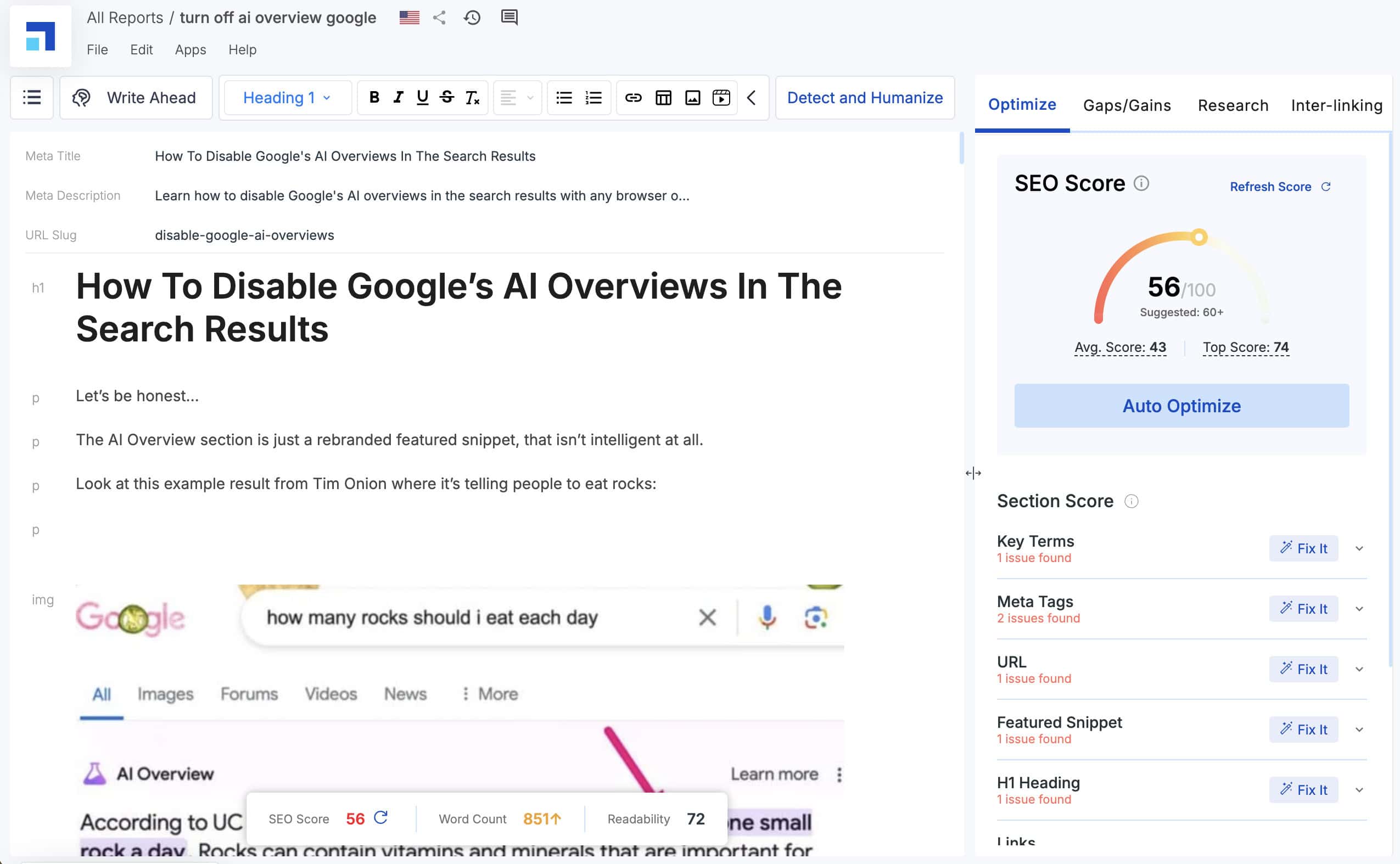
This is where ScaleNut really shines…
It analyses your content against hundreds of data points, including:
- Key terms
- Meta tags
- URL
- Featured snippets
- Headings
- Links
- Content depth
- Keyword density
Some are more useful than others…
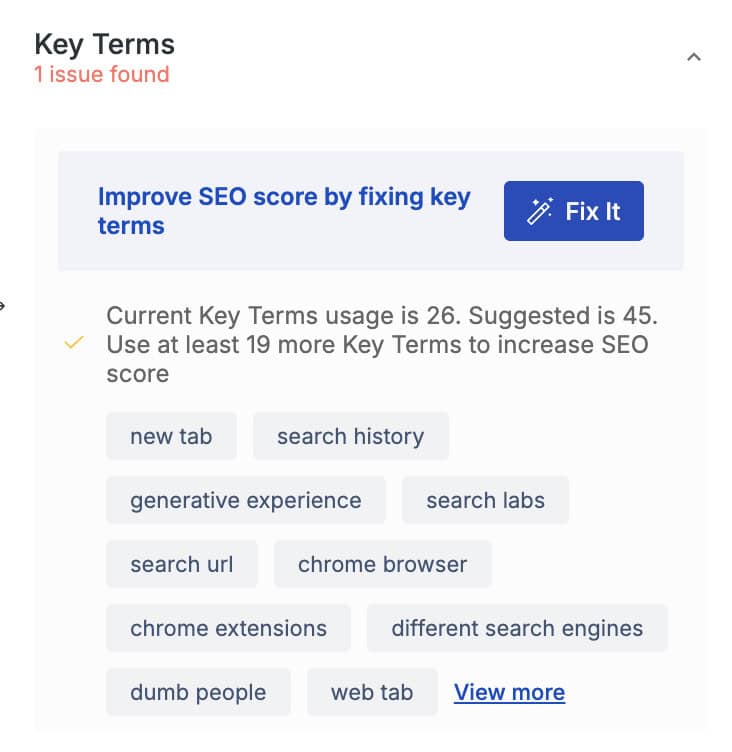
- Key Terms: are all the terms you should have included in your article. This will ensure that it’s NLP-friendly and is directly based on the terms used by the top-ranking articles.
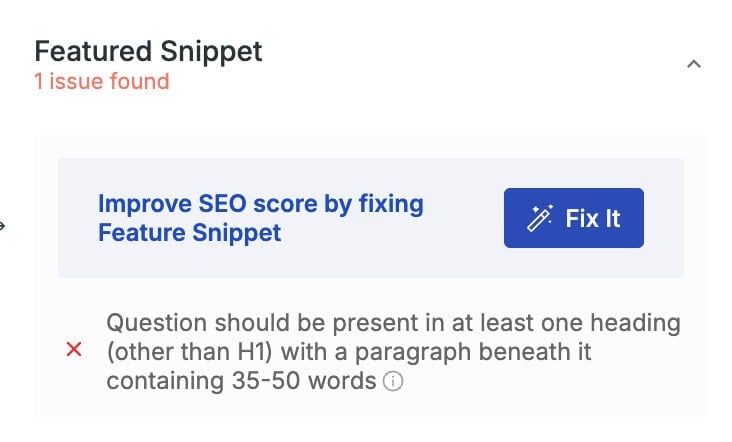
- Feature Snippet: provides recommendations of frequently asked questions that you could add to your content to rank for more featured snippets.
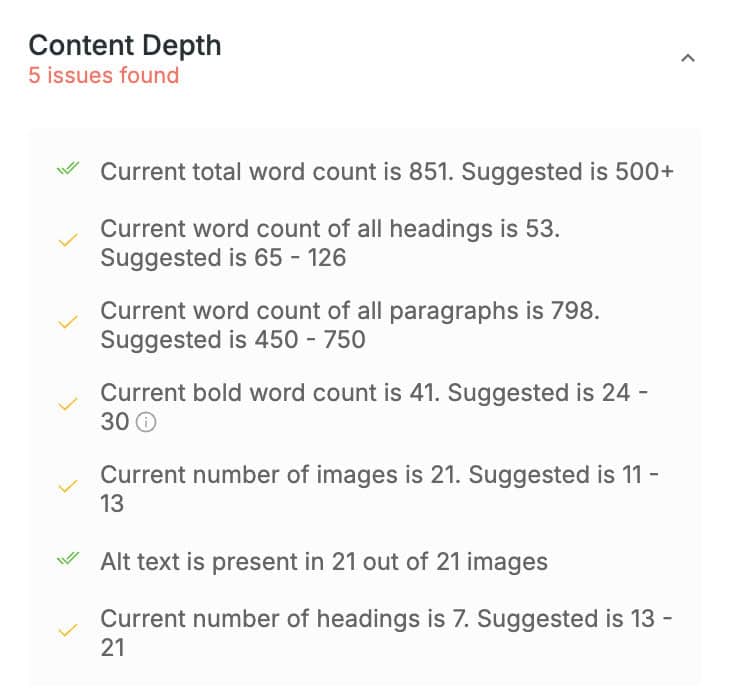
- Content Depth: tells you the ideal word length, image count, number of headings, and more.
But here’s the cool part:
You can either work on the recommendations manually or simply click the “Fix It” button next to each section and let AI take care of it for you.
When you click “Fix It”, you will be taken to a review screen where you can choose to accept or dismiss the recommended fixes.
This makes improving your article’s SEO friendliness a breeze, and I found it cut my content optimisation time by about 60%.
But that’s just the basic content optimisation features offered by ScaleNut…
Click on the “Gaps/Gains” tab at the top of the page.
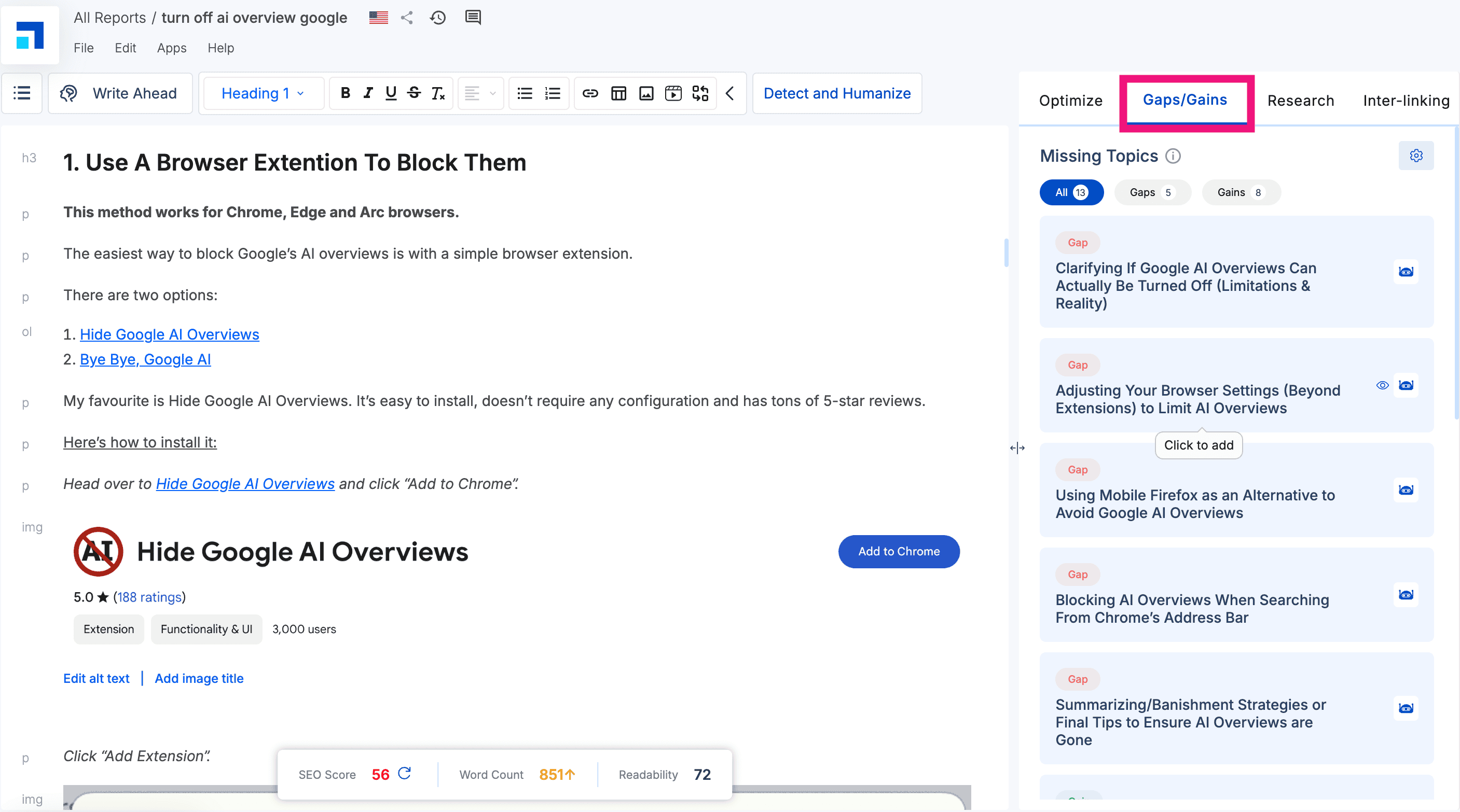
The Gaps/Gains analysis points out gaps between topics your competitors cover but you don’t.
This is a great feature for:
- Improving your content
- Adding more value for readers
All you have to do is click the “Generate” button beside each missing topic to have AI cover that topic for you in the editor.
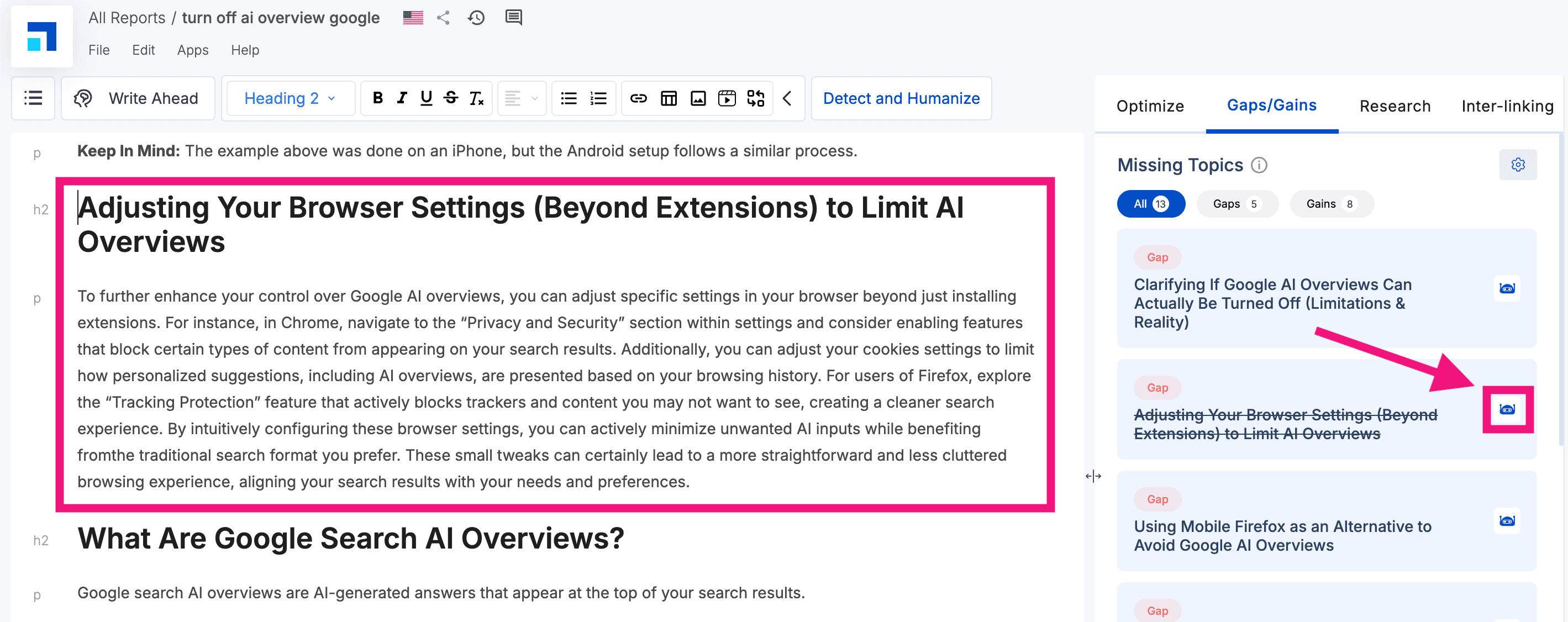
Crazy, right?
This means that AI does all the heavy lifting of:
- Finding
- Inserting
- Writing
Then, you just need to add your own personal experience, results and expertise to really bring these new sections to life.
ScaleNut’s Content Optimiser is one of the best optimisation tools I’ve used.
The big difference is it doesn’t just provide data…
…It gives you helpful, actionable insights, and the AI features do most of the work.
Website Auditing
ScaleNut integrates with your Google Search Console account to give real-time SEO optimisation insights based on the GSC data.
To start, connect your ScaleNut account with Google Search Console and select your:
- Website
- Target country
- Pages you want to audit
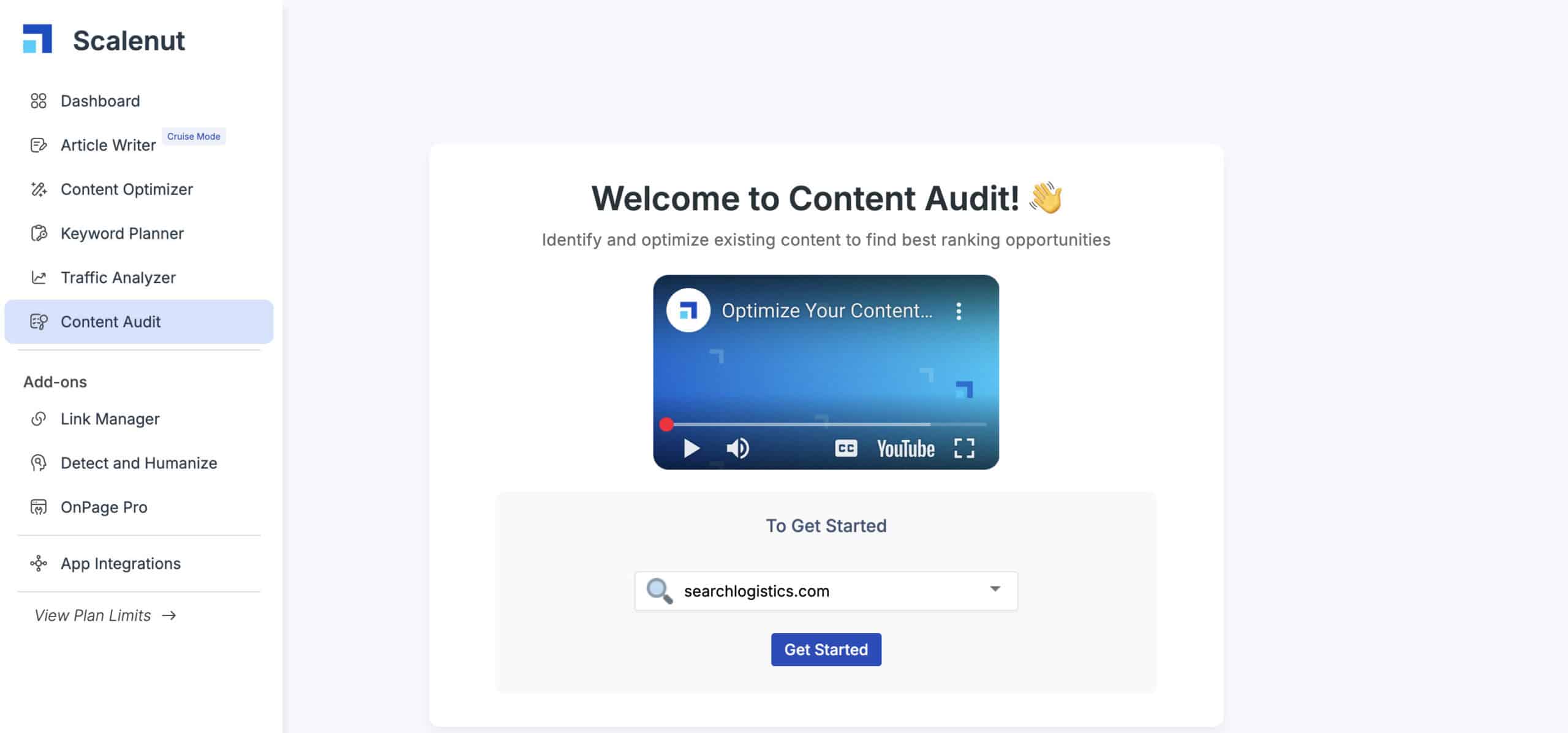
This is a cool feature…
You can manually select pages or go with the top 20 pages by traffic.

Then, you simply click “Start Audit”.
ScaleNut then runs a thorough audit on all of the selected pages.
The initial report gives you high-level data:
- SEO Score – How well optimised your page is
- Position – Current ranking position
- Key GSC metrics – Traffic, Position and CTR
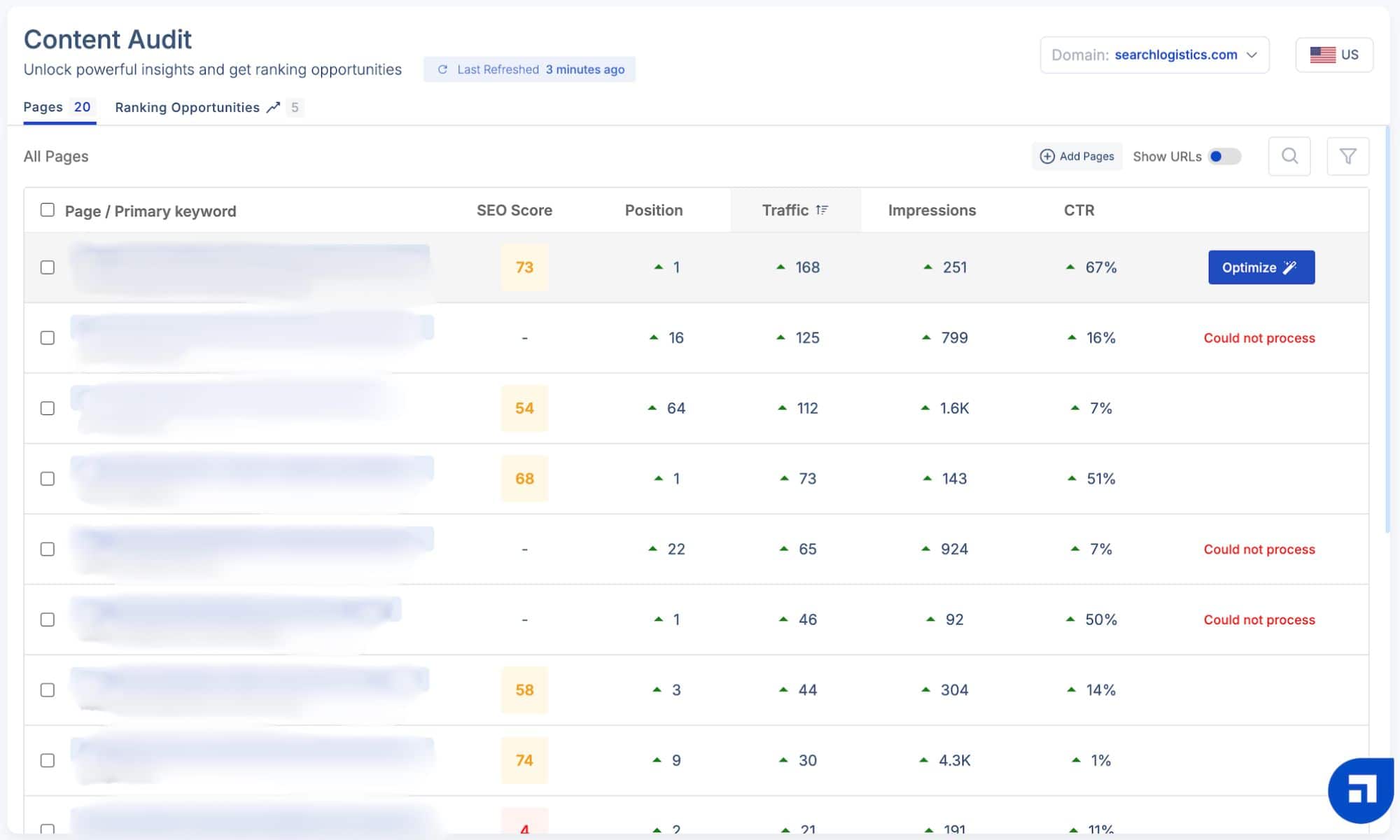
I noticed some of the pages at times wouldn’t be processed, but this was a minor problem.
All you have to do is click “Optimise,” which will pull all of your content from the page into the ScaleNut editor.
It’s a quick way to get an SEO score for all your content and then optimise any page quickly.
Text Editing Tools
ScaleNut offers a suite of text editing tools beyond basic AI writing.
I like that it’s not just about generating AI content…
You can use these tools to:
- Refine your writing
- Make it clearer
- Add value for your audience
Write Tool
The AI Write Tool is designed to help you overcome writer’s block.
All you have to do is write a sentence or two, highlight it and click “Cruise AI”.
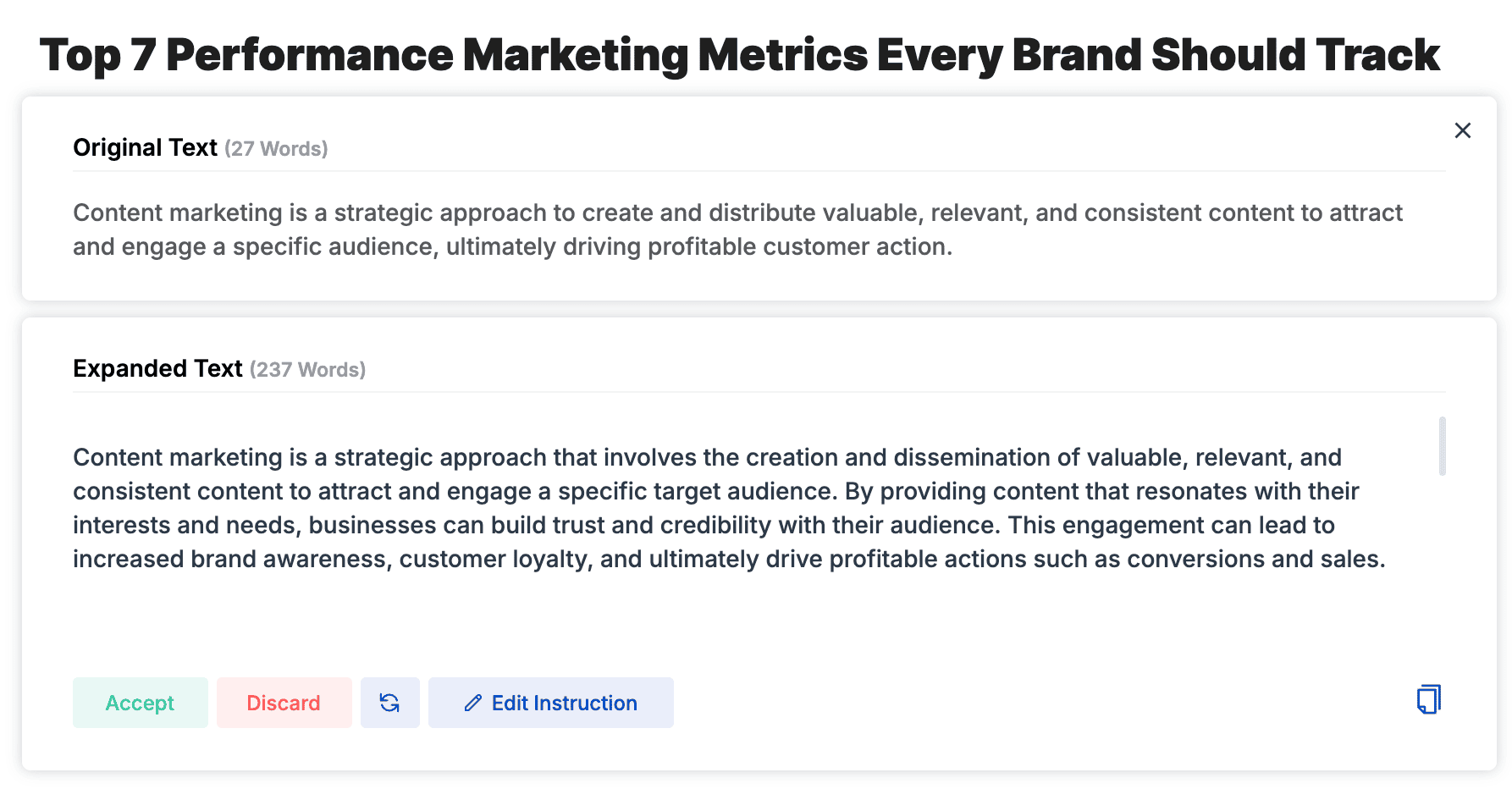
The AI will also write in a practical, active voice by default, which is great for online writing.
Instruct Tool
Want to prompt your AI Writer?
That’s where the Instruct tool comes in…
Rather than using a provided AI template, you give a custom prompt on what you want the AI Writer to do.
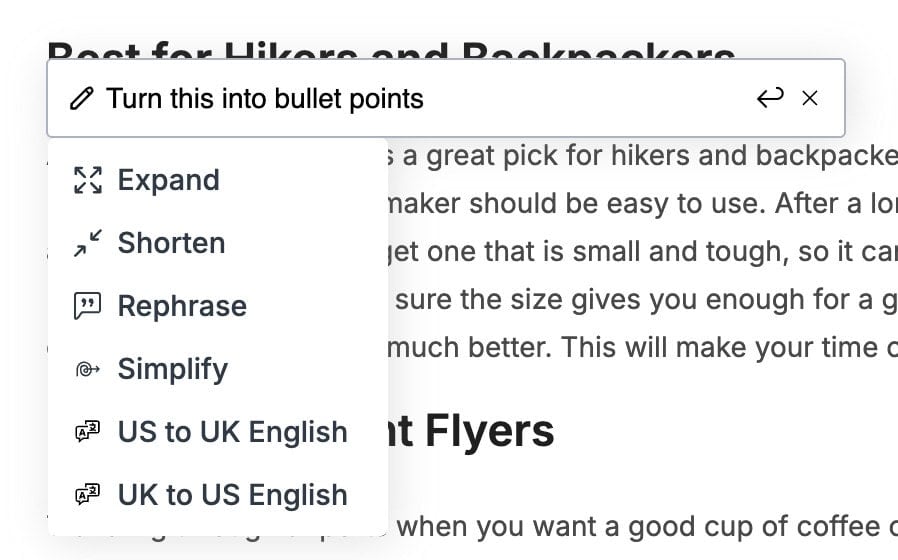
All you have to do is provide the instructions in the editor and click on “Instruct”.
I tested this feature extensively, and it works well for anytime you want to give more direction to the AI Writer to generate content the way you want it.
Chrome Extension
ScaleNut’s Chrome Extension is actually a great tool!
This isn’t something they’ve just tacked on as a secondary feature.
There’s a reason the extension has a 4.9/5 star rating on the Chrome web store.
Head over to the installation page and click the “Add to Chrome” button in the top right.

With the extension installed on your Chrome browser, you can now access a powerful writing tool while browsing the web.
The extension’s premise is to combine human ideas with AI writing to quickly create quality content.
You have access to ScaleNut’s 40+ AI writing templates built into the Chrome extension to use anytime.
Here are a few use cases I tried…
Emails
Simply add a few lines of what you want to say to your email.
Then, highlight the text, click the ScaleNut icon and select “Email”.
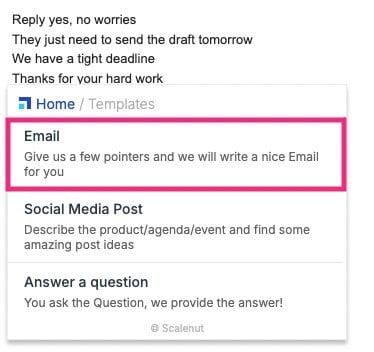
Within a few seconds, ScaleNut AI will write you a complete email based on the text you provided as content.
Click “Insert”, make any changes before hitting send.
Social Media Posts
Let’s say you want to write a LinkedIn post.
Add some text about your idea for the post, highlight the content, and select “Social Media Post”.
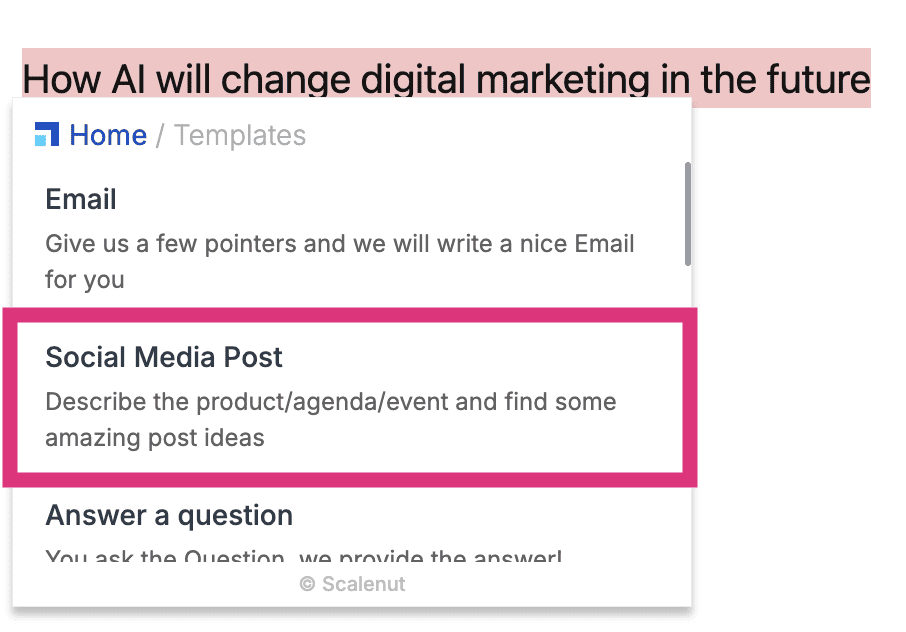
ScaleNut uses a pre-built prompt template to turn your text into an engaging social media post.
Don’t like how it sounds?
Hit the “Rephrase” button and ScaleNut will rewrite the post.
Review Responder
One reason I like this is that most business owners know they need to reply to reviews (good or bad), but don’t know what to say.
Highlight the review, click the ScaleNut icon and select “Review responder”.
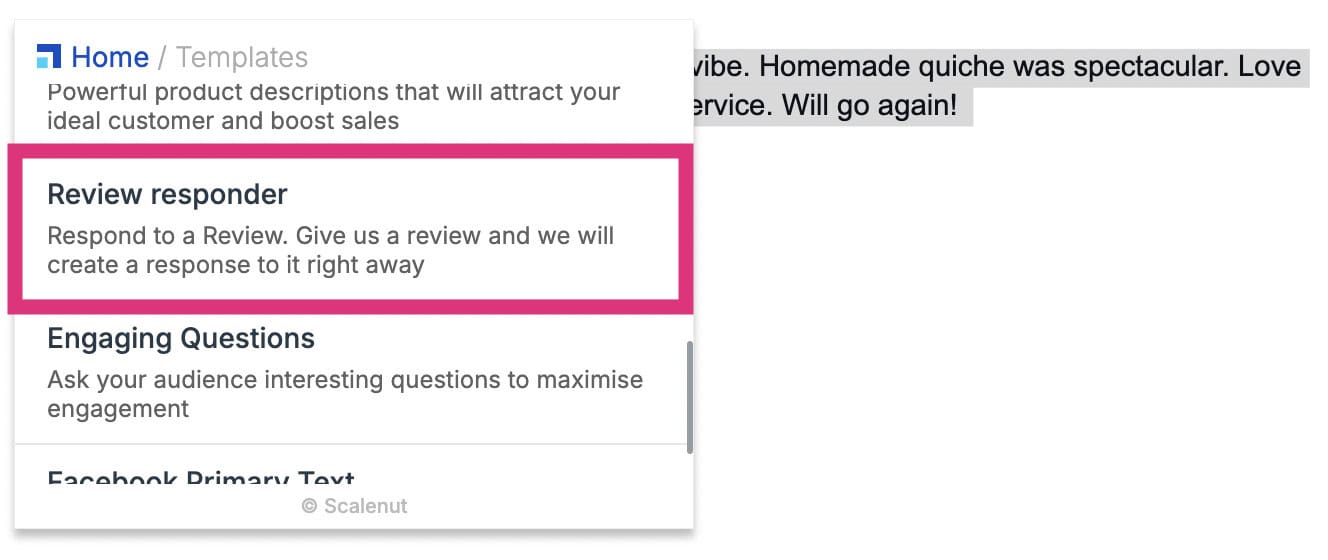
ScaleNut will write a thoughtful, personalised response for the customer review.
Make any additional tweaks before publishing the response.
Most business owners just “copy and paste” responses back to customers.
So, this is a great use case because ScaleNut will make each response feel authentic and personalised.
That’s great for customer loyalty!
Pricing Plans
How much does ScaleNut cost?
Pricing starts from $49 per month and allows you to create up to 5 articles monthly.
Here’s a breakdown of the prices:
| Essential | Growth | Pro |
|---|---|---|
| $49/month | $79/month | $149/month |
| 5 articles | 30 articles | 75 articles |
| 30 keyword clusters | 75 keyword clusters | |
| 200-page audits | 1000-page audits | |
| 500-page analysis | 1500-page analysis |
The first thing to point out is that ScaleNut isn’t cheap.
This is because the platform includes many powerful tools.
But the good news is that you can get a massive 60% off by switching to an annual plan, and ScaleNut will also double your monthly limits.
That would bring the Essential plan down to just $20/month ($240/year), and you would be able to create up to 10 articles per month.

Not bad, right?
ScaleNut has done a good job of putting the plans together.
What about Add-ons?
This is a downside of ScaleNut.
They offer three paid add-on features that, because of their premium prices, should be included in the base plans.
The add-ons are:
- Link Manager for $19/month – Add internal and external links automatically.
- AI Detector & Humaniser for $9.99/month – Unlimited AI detection and content humanising.
- OnPage Pro for $19/month – On-page SEO auditing tool that you can integrate with your site.
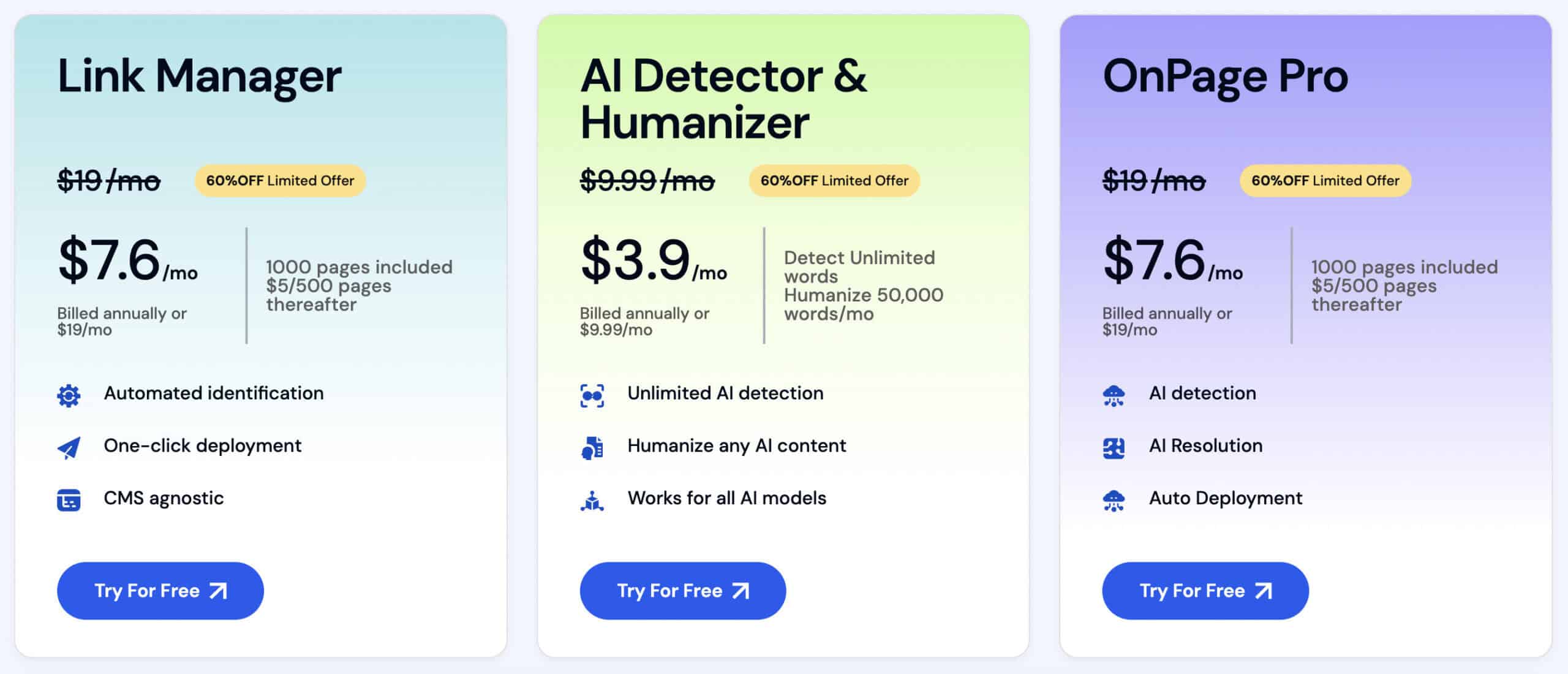
These prices are expensive for what they offer.
While they will benefit your site, there are other stand-alone SEO tools that are about the same price (or cheaper) that will do a better job.
It’s worth noting that you can also save 60% by buying each of the paid add-ons as an annual subscription as well.
Integrations
ScaleNut integrates with a bunch of platforms, including:
- CopyScape
- Semrush
- WordPress
- Shopfiy

The WordPress and Shopify integrations allow you to publish content directly from ScaleNut to both platforms in one click.
But the integration that really got my attention was Semrush.
You integrate Semrush with your ScaleNut account and get the power of Semrush’s data with ScaleNut’s features.
There are two primary integrations:
- Keywords research – Get Semrush’s wealth of keyword data inside ScaleNut to help you make better decisions.
- Cluster booster – Use Semrush to get more information about topic clusters and the keywords within those clusters.
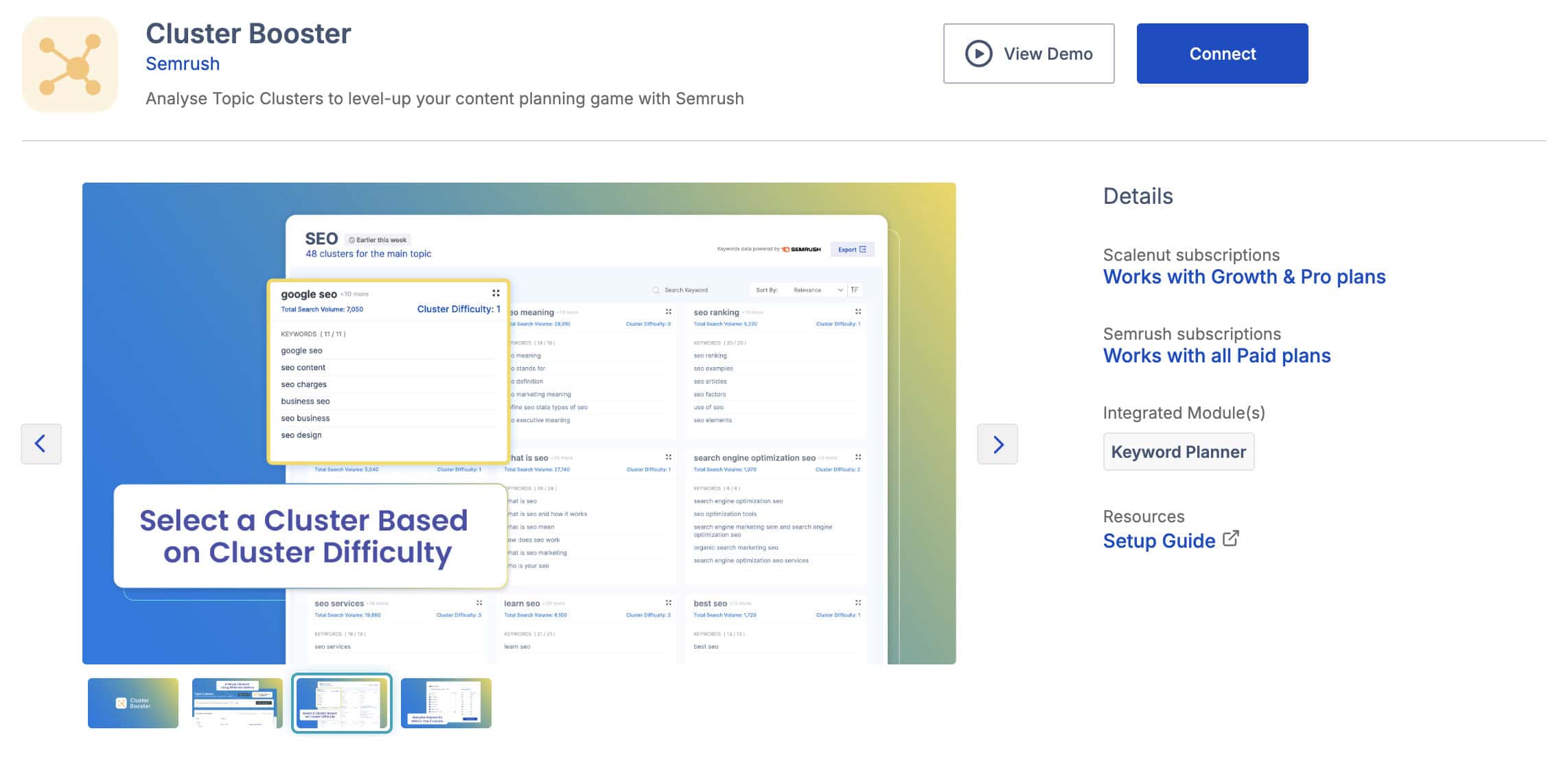
This is actually a very cool integration!
Semrush has one of the biggest keyword databases of any SEO tool on the planet.
Rather than trying to compete, ScaleNut created an integration that allows you to take advantage of all that data and still use the ScaleNut workflow to generate articles.
Customer Support
ScaleNut offers three different customer support channels:
- Live chat
- Knowledge base
I contacted them about an issue integrating my Semrush account with ScaleNut.
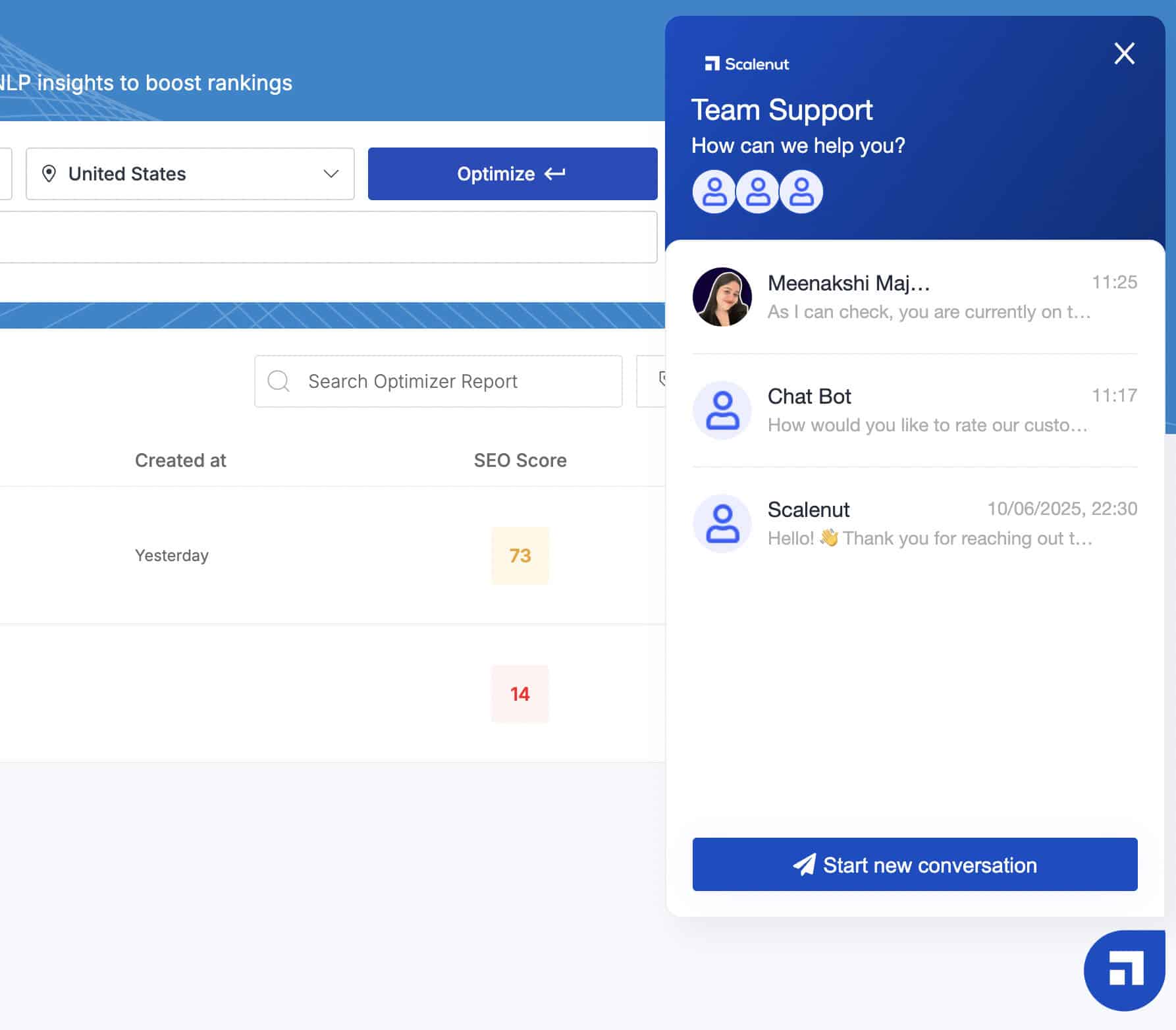
The team replied in about 14 minutes via live chat.
That’s honestly NOT the fastest!
BUT:
They solved the issue quickly and offered some additional tips to make the integration smooth.
Their customer service was also friendly, and it was clear the team had a good understanding of the platform.
The only downside is that the ScaleNut knowledge base is limited. All of the main features are covered, but there is room for improvement here.
ScaleNut also has a Facebook Group community. It seems like a lively group, and the ScaleNut team is also very active in there.
I was impressed with ScaleNuts’ support options.
You have multiple ways to contact the team, and live chat support is helpful and efficient. This is exactly what I expect from a premium content and SEO platform.
ScaleNut vs. Competitors
ScaleNut does have some competition.
Here’s my analysis after using each of these tools:
| Features | ScaleNut | SurferSEO | Jasper | Frase | WriteSonic |
|---|---|---|---|---|---|
| Pricing | Starts From $49/month | Starts From $99/month | Starts From $49/month | Starts From $45/month | Starts From $20/month |
| Value Rating (out of 5) | 4.7 | 4.3 | 4.2 | 4.0 | 4.0 |
| AI Writing | Cruise Mode 5 step article generator | Surfer AI one-click article draft | AI marketing platform | Rank-Ready AI documents | AI Article writer agent |
| Research & Planning | Keyword planner, cluster research, content gap analysis | Keyword research, topical map generator, content gap finder | None | SERP analysis, SEO briefs, basic keyword metrics | SEO AI agent for live competitor data |
| Optimisation & Scoring | Real-time SEO scoring, content audit, on-page analysis, one-click “Fix It” | SEO scoring, Content auditor, one-click auto-optimise feature | Paid Add-on: SurferSEO | Live topic score optimisation | SEO checker with live scoring |
| Customised Brand Voice | Yes | Yes | Yes | Limited | Yes |
| AI Detection Rate | 100% | 100% | 100% | 100% | 100% |
| Unique Features | On-page analysis (200 factors), site-wide content audit, AI templates | Topical maps, advanced keyword research, traffic monitoring, 90+ integrations | Best brand voice features, advanced marketing copywriting | Page tracking, SEO analytics | AI agents, writing style, Chatsonic, Botsonic, Socialsonic |
The truth is that different tools will suit different users.
So, here’s a more in-depth comparison of ScaleNut vs each of their competitors.
ScaleNut vs. SurferSEO
SurferSEO is the leading SEO content tool and the most direct competitor to ScaleNut.

ScaleNut combines keyword research, AI content creation, auditing and optimisation into a tidy workflow.
SurferSEO has more SEO tools, solid optimisation process and traffic monitoring in the higher plans.
It’s worth mentioning that SurferSEO is essentially double the price of ScaleNut, starting at $99/month.
⭐ Final Verdict:
Choose ScaleNut for a much more affordable all-in-one SEO content solution. SurferSEO is a better choice if you have a larger budget and want the extra SEO/traffic monitoring features.
ScaleNut vs. Frase
Frase has been designed with a large focus on SERP research and optimising for subtopics within the content.

Over time, Frase has added more features, including AI writing.
ScaleNut offers much better AI content writing and deeper levels of optimisation. Frase excels in topic research, generating briefs and optimising them to rank.
You will have more flexibility but also more manual work with Frase.
ScaleNut and Frase start at similar prices, but Frase offers six times as many AI and optimisation documents.
⭐ Final Verdict:
ScaleNut is the best choice if you want more advanced AI writing and an entire SEO workflow. Frase is great if you want to write more of the content manually and need more documents on a lower budget.
ScaleNut vs. Jasper
Jasper is one of the leading AI writing and marketing content tools right now.

The big difference is that ScaleNut is an SEO tool from the ground up.
Jasper focuses on marketing content, where SEO is an afterthought.
If you want SEO optimisation with Jasper, you have to buy a SurferSEO subscription and use Jasper’s native integration.
⭐ Final Verdict:
ScaleNut is a better option if SEO content is your priority. Jasper is great for users who need marketing copy, and SEO features are secondary.
ScaleNut vs. WriteSonic
WriteSonic was created as an AI writing and marketing tool.

They’ve slowly developed their platform to offer a suite of tools, including SEO content.
The big difference is that WriteSonic is a platform with multiple individual tools (AI agents). It’s also significantly cheaper, starting at just $20 per month.
ScaleNut is an end-to-end SEO platform that has a higher-quality content workflow and a better AI writer.
⭐ Final Verdict:
ScaleNut is clearly the better tool and will provide better SEO content. If you’re on a tighter budget, WriteSonic is a good solution.

Wrapping It Up
Here’s my final thoughts…
I am genuinely impressed with what ScaleNut offers as an all-in-one SEO content platform.
Cruise Mode is a game-changing tool letting you create complete AI articles in minutes and the optimisation features provide actionable insights that will improve your rankings.
The SEO workflow that ScaleNut has created is the best I’ve seen!
That said, it’s still AI content.
Like all AI writers, the content is flagged by detection tools, despite being “humanised”.
But if you are looking for a quality all-in-one AI SEO writing tool, you won’t find one better than ScaleNut.
It has everything you need to research, write and publish content at scale.
My recommendation is to take advantage of the ScaleNut 7-day free trial and see for yourself.

 ScaleNut Review
 ScaleNut Review
- Review Of: ScaleNut
- Reviewed By: Matthew Woodward
- Rating:


- Updated On: Jul 7, 2026


Summary:
ScaleNut combines a quality AI writing tool with a powerful suite of SEO features. You can do everything from topic research to content optimisation and even monitor how the content performs on your site.
Visit ScaleNutYou Might Also Like






What Are Your Thoughts?
One Response
 ScaleNut Review
 ScaleNut Review
- Review Of: ScaleNut
- Reviewed By: Matthew Woodward
- Rating:
- Updated On: Jul 7, 2026
Summary:
ScaleNut combines a quality AI writing tool with a powerful suite of SEO features. You can do everything from topic research to content optimisation and even monitor how the content performs on your site.
Visit ScaleNutWhat Will I Learn?

 Subscribe to my YouTube
 Join My Facebook Group
 Connect on Linkedin
 Free SEO Tutorials
 SEO Case Studies
 Links That Rank





The point about content being detectable as AI is certainly valid, but often, the most important factor is the value it brings to the reader after human refinement. If the AI provides a solid base that a human expert can quickly polish for depth and nuance, its detectability might become a secondary concern.