


























 Subscribe to my YouTube
 Join My Facebook Group
 Connect on Linkedin
 Free SEO Tutorials
 SEO Case Studies
 Links That Rank


Social backlinks are links from social media platforms that direct users to a website, boosting visibility and driving referral traffic. These backlinks enhance SEO by signaling relevance and authority to search engines.
Examples include links from posts, profiles, or shared content on platforms like Facebook and Twitter.
These can also usually be shared directly on feed of sites like:
- X (Twitter)
But:
Can I tell you one of the most common misconceptions in SEO?
Social Media backlinks are not pointless.I get why many marketers think they are (perhaps including you). It’s because they’re no follow and they don’t ‘count’ in the realms of usual SEO.
But the truth is that social signals play a role as a ranking factor. And, there is a lot of attention on Social Media that just isn’t going away.
If you ignore social media links you’re ignoring a large portion of your potential audience.
Indeed, social media backlinks offer an audience that can benefit your website. People access sites by clicking on links that are located on their newsfeeds all the time.
Below are 28 ways you can use to build social media backlinks that will boost your traffic and your social signals…
…and if you want to build serious links that move the needle, I suggest you download this free link building checklist.

What Will I Learn?
What You’ll Learn
Social media backlinks are ignored by a lot of SEO’s because they think that they are useless. But that isn’t true! Social signals and backlinks play a role as a ranking factor and let’s be honest about it – social media isn’t going away anytime soon.
So first I’ve tried to avoid the obvious ideas like, “Drop a link in your status”.
Because you know how to do that.
Instead, I want to explore ideas you may not have thought of, or might be overlooking. So here’s what you’ll learn:
- 28 ways to build social media backlinks effectively
- How to track links from social profiles
- How to place links effectively without spamming
How to Track Your Social Media Backlinks
You’re likely a bit sceptical about this whole “social backlinks get clicks” thing.
Why not track the social media clicks you are getting from your social media backlinks
The easiest way to track social media backlinks is with UTM parameters and Google Analytics. For example, if you used the following links on LinkedIn profile…
- https://www.searchlogistics.com/?utm_source=linkedin.com&utm_medium=social&utm_content=content+info
&utm_campaign=social+profile- https://www.searchlogistics.com/?utm_source=linkedin.com&utm_medium=social&utm_content=projects&utm
_campaign=social+profile- https://www.searchlogistics.com/?utm_source=linkedin.com&utm_medium=social&utm_content=publications&
utm_campaign=social+profile
Google Analytics would be able to tell you that you got clicks to your website from your LinkedIn profile from each of these sections: contact info, projects and publications.
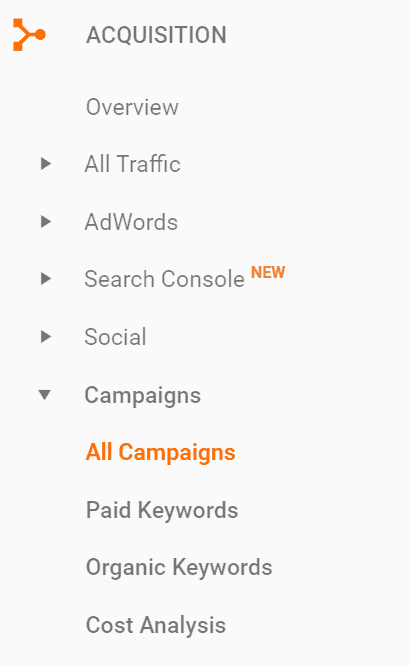
You’d find this information in:
Acquisitions > Campaigns > All Campaigns
That’s located here in Google Analytics:
However, be aware that you can’t use UTM parameters on all of your social profiles. For example, on Twitter, you would end up with a really long link in the website field.
On any social network that displays the full URL for your website, you can only use UTM parameters if you shorten your URL with Bit.ly or a similar service.
This tactic might not be a good strategy for branding purposes though as people are sometimes wary of Bit.ly links.
So let’s look at all of the places where you can – and should – add links to your social profiles, pages and groups.

Facebook Link Building
First, we’ll start with the most popular social network of them all.
Link #1: Your Personal Profile’s About Tab
When someone visits your personal profile on Facebook, you’ll want to connect them to your website.
To do this, add your website link in the website field under Contact and Basic Info on your About tab:
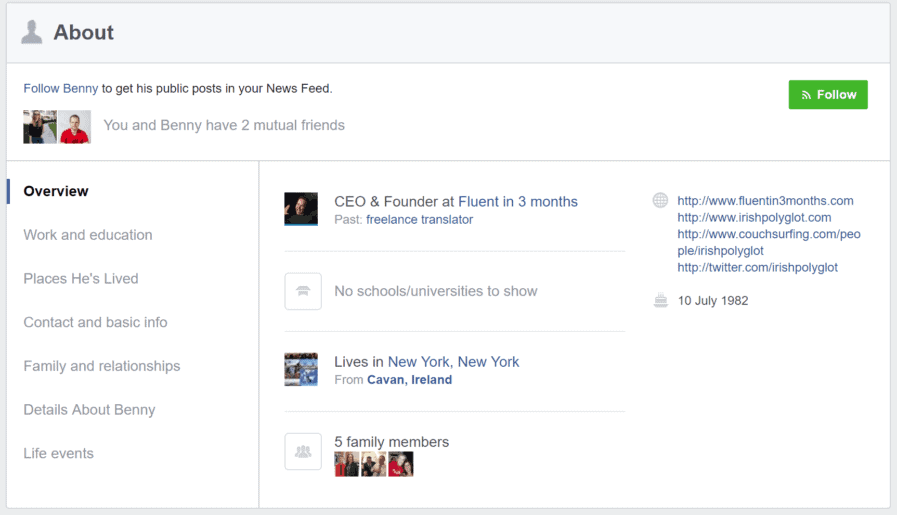
Be sure to mark this field as public so everyone can see it, regardless of whether they are connected to you.
When someone’s not even logged into Facebook, they’ll still see your website link in the bottom right column of your profile.
You can also link up your Facebook page to your Facebook profile by adding it as your current employer.
This link will give visitors to your personal profile two ways to connect to your website and business.
Link #2: All Your Personal Profile And Page Posts
Obviously, you can add a link to a Facebook post and drive traffic to your website. But what about those posts that aren’t links to articles?
Facebook now links any reference to a domain.com.
Anytime you post something to your wall – especially posts that are publicly visible – add your website URL in that manner.
For example, you could say thanks to someone for including your website when sharing a link to an article mentioning you:
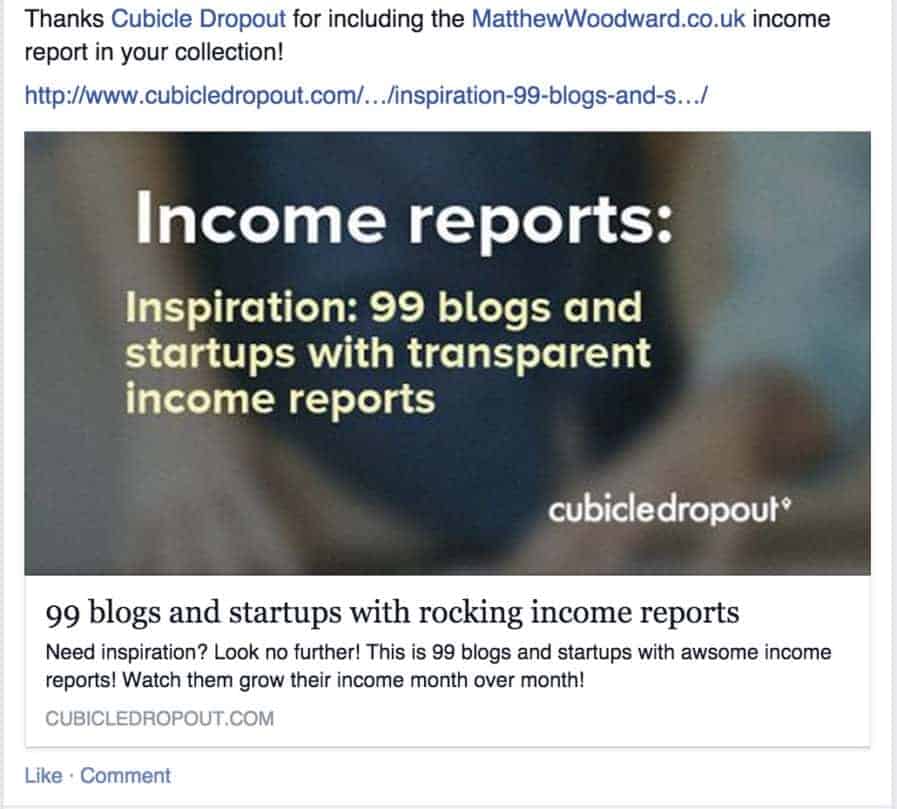
You could use it when you’re sharing quotes you’ve written, quotes published on your blog, statistics published on your website and so on.
You could sign every post you write on your Facebook wall with your domain like this.
Think of it as part of an email signature.
If the updates are public, your followers and anyone who visits your profile will see your website link in your latest update.
For those currently capitalizing on Facebook’s love of video sharing, this tactic can help you get your website URL out to hundreds of thousands of viewers.
Or even millions…
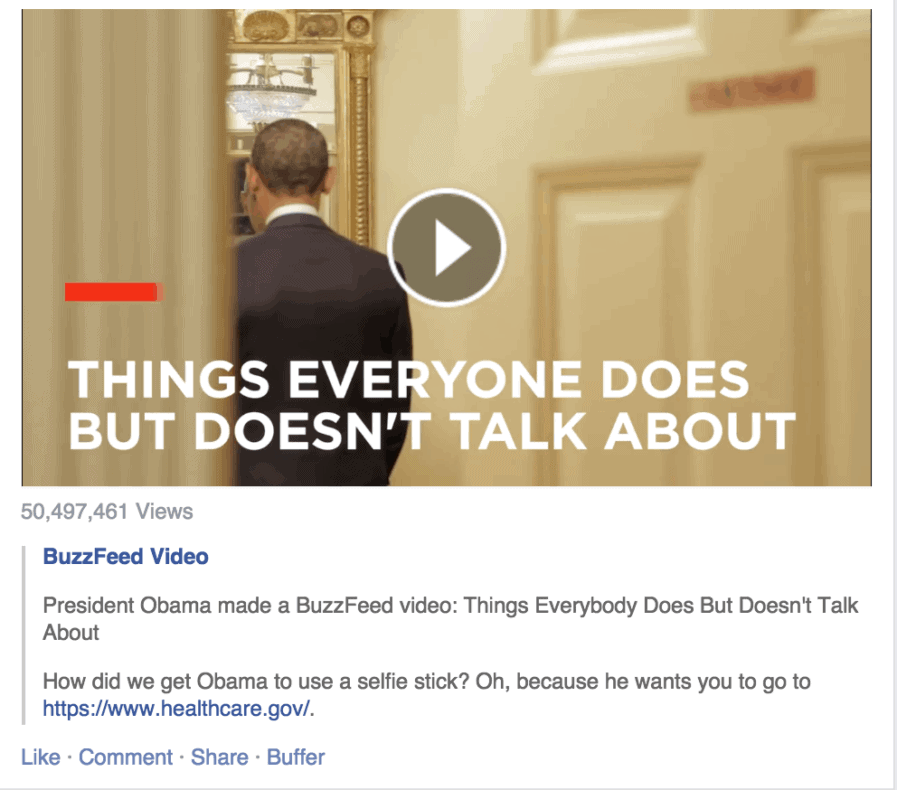
Remember this little factoid – it works just about everywhere on Facebook. Posts, profile tabs, page tabs, groups, etc.
Link #3: Your Page’s About/Intro Tab
Your Facebook page’s about/intro tab gives you lots of opportunities to link back to your website, especially thanks to the domain.com links.

At the bare minimum, you need to use the website link as that will show up on your page.
You can get double the benefits by including your domain.com in your page’s short description and using a landing page in the website field.
For example, you could have a link to your best lead magnet’s squeeze page in the website field.
Link #4: Page Buttons
As well as your page’s about box, you can also have page buttons that work as a call to action to your followers.
These are the big blue buttons that show up under your cover image. To edit them just hover over them to reveal this drop down menu:

And then edit the button to include a link back to your site, just like that:

Link #5: Your Profile And Cover Photo Descriptions
This area is the spot that most people forget. But when someone clicks on your cover photo or your profile photo (on your personal profile or your page), they’ll get the lightbox with your photo.
To the right of the photo, you have the perfect opportunity to link to your website. Take HubSpot, for example.
They use their cover photo to advertise a lead magnet:

It’s the perfect way to get people to click on that cover photo and then on through to your website.
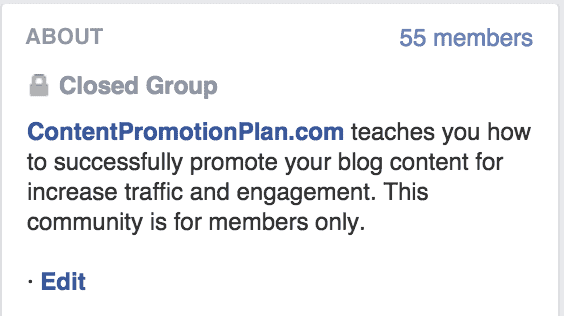
Link #6: Your Group Description
Do you have a Facebook group attached to your site? Don’t let the description go to waste!
Get your domain in the first 96 characters so that when anyone visits your Facebook group, they’ll see your website:
Link #7: Facebook Group Pinned Posts
In your Facebook Groups, you can also pin posts to the top so they’re the first links that anybody sees when they come to your site.
You can incorporate this and get a big hit of traffic:
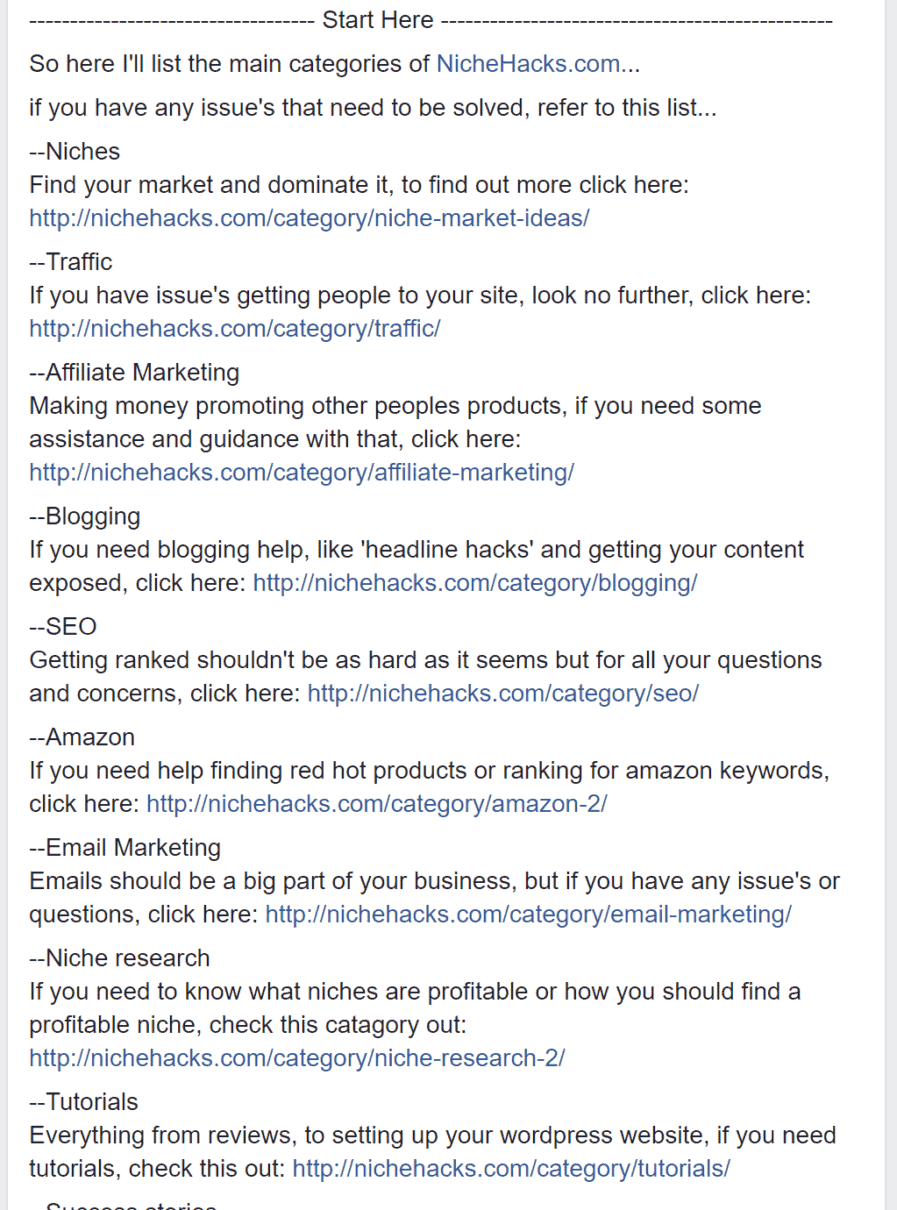
This is particularly effective if you’re running a group where members can add other members!

Twitter Link Building
Twitter may not be the powerhouse that it once was; but this bird is far from dead. Let’s look at how you can get some social link juice from here:
Link #8: Your Twitter Website Field
This is a no-brainer.
When you’re setting up your accounts be sure to enter your website so that it shows up as a clickable link on your profile page:

Link #9: Your Twitter Bio
Yes, you have a website field on your Twitter profile. But you can also have a link in your actual 160-character bio, giving you the opportunity to share your link twice!
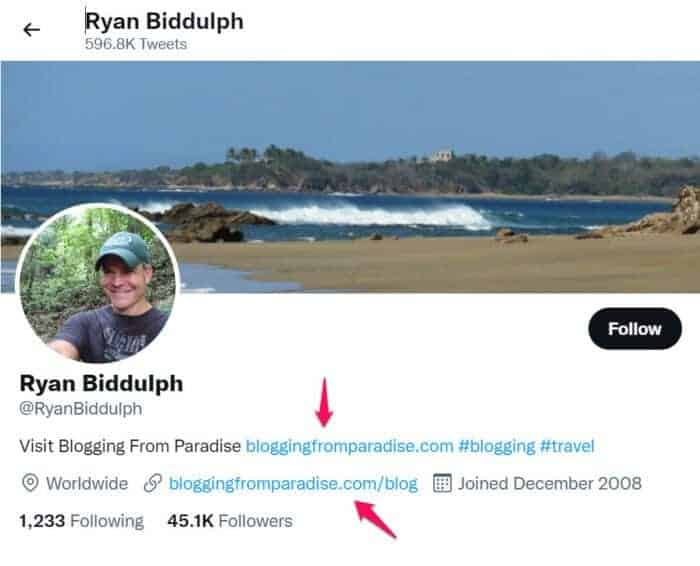
Why does that spot matter? Not only does it give you the chance to share two different links to your website, but the link in your bio will show up in other places on Twitter, like search results.
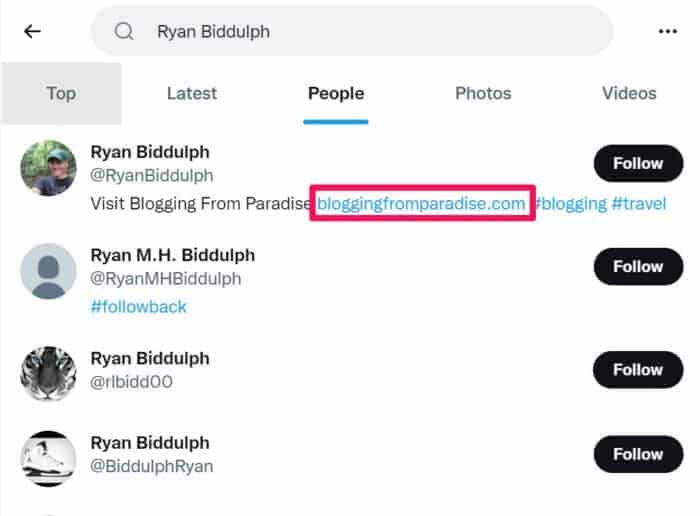
The link you put in your profile’s website field won’t show up here.
There are also a lot of sites that lift your Twitter bio information for profiles, such as Klout. It won’t get the URL in your website field, but it will get the one in your 160-character bio.
Some of these types of sites are giving out followed links, so be sure to give them the chance to grab yours.
Note that while Twitter will hyperlink domain.com without the http://, other sites (like Klout) that pull your bio will only hyperlink if the http:// is included.
Link #10: Your Photo And Video Tweets
Notice that box of photos and videos? It is created when you share photos and videos in tweets. If you’re sharing photos and videos to Twitter, make sure you include a link to your website.
This way, when someone clicks on one of those thumbnails, they’ll get your website URL in the lightbox. Otherwise, they’ll just get this.

For those of you sharing viral quote images and funny videos, this applies especially to you.
If you get retweeted, you’ll want your link out there for everyone to click.

LinkedIn Link Building
Connecting with professionals? Here are some great social backlinks for your LinkedIn profile, page and groups.
Link #11: Your Profile’s Contact Info
Your profile’s contact info tab allows you to add up to three links. These links will be shown at the top of your LinkedIn profile for non-logged-in users.

Be sure to use all three and customize the anchor text for them by choosing other instead of choosing the other options they offer when adding a link (company, blog, website, etc.).

Also, track clicks from these links with UTM parameters.
Link #12: Your Profile’s Featured And Posts Sections
The contact info tab is obscure at best for logged in users.
For this reason, you’ll want to add your website link to other sections of your LinkedIn profile. Specifically, the featured and posts sections.
You can easily promote your website or your projects through the featured section, just like that:

Your best blog posts and lead magnets (white papers, ebooks, reports, etc.) can easily be publications/posts.

Both of these sections put a direct link from your LinkedIn profile to your websites and landing pages without having to rely on visitors clicking that little Contact Info tab.
You can track clicks from these links with UTM parameters too!
Link #13: Your Company’s Basic Information
LinkedIn company pages allow you to enter your website URL as a part of your basic information.
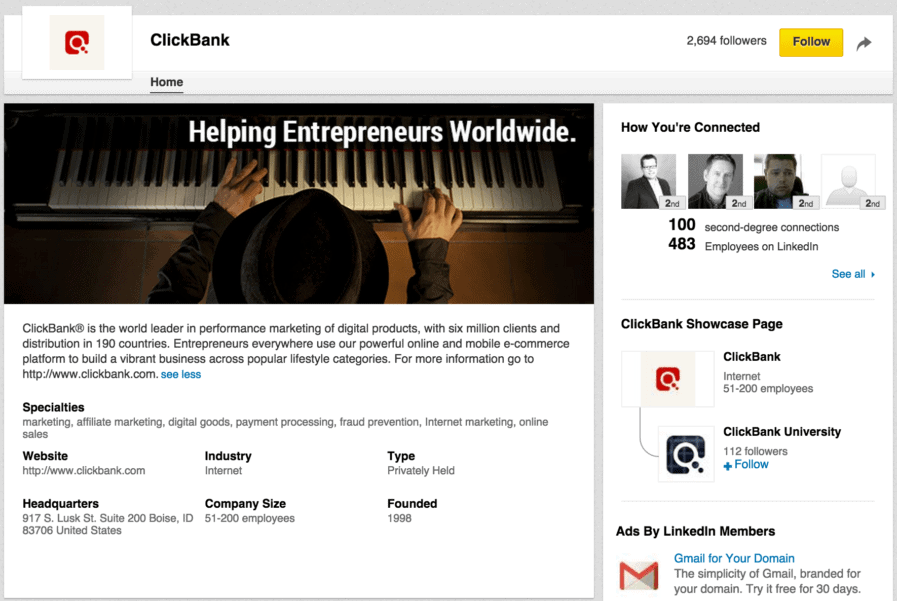
In lieu of the former products and services tab, there are now showcase pages that you can create under the umbrella of your LinkedIn company page.
You can add your product or service landing page URL to the corresponding showcase page:

You can also post updates to both your company page and showcase pages, so be sure to do so to give your followers more chances to click through to your website.
Link #14: Your Group’s Website
If you own a LinkedIn group, you can add a website to the group information during setup or in the group settings:

This information shows up by default to anyone who isn’t a member of your group. So if someone clicks on your group to join it, they’ll be introduced to your website as well.
Link #15: Group Announcements
Owning a LinkedIn group has a special advantage over Facebook groups. LinkedIn group owners can send Announcements – basically large group emails – to their members.
That’s right. Once a week, you can legitimately get in the inbox of people who haven’t opted into your mailing list.
Just go to your group’s management menu and choose the send announcement feature.

If you haven’t been motivated to create a LinkedIn group before, here’s the best reason to now.
YouTube Link Building
Video an integral part of your business? Well, it can now be a part of your backlinking strategy, too.
Link #16: YouTube About Page
This about page link comes with a perk.
You get a prominent placement on your about page where people are likely to click back to your blog:


Link #17: Video Descriptions
Every video has a description. And, while it may look greyed out to the naked eyes, it’s a clickable link when you hover over it:

Try having this in the first 25-50 words of your video description.
Note: You can check where your video rank in Youtube with a Youtube tracker tool.
Pinterest Link Building
Pinning your website content for traffic? Here’s what you need to know about social backlinks from Pinterest.
Link #18: Your Profile Link
You only get one link on Pinterest, so you need to use it!
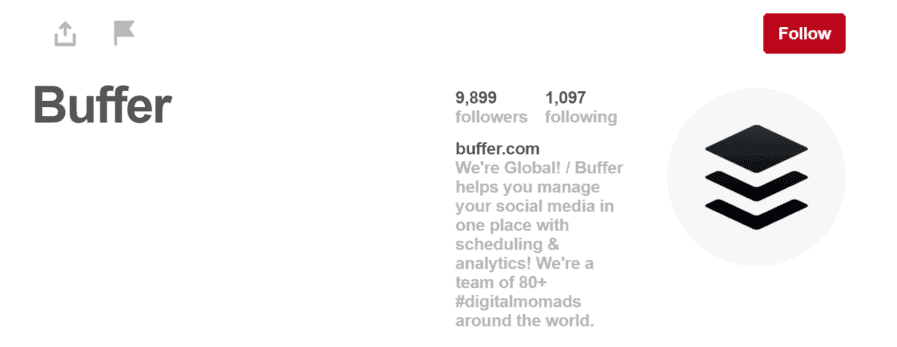
Pinterest will also ask you to verify your link, which allows you to unlock the next place to get links on Pinterest…
Link #19: Rich Pins
Rich Pins allow you to post photos and images to Pinterest as if you would be doing it with an article on Facebook.
Meaning that you can seamlessly attach a link back to your content at the end of your pin:

Affiliate marketers tip: if you’ve pinned stuff from Amazon, edit the link to include your Amazon Associate’s URL. While Pinterest is cracking down on affiliate links on pins, they haven’t seemed to catch this one. Yet.
Make it an obscure tracking ID for best results.
If you’re linking to your own website, use your UTM parameters to track the clicks.
Instagram Link Building
Instagram doesn’t give you a lot of options for links. But the links they do give you get used. Why else would people be pouring money into the advertising and marketing efforts there?
Link #20: Your Profile Link
You can – and should – add a link to your Instagram profile. Preferably add it with some icons that draw people’s attention to it.
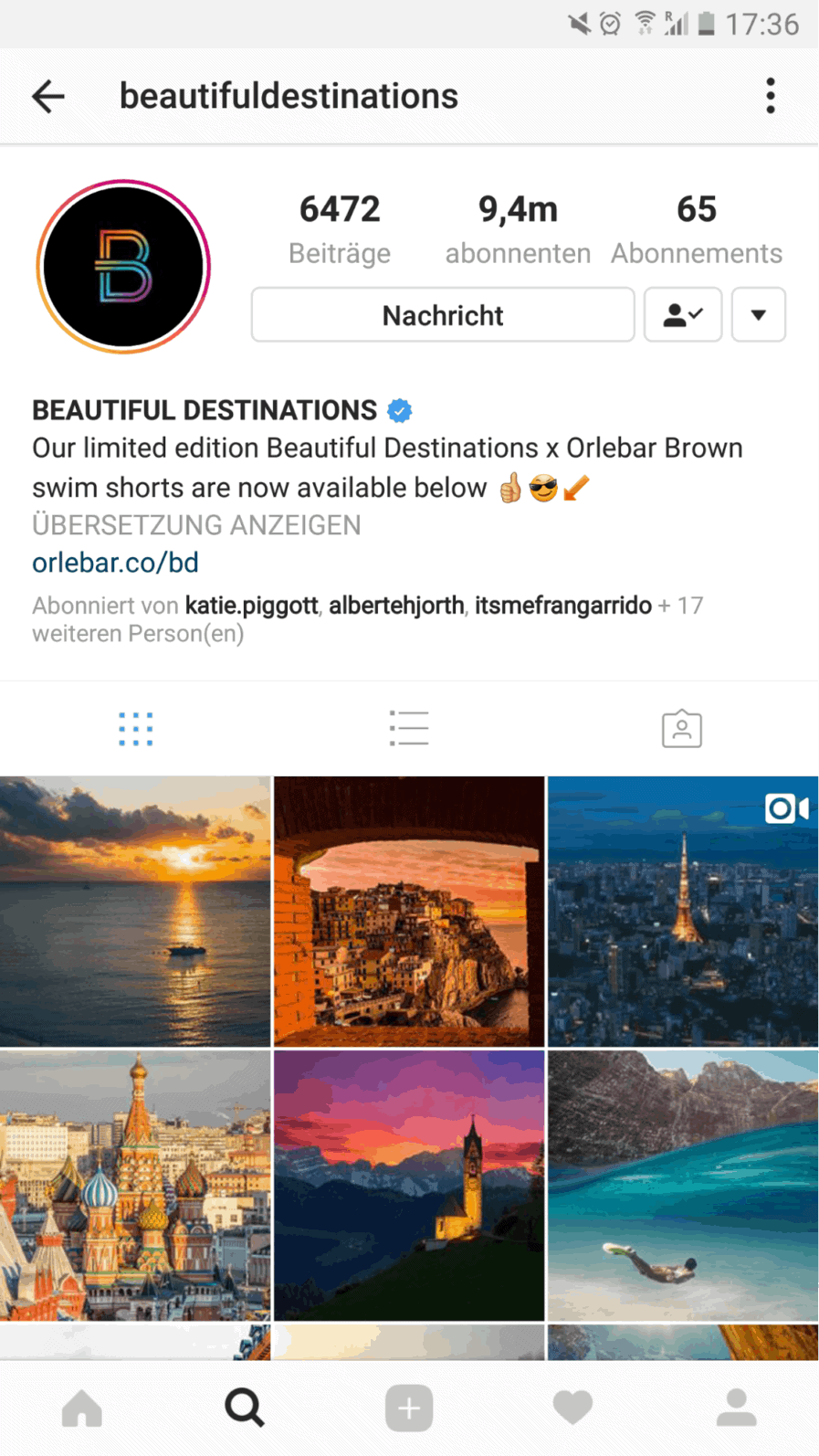
That link will also get some love from the desktop version of your Instagram profile when people find your profile in search.
Link #21: Instagram Stories
Instagram Stores now let you add links when you create them. This isn’t a permanent link and it’ll disappear.
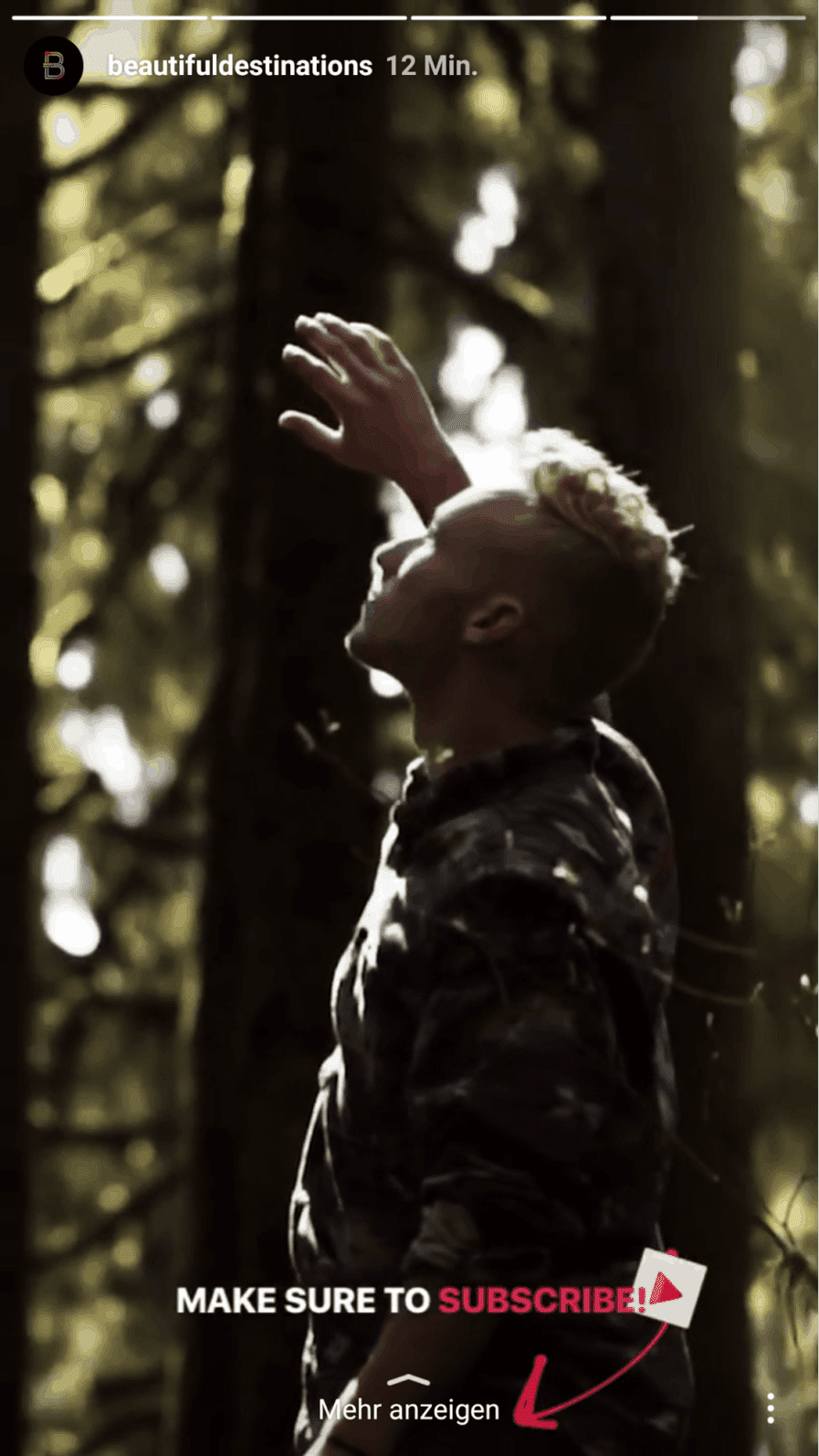
But if you’re creating a story that is relevant to a topic you’ve featured, put on in there with a strong call to action.
Need help from the experts? Head over to RisePro who specialise in Instagram marketing.
Quora Social Link Building
Quora is a social media platform I feel more marketers should be using than they are. There’s lots of referral traffic in it if you do it right.
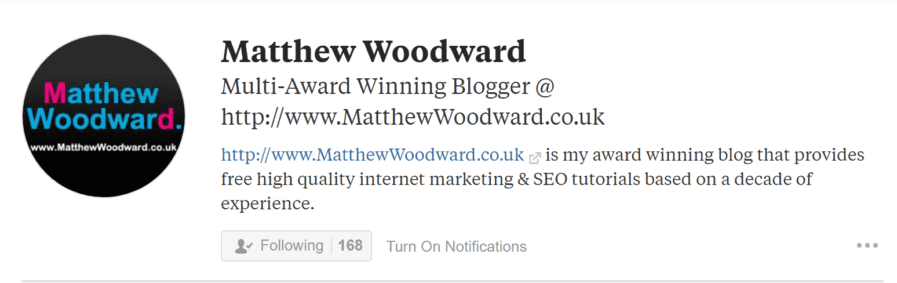
Link #22: Your Profile
Like every other platform on this list, you get a link back to your site. Only this time it’s in your description and you have to hyperlink it yourself:
Link #23: Your Answers
Definitely include links back to your site and content in your answers to people.
This content can be seen for months, or years, afterwards. And having one link there can create a good amount of referral traffic in the long run.

But don’t just spam. Be sure to add value with the comment.
Other Ideas For Social Media Backlinks
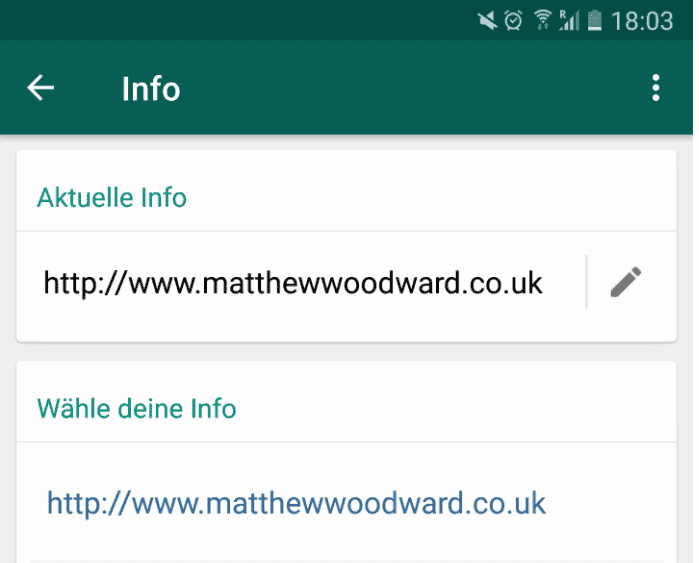
Link #24: WhatsApp Status?
Did you know you can add links to your WhatsApp Status?
All you have to do is go to settings, click your profile picture and insert the link:
Link #25: Video Streaming Sites
Do you do any live videos as part of your marketing campaigns?
If so, you should consider streaming them through services like Twitch and Periscope, so that you can include links there too.
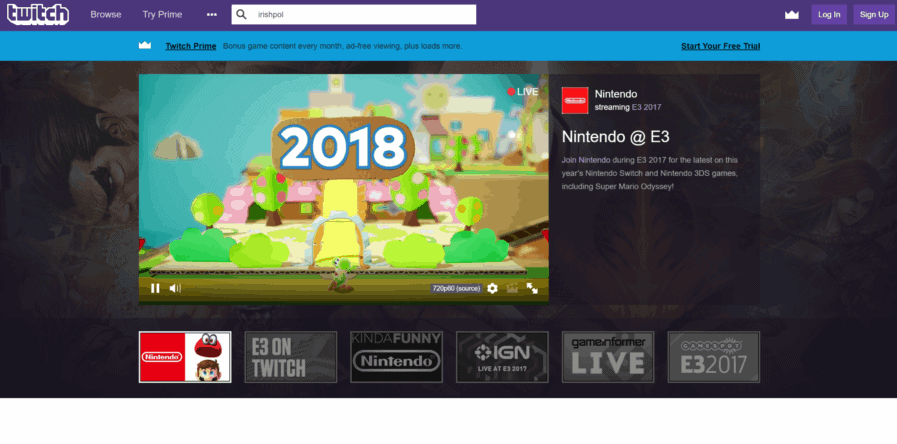
People can find your videos organically through these sites, so this is a great extra place to have them.
Link #26: Do An AMA
If you get the opportunity to do an AMA (ask me anything) on sites like Inbound, you’ll get some followed links in your introduction.
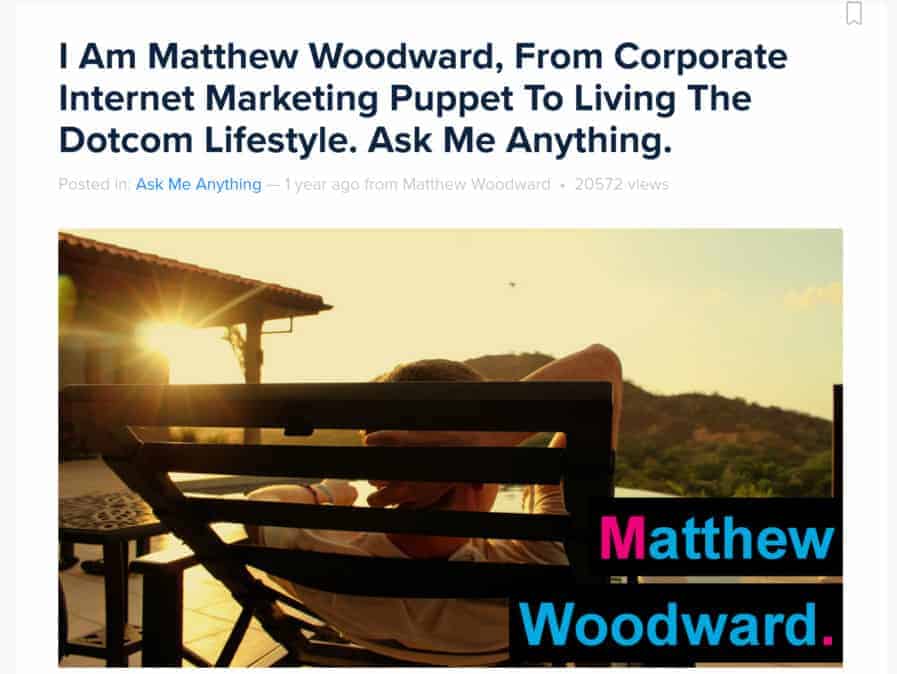
Since people are coming to get your expertise, they’ll likely be interested in learning more about you and connecting with you through your website.
Link #27: Add Comments To Online Discussions
Sites like Reddit can be brutal if they deem you a spammer. But they’ll love you if you’re being helpful.
Dropping a link in as part of a discussion helps you get a followed link and keeps you from being deemed a spammer if you do it the right way. Like this.

It’s a discussion in the appropriate subreddit as opposed to a link share. And it performed pretty well.
Link #28: Check Out Other Social Backlinks
Did you know there are over 500 social networks out there, such as TikTok and kik etc? KnowEm has them listed on their website.
You can even have them create your profiles for you for a fee.
BONUS: Learn how to build powerful edu backlinks & gov backlinks.

Wrapping It Up…
I hope that you’ve gone out and created some social media backlinks with the profiles, pages and communities you have – or that you are going out to do them now.
And I hope that you’ve discovered a few new ways to build some clickable social media backlinks!
Did I miss any social link building opportunities? If so, share them in the comments!
Otherwise, I highly suggest you download my link building checklist to make sure you are only building awesome free backlinks to your site.
Or, if you want to outsource it, check out my review of the top link building services.

Frequently Asked Questions
You Might Also Like


What Are Your Thoughts?
1,086 Responses



Hey mattAnother great post I really like your style and you always add really good information, thanks for writing a quality post!!Have a great day!
Thanks Shaun!
Useful and great tips. Thanks man 🙂
No problem 🙂
good information matt it is useful but still in a dilemma whether it will work out or not.
Well its pretty easy to find out…
Thanks for the idea to improve my social media backlinks
No problem 🙂
Wow, these are so easy and super strong. Will be using this and making some groups, communities and pages!Thanks Matt
No problemo =D
I see, there’s only a little thing , sometimes we ignore it because we think it not necessery.Lucky I’ve read your article… and change all my social media setting while reading, LOL I feel so dumb not doing it from the first time and I keep think oh my God, how can I ignore this part… 😀
Hahaha no problem glad it helped you out!
hai matthew,i’m newbie..your post very usefull and inspiring for me…It was an super post, I think that the website be on google SERP only one backlink alone but apparently share of social media is very influential, thanks article
Glad to be of service Adem!
i dont have any social media to my website yet, i just run a website, it is better to build a website first and social media to second, or build them at the same time? thanks for share it matt 🙂
Website first 🙂
Really good tips, I like the twitter method, definitely going to try it out for my sites. Thanks
No problem!
thanks for sharing, it’s very helpful
No problem 🙂
hay Matthewi’m newbie..your post very usefull and inspiring for me…so..link building still work…very glad..waiting for your nex postkeep sharing dude..thanks..sory my english is bad..
Thanks Stef 🙂
awesome, very helpfulthanx friends
No problem Riyan 🙂
Thanks Matt , I got It (y) (y)
Glad to be of service 🙂
This was awesome – very smart. I went through all of my accounts and added links. Thanks.
Glad to be of service 🙂
Great tut on linking, perfect for someone just starting out and wondering what next, link building can be bewildering at the best of times well done author.
And these are all easy wins for anyone 🙂
I always use google plus as social media for share my best article..Thanks for info 🙂
No problem 🙂
hi, thanks for this great article, I went through all of my accounts and added links 🙂
Good job 🙂
Wow! that was an awesome post and I’ve implemented some of the changes already. For a change Google search got is right and this was the best link in the search results. 😀
What did you search for?
Love it, great stuff.
Thank you 🙂
I’m on #8 and still working though the list, making changes at every stop. Momsvilleusa.com thanks you Matt for sharing.
Keep on hustlin 🙂
That’s a pretty comprehensive roundup of all the major social players. Really like the trick of popping a link in the text by the cover image / profile photo. Had done that over on G+ but forgot to do the same on Facebook, so thanks for the reminder!Possibly one to add would be Tagboard, which gives you the option of linking not just to your website but also to your main social profiles as well, e.g. https://tagboard.com/smrtlcl/83890
Nice extra share thanks Nick!
Ahhh I see yeah there is a couple around that time frame in London 🙂 I actually didn’t decide what I’m going to do yet, I got the 4th or 5th email chasing me for details this morning lol
Yes of course 🙂
glad to be here again, new technics,i got this.
You do indeed =D
Thanks for your reply !And what about link building ?Its still working for getting better serp ?Thanks
Thanks dude, I have many social profile and realize that i haven’t optimize these for link building.Very inspiring!
Glad to help 🙂
Hello Matthew,Link building still works?I have read in many forums and sites that links building and seo is dead now and content is the king .I want to know your thoughts .Thanks
SEO means, search engine optimisation. As in, optimising for search engines. So as long as search engines exist we can optimise for them. Anyone that says SEO is dead is an idiot that should be ignored and/or are an unskilled SEO.
OMG, you wrote all of this to the world. Thank you for another great tips. I will read it line by line to get the future opportunity. 🙂
Glad you enjoyed it 🙂
Hey Matthew,It’s been awhile since I visited your blog and something compelled me to stop by and see what you’ve been up to. As I scrolled down the page, I saw my own avatar show up in your screenshot from your Facebook Page (example #3) — now I feel like a giddy school girl!! lol So great to visit here and get these great tips. I’ll be sure to share this!Cheers!
Hahaha glad to feature you 🙂
Ungagged 🙂
Hi Matthew.You have included some great ideas here.I don’t use social media nearly as much as I do. However, I learned a lot from this post and have bookmarked it to refer to when trying out some new suggestions.Thanks.Nathan.
Make sure you come back 🙂
These were some great tips Matt! I knew most of them but definitely learned a few. Like the Klout link not working if there is no HTTP. So I simply changed to custom bio on Klout and fixed it! Also the CTA on your FB banner is clever. Not sure how many people actually click on that, but everything adds up. I have recently found Reddit to be a great source of traffic. I usually link to “how to” articles on my site and as long you help them fix their problem they won’t be flagged as spam/removed.
Great tip for Reddit, something I’m considering having a play with soon =D
Simply Brilliant !
Thanks Alex
I just stumbled on your post. Your contents are very informative. Thanks and Keep it up
Hello Matthew, you have been a Blessing to my blogging experience. Each time I Read or watch a tutorial/guide you publish, I always have positive values added to my business. God bless you.I have watched your tutorials on spinning (Best Spinner ) & backlinking. Please, what is your view about using “No Hands SEO” software? I know it might not be best, but I’m considering cost also. It’s just a one time $77 price software. Thanks so much.Tony
Thanks :)I used that a couple of years ago and I wasn’t impressed at all, Scrapebox is a better buy as it can do pretty much the same thing but a million other things as well.
I have created business pinterest account. How do i drive in the traffic and followers
Post useful things, good content, engage community – behind every ‘click’ from pinterest is a real person. Just influence people like you do in any other marketing channel.
Great post, Matt!! :)Got an idea or two to take action on. Never thought about using Instagram to advertise my site. I have Facebook group – I’ll have to get a link in the description as well. Cheers
Every little helps 🙂
Thanks for the info. I have been using most of these but there were some I had missed. I may give Reddit a go next.
Good luck =D
This article is like a hard slap on my face. Honestly I already know like half of them but still not doing it until now. Thanks Matt (for the slap)
Actually me neither 😛
Great all-in-one post! A complete social profile including the website information gives out a signal that you care, but many (i’ve been guilty of this) keep postponing that. A minute spent doing that goes a long way in establishing better credibility.Getting the link through Instagram profile was new for me. The Reddit example is good as well.Finally: “did you know there are over 500 social networks out there” – all we now need is a tool to create profiles on all those sites in 15 min flat :). Suggestions?
I’ve been using Facebook, Twitter, G + and LinkedIn to create some backlinks. But I’ve never tried to optimize Pinterest and Instagram. Never thought of before.Thank you for a very useful article.
Optimise all the things!
Very Nice
Thanks a lot
Me too
useful and great tips as usual :)Thanks man 🙂
No problem 🙂
Another great post Mat. Looking forward to seeing what you are offering at the SEO meet up in London in a couple of months. Social noise is going to matter even more after April 21st and Google’s split search for mobiles. I’m predicting (oh dear, I might regret this) that The Big G will value social noise even higher for their mobile index. Maybe reducing the value on desktop searches, but pretty certain mobile will rely heavily on social proof. And a almost real time index as well. So you can experiment and promote without too much concern of the re-assessment process taking weeks or months.What say you Matty 🙂 ?
Hey Paul,Which meetup?And its not often we know the exact date a Google search update is going to happen – April 21st. You can be sure I have everything in play to meet that deadline as well :)I’m not sure if Google need to seperate mobile/desktop algos over and above the mobile layout update and site speed.
This was awesome – very smart. I went through all of my accounts and added links. Thanks.
Good job 🙂
Hello matthew you posted some videos on youtube about link building that method is white hat or black hat …
There is no such thing as white hat. The second you build any kind of links you violate webmaster guidelines regardless of what it is or how you built it.
If you’re making only 1 backlink then it’s black hat in front of Big G. lol! everything is grey and black hat…
The last link to Knowem website is the thing that I was searching for from months. Thanks matt, like always, I got something new from your blog.
Hi Matt, Very powerful post, but perhaps too many profiles (knowem lists hundreds of social media sites) without activity could damage. Do you recommend some type of autopilot to keep alive some of them?P.D. I was reading this post in my mobile and the lateral widget (Rankcracker and Subscription form) just appeared and cover all the screen (could read the article only to the point of the trigger). Perhaps this plugin is anti-responsive.
Actually I have most of them setup but mainly as a branding/protection exercise than anything else.
Again Matt, You are rocking with your strategy about social media.Lot of new tips and opportunity grab from this post.Keep it up!!! 🙂
Thanks Chirag!
I didn’t realize you could even put in naked URLs that end up being links in those areas in the Facebook profile. Thanks!!One other great places to get social links is a YouTube channel header. You can add multiple links there.
Taadaaa =DYes that is another great one!
Can you explain how to multiple links at youtube channel?
That is good information thanks for sharing.
Another extra ordinary stuff out of Matt’s Box. Thanks
Please let us know how you get on!
Another great post again.Google Plus links works great 🙂
Hope it helps you out!
awseome post but do you have a list of sites with good do follow backlinks??
Great Article
Thanks you very much
I’ve just started my social media links I’m starting to get daily traffic. I’m on shopify so my dash board tells me I’m going to do some of the things you recommend. Maybe I can get a sale a day from my social media..good read. I will act on it
great
Great it is informative information for all digital marketers