













































 Subscribe to my YouTube
 Join My Facebook Group
 Connect on Linkedin
 Free SEO Tutorials
 SEO Case Studies
 Links That Rank


What Is Google Search Console?
Google Search Console is a free SEO tool by Google that helps you monitor, maintain and improve your website’s presence in the Google organic search results.
Think of it as a way of seeing your website through the eyes of Google.
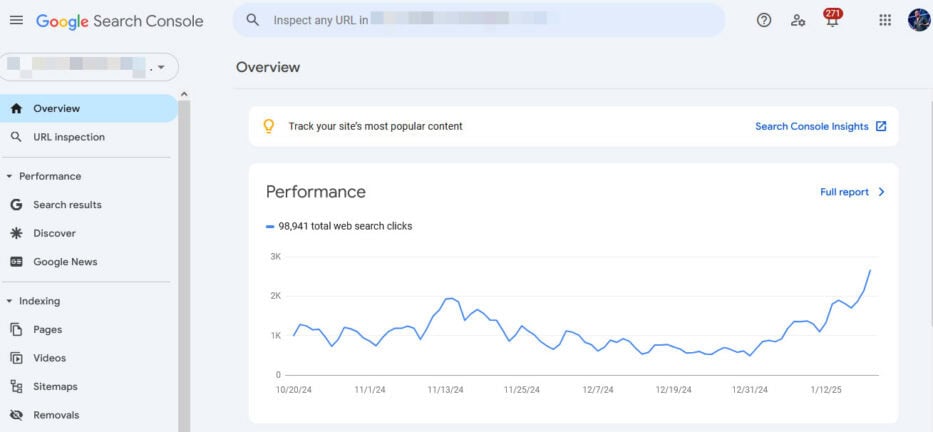
It has a ton of great features-
- Make sure Google can crawl your website
- Monitor indexed pages and identify any indexing issues
- Track important Google search traffic metrics like clicks, impressions, average position, and CTR
- Look at which keywords bring your site search traffic
- Submit your sitemap to help Google find all your pages
- Receive alerts about security issues like malware or hacking attempts
- See which external websites link to your site and track your backlink profile
And so much more! The truth is that Google Search Console is an essential tool for all website owners who want to increase their search traffic.
It has all the key information you need to improve your website’s visibility in the Google search engine results pages.
Google Search Console used to be called Google Webmaster Tools. But, in May 2015, Google officially renamed it to Search Console.
Today, it is one of the most important SEO tools for all website owners.

What Will I Learn?
Why Is Google Search Console Important?
Google Search Console is important because it helps you understand how your website performs in the Google search results.
It’s like getting a complete website analysis from Google themselves.
Who wouldn’t want that, right?
The Performance Report shows every keyword you rank for and the number of clicks you get from those rankings.
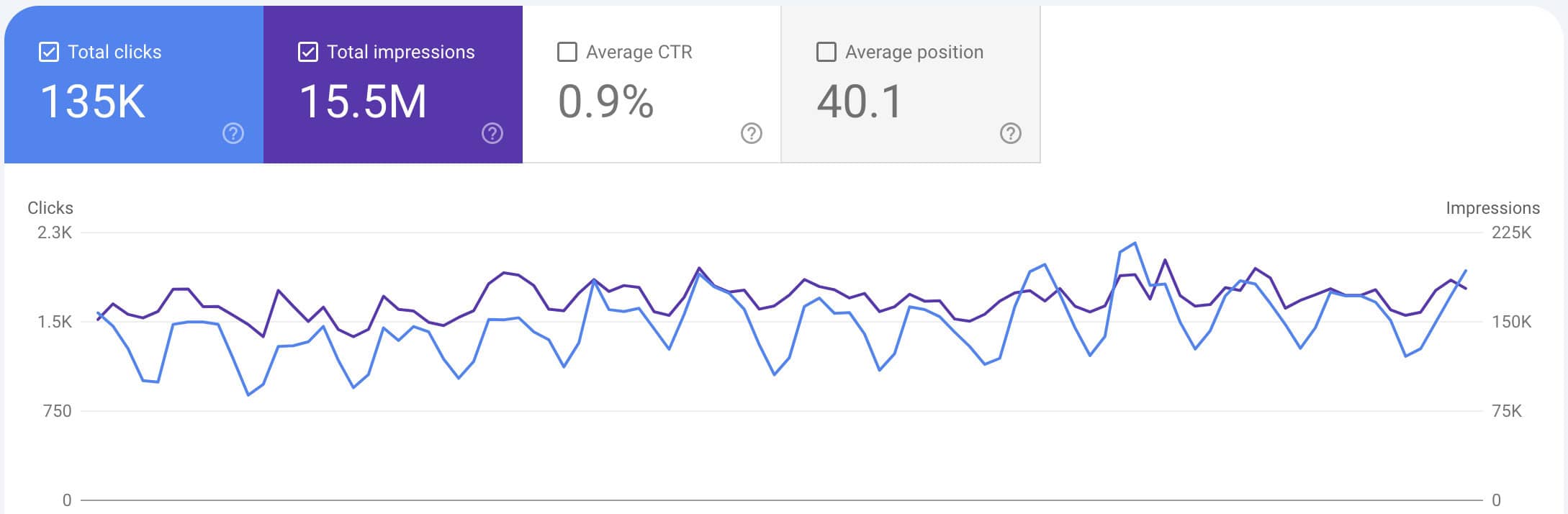
You can even break it down by device types and countries that bring you the most traffic.
But that’s not all…
The Core Web Vitals Report provides a complete overview of your website from a technical performance.
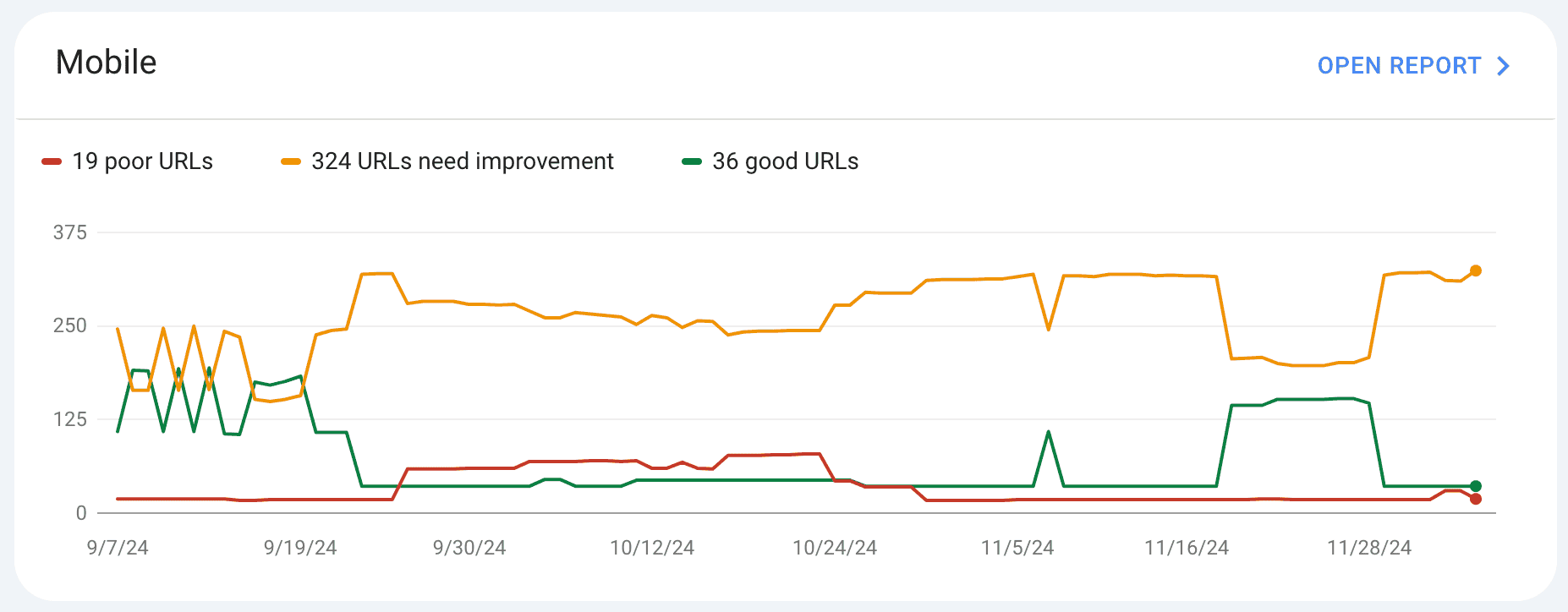
Google collects data from real users on your website to display in these reports. It will tell you things like if your website is too slow on desktop and mobile devices.
You can also check the Links Report to see all of your:
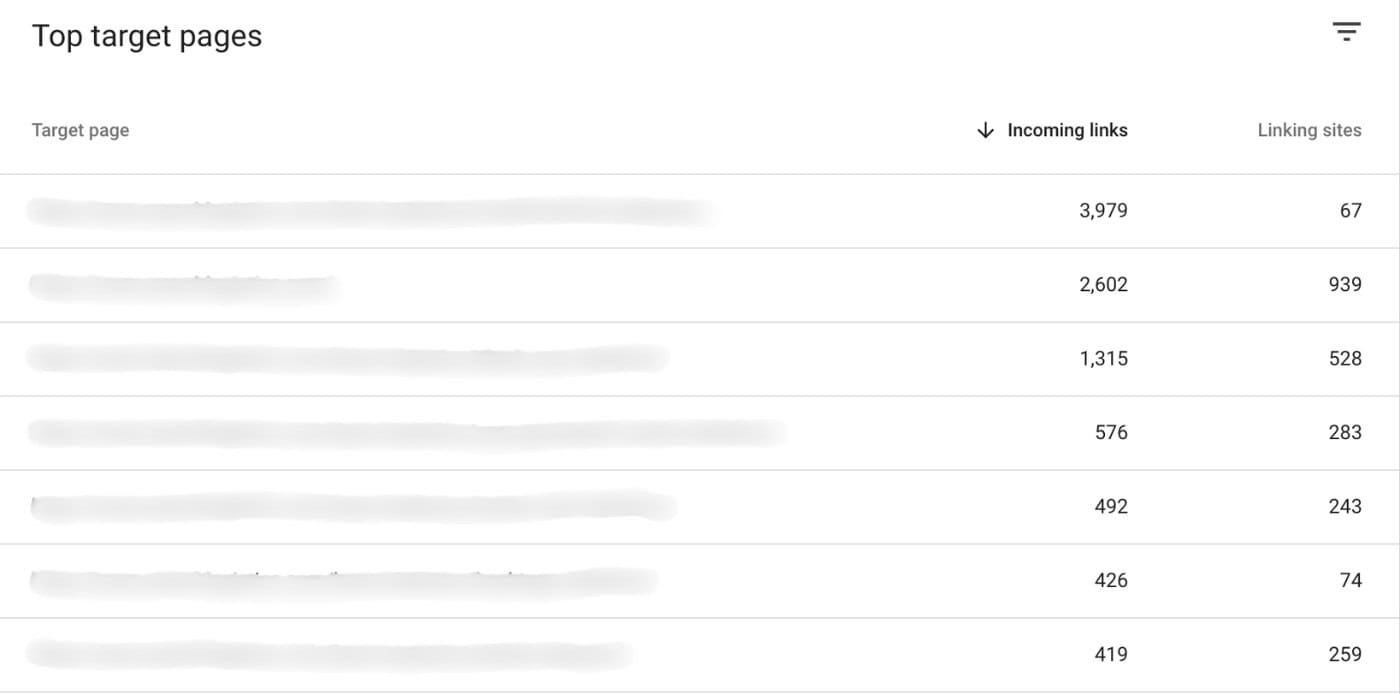
It’s easy to see which pages on your site have the most link equity and track your backlink profile over time.
The truth is that Google Search Console is the only tool that gives you 100% accurate data about your website’s performance in Google search results.
It’s one of my favourite Google tools and something my team uses almost daily for all our clients.

Who Should Use Google Search Console?
Business Owners
If you run a business, Google Search Console is your best friend.
Even if you don’t use Google Search Console yourself, it’s a good idea to set it up so that it starts collecting data before you need it.
One of GSC’s biggest benefits is seeing how people find your products and services online. This can help you improve your business and find new opportunities to engage customers.
SEOs And Marketers
This is a no-brainer…
For SEOs and marketers, Google Search Console is like having X-ray vision in the search results.
You can see exactly how your SEO efforts are paying off and which strategies work the best. Want to know if updating content improved your rankings?
Google Search Console will tell you.
Here’s the thing most people don’t realise…
You can find tons of keyword opportunities your competitors are missing. You can also see what people are searching on Google to find your website.
These insights can be used to understand your market better and improve your other marketing campaigns.
Plus, when clients ask the dreaded “What have you done for me lately?”
You’ve got the data and info to prove your worth.
Website Managers
Running a website without Google Search Console is like driving blindfolded.
Google Search Console immediately notifies you if you have indexing errors, crawl issues, or security threats.
This means you can fix problems before they harm your traffic.
Simple, right?
Website Developers
Website development is more than just creating great-looking websites.
Clients expect their websites to be search-friendly.
As a developer, Google Search Console is your early warning system.
It allows you to track core web vitals and identity pages on the site with slow load speeds.
If you’re adding schema markup onto the site, see and resolve common issues quickly.

How To Set Up Google Search Console
Don’t have Google Search Consoles set up yet?
Follow these steps to set it up correctly:
Login to Google Search Console, click “Add property” and type in your domain. Click “Continue”.

Copy the TXT record code provided, sign into your domain provider and create a TXT record.
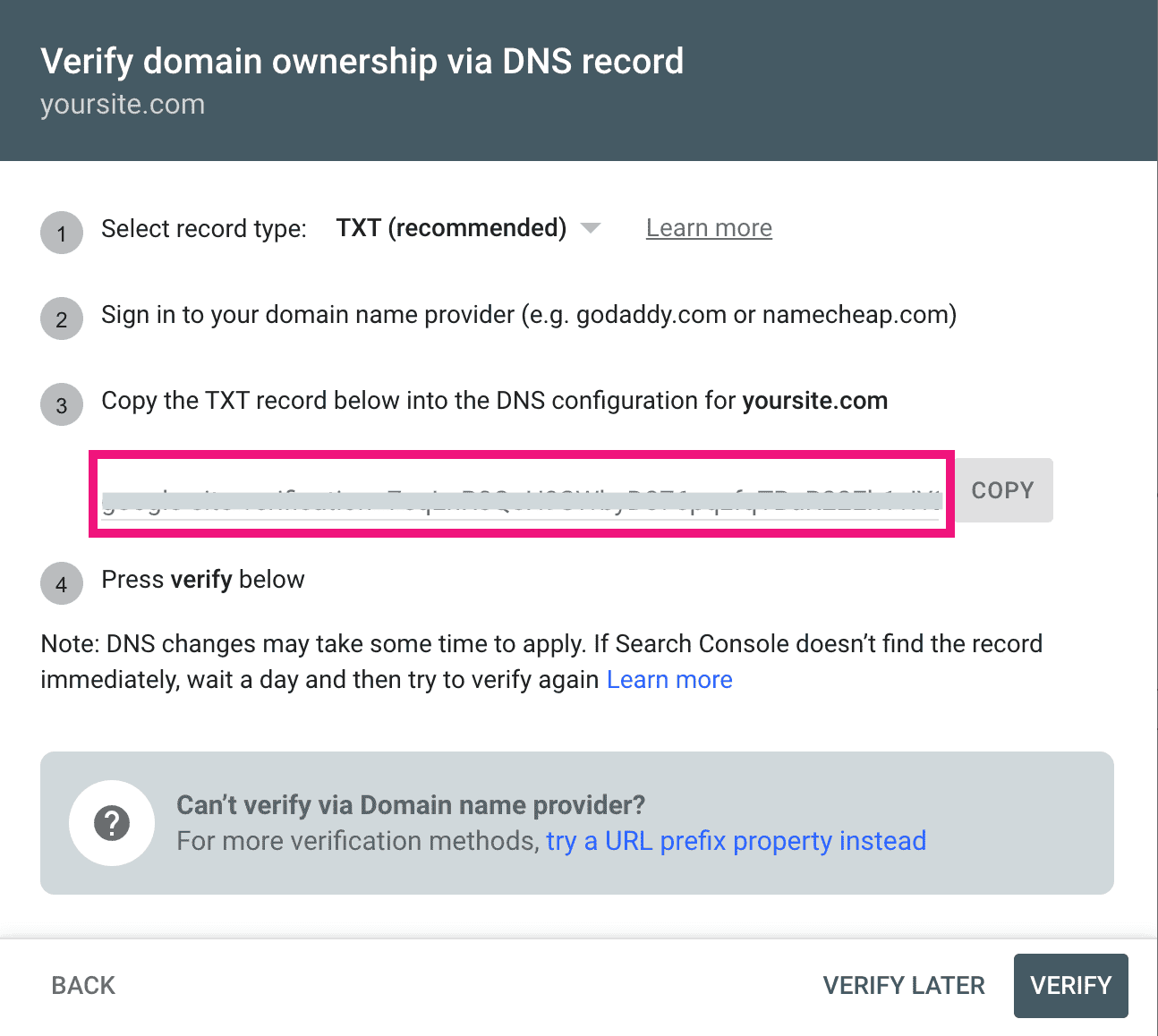
Once you’ve added the TXT record, click “Verify”.
It will take about a minute to verify. You’ll get a confirmation from Google Search Console saying that the verification was successful.
Once verified, GSC will start collecting data about your website’s performance in the search results. The data may not be displayed for a couple of days.

How To Use Google Search Console
These are the best ways to use Google Search Console to grow your search traffic:
1. See Average Ranking Position
You can use Google Search Console to track keyword rankings.
The best part is that you can track individual keywords or specific pages.
Filter the results by date range, country, or device type to get more detailed insights about your rankings.
Here’s how to do it:
Click on “Search results”, click “Pages” and select the page you want to view.
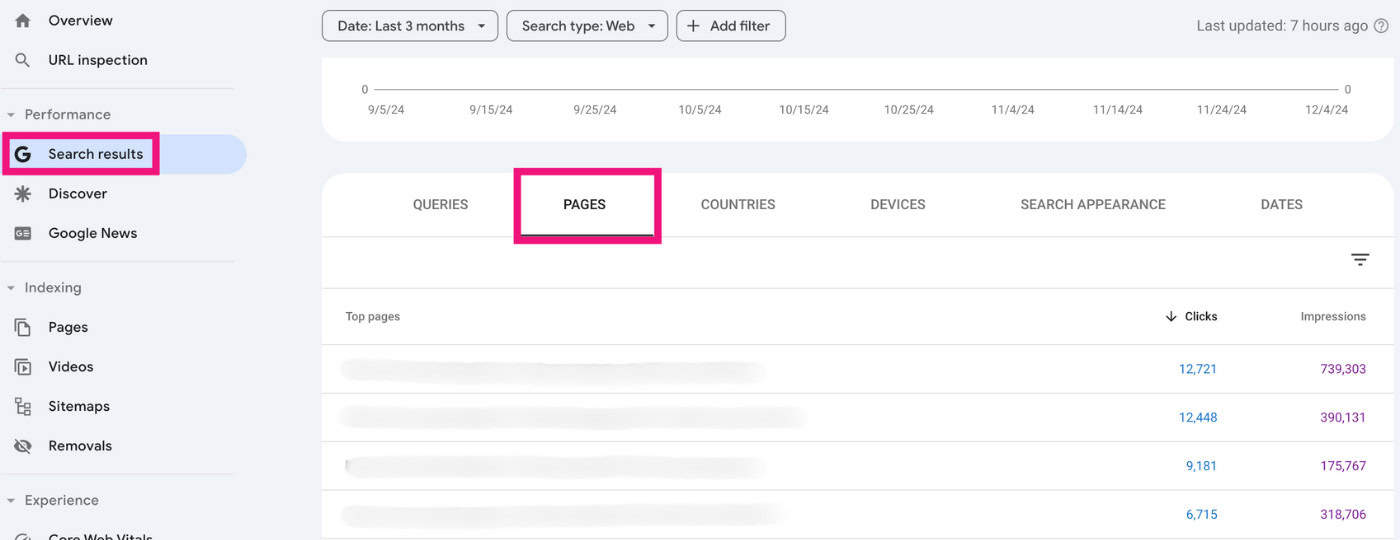
Toggle on “Average position” at the top, and scroll down to see the average ranking position for each keyword or page.
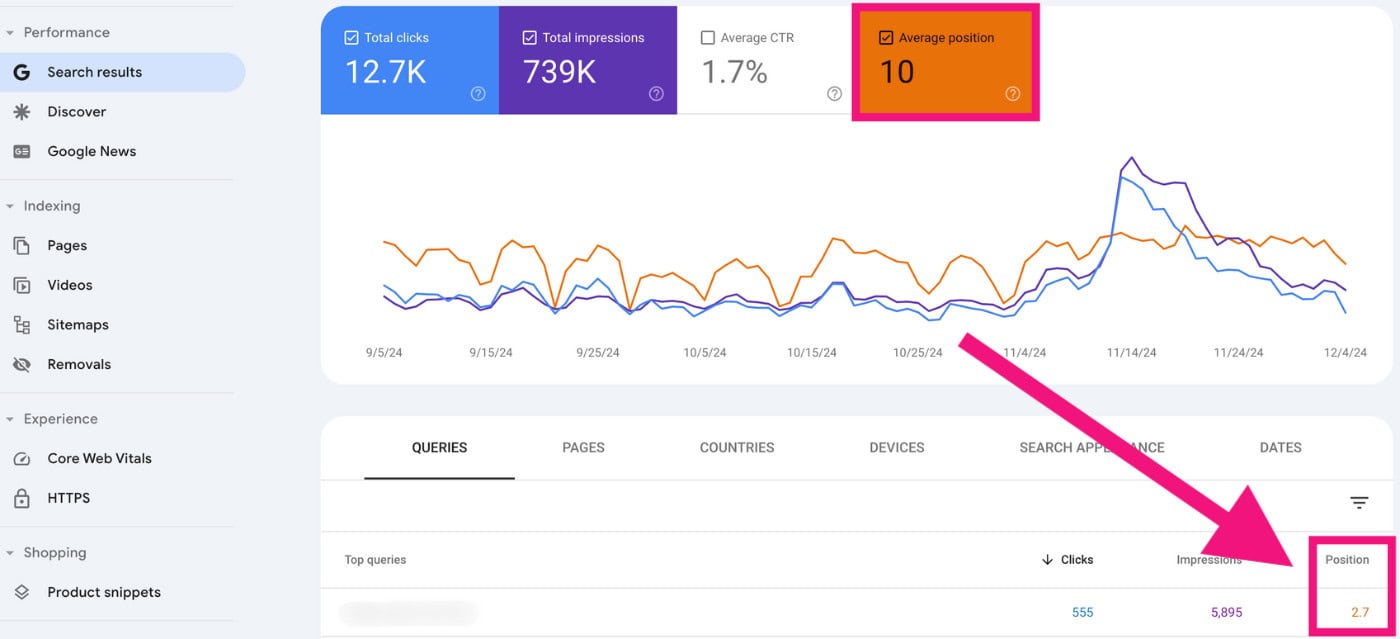
There are two ways you can use this report:
- Track the average keyword positions
- Look for keywords that get impressions but not clicks
That way, you can go back to your content and optimise for keywords that have impressions but few (if any) clicks.
Why?
Google already finds your content relevant for those keywords. A bit of tweaking will likely mean you start generating traffic for them.
2. View Website Performance
There is more to the Website Performance Report than just tracking the average ranking position.
The Performance Report also shows clicks and impressions for your website in Google search results.
One thing I use this for is identifying traffic trends and looking for pages that have lost traffic in the past 30 days.
Click on “Date range”, select “Compare”, then choose the period you want to compare.
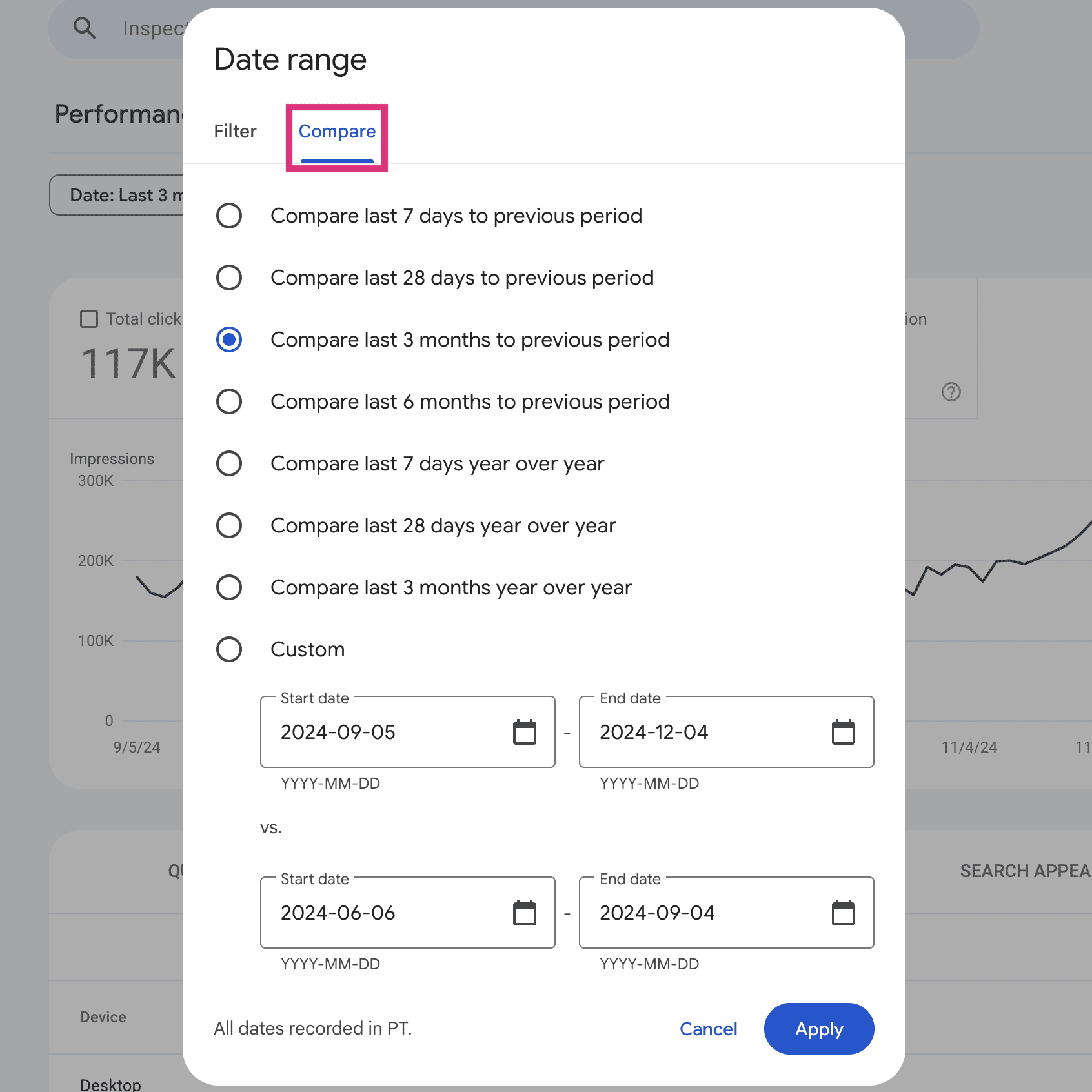
Now, you can compare traffic trends for your site!
Look at the Queries and Pages tabs to compare traffic for individual keywords and pages.
For example, if you see that a specific page has lost traffic over the last 30 days, that’s a good signal to investigate and determine whether there is an issue.
3. Check Backlinks In Google Search Console
The Links Report shows all external websites linking to your content. You’ll also see the most linked pages on your site.
On the left, click “Links”, then select “More” in the Top linked pages section:
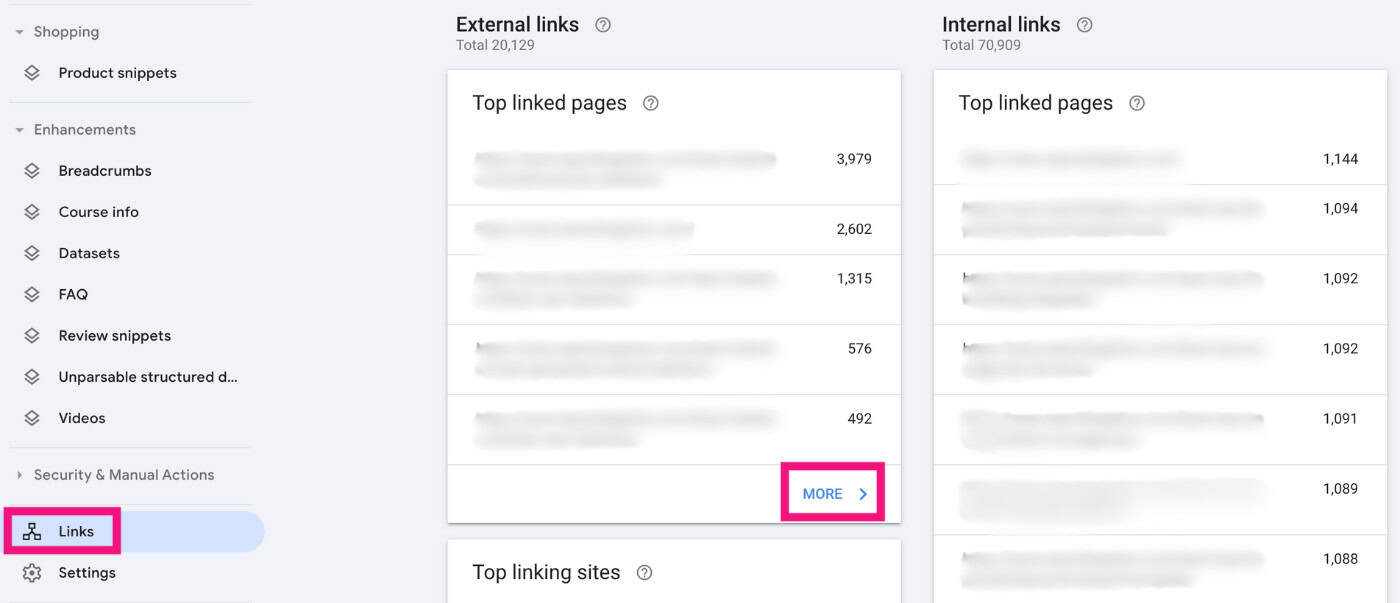
You can see all the pages on your site with the most external links. These pages are likely to have high authority.
What do you do next?
Look for opportunities to place internal links from these pages to other relevant pages on your site.
This will help pass link equity and strengthen the rankings of those pages.
4. Find And Fix Errors On Your Site
Google Search Console gives you a huge range of reports and features to easily identify and fix issues on your site.
There are quite a few features here, so I’ll cover the top ones.
The Page Index Report
The Page Index Report shows which pages Google can and cannot index on your website.

Google Search Console will also tell why certain pages aren’t indexed so you know how to fix them.
The Sitemaps Report
The Sitemaps Report is where you submit your XML sitemap to Google.
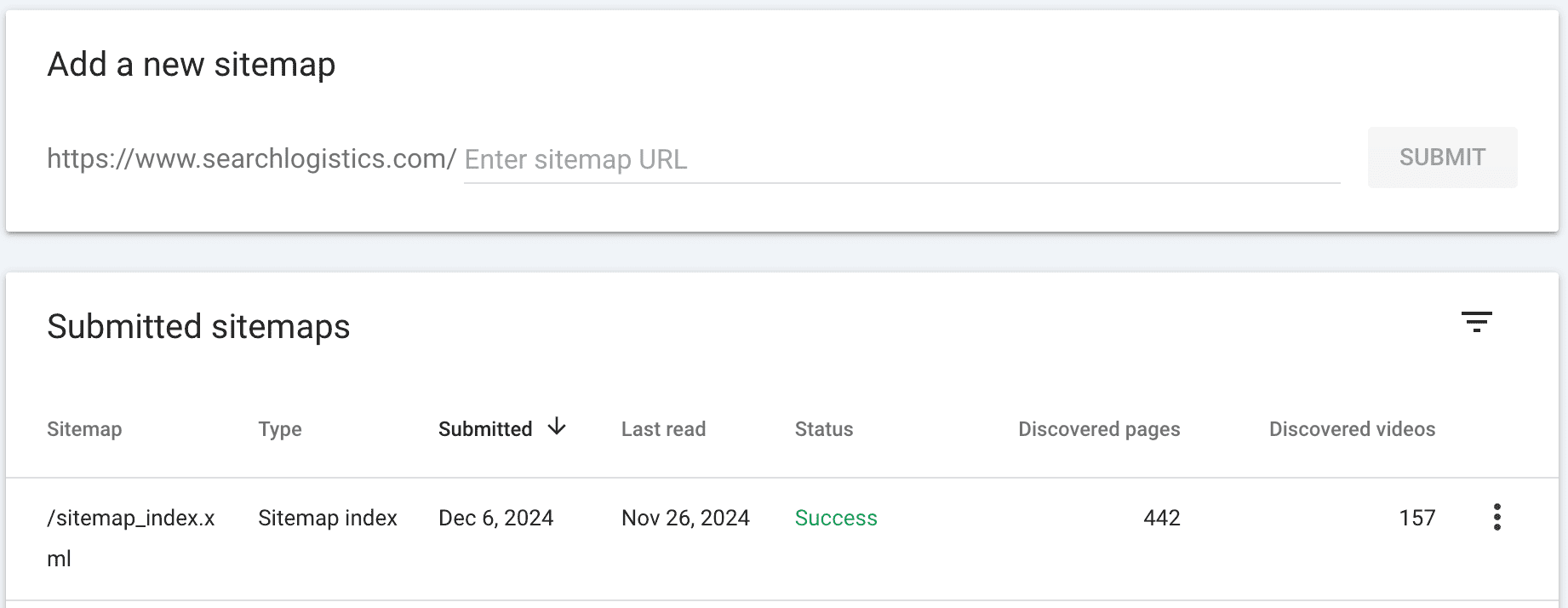
Think of it as a complete map of your entire website. Once you’ve submitted your sitemap, Google will give you a “success” or “fail” message.
Core Web Vitals Report
The Core Web Vitals Report measures your website’s loading speed, interactivity, and visual stability.
It measures key website performance metrics like-
- Largest Contentful Paint (LCP)
- Interaction to Next Paint (INP)
- Cumulative Layout Shift (CLS)
Google measures each page on your website and assigns it a status of:
- Good
- Need improvement
- Poor
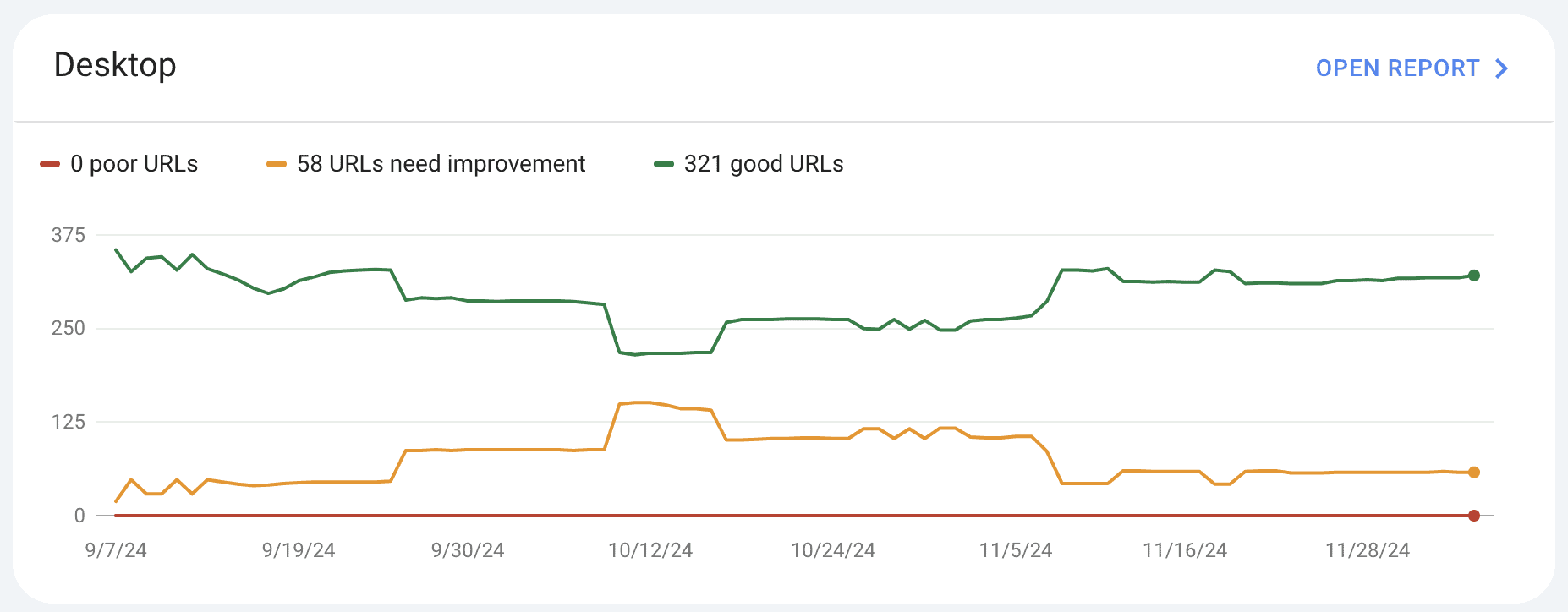
Use this data to improve your website’s user experience and meet Google’s page experience requirements.





